Tele remote control презентация
Содержание
- 2. Connection and drilling with Tele Remote Drilling from the control room
- 3. Connection and drilling with Tele Remote The Control Room's safety system
- 4. Connection and drilling with Tele Remote Point the rig's antenna to
- 5. Connection and drilling with Tele Remote Make sure that the drill
- 6. Connection and drilling with Tele Remote Tele Remote menu Atlas Copco
- 7. Connection and drilling with Tele Remote Requirements for tele-remote operation All
- 8. Connection and drilling with Tele Remote Local mode The screen in
- 9. Connection and drilling with Tele Remote Select the drill rig to
- 10. Connection and drilling with Tele Remote Allocate drill rig to remote
- 11. Connection and drilling with Tele Remote Conditions for allocation of remote
- 14. Скачать презентацию



Слайды и текст этой презентации
Слайд 1
Описание слайда:
Tele remote control
Connection and drilling with Tele Remote
Слайд 2
Описание слайда:
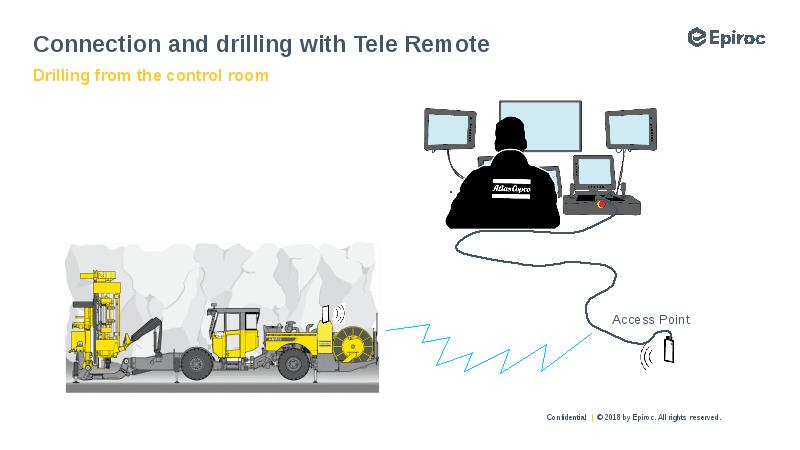
Connection and drilling with Tele Remote
Drilling from the control room
Слайд 3
Описание слайда:
Connection and drilling with Tele Remote
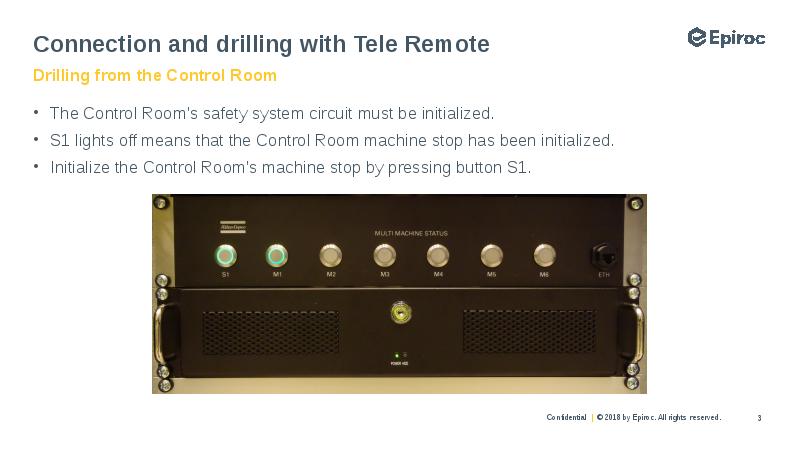
The Control Room's safety system circuit must be initialized.
S1 lights off means that the Control Room machine stop has been initialized.
Initialize the Control Room's machine stop by pressing button S1.
Слайд 4
Описание слайда:
Connection and drilling with Tele Remote
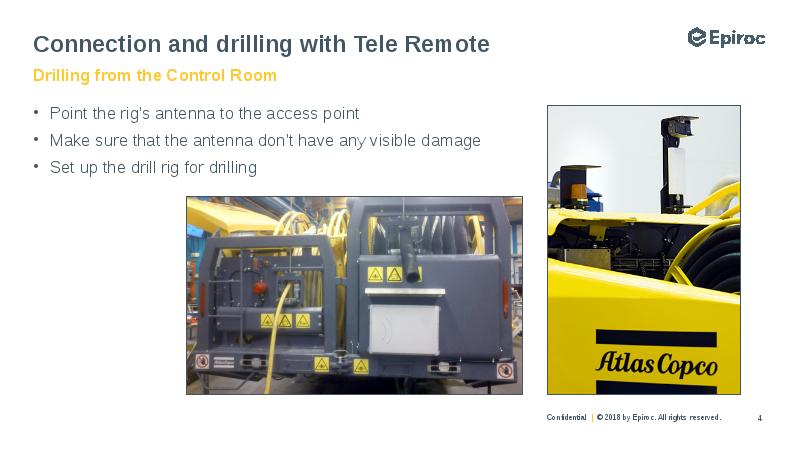
Point the rig's antenna to the access point
Make sure that the antenna don't have any visible damage
Set up the drill rig for drilling
Слайд 5
Описание слайда:
Connection and drilling with Tele Remote
Make sure that the drill rig is within the WiFi
network's coverage range.
The status light on the switch in the drill rig will
flash green. (It takes approx. three minutes for
drill rig and control room to establish contact).
Press and hold the connection button on the
switch for four seconds. The button will now
illuminates with a continuous green light.
Ensure that the drill rig's operator panel is
deallocated and turn the switch D733 to radio
remote control.
Check that all Status are ok.
Слайд 6
Описание слайда:
Connection and drilling with Tele Remote
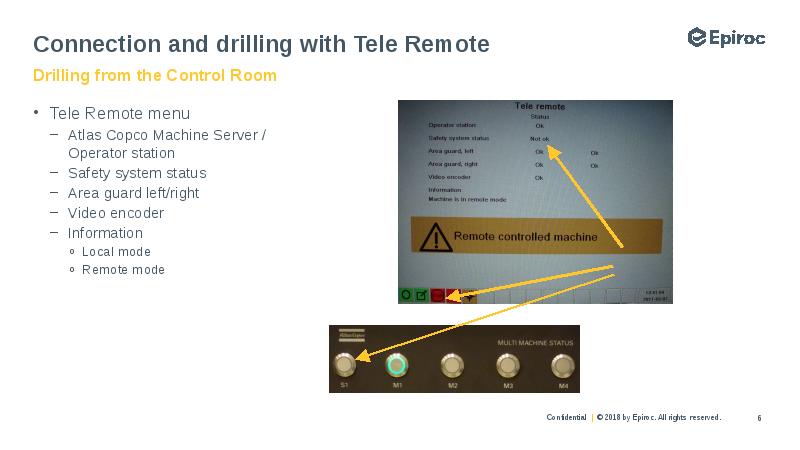
Tele Remote menu
Atlas Copco Machine Server /
Operator station
Safety system status
Area guard left/right
Video encoder
Information
Local mode
Remote mode
Слайд 7
Описание слайда:
Connection and drilling with Tele Remote
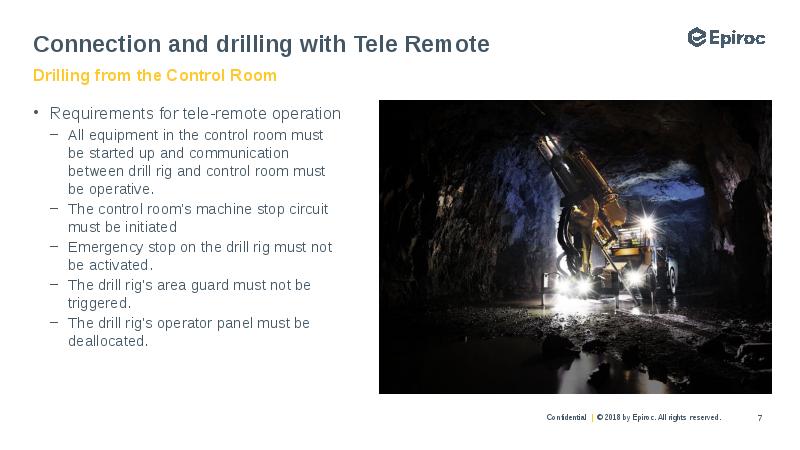
Requirements for tele-remote operation
All equipment in the control room must
be started up and communication
between drill rig and control room must
be operative.
The control room's machine stop circuit
must be initiated
Emergency stop on the drill rig must not
be activated.
The drill rig's area guard must not be
triggered.
The drill rig's operator panel must be
deallocated.
Слайд 8
Описание слайда:
Connection and drilling with Tele Remote
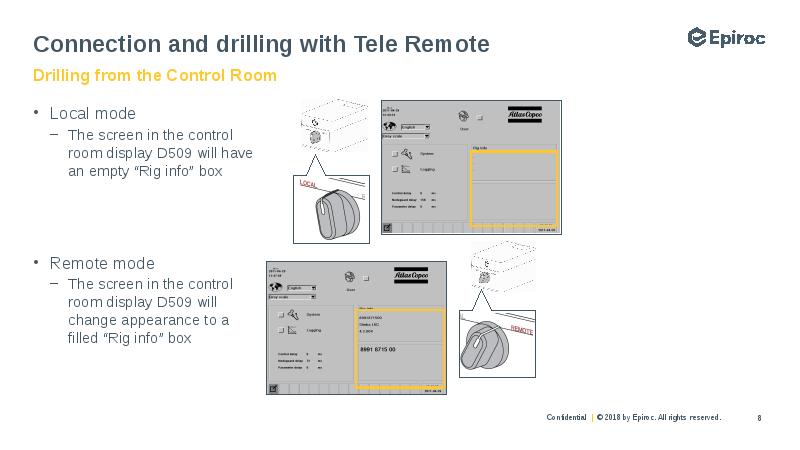
Local mode
The screen in the control
room display D509 will have
an empty “Rig info” box
Remote mode
The screen in the control
room display D509 will
change appearance to a
filled “Rig info” box
Слайд 9
Описание слайда:
Connection and drilling with Tele Remote
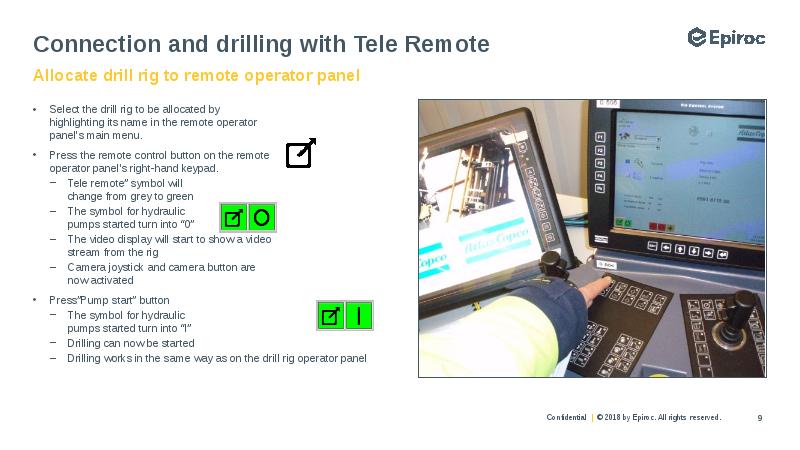
Select the drill rig to be allocated by
highlighting its name in the remote operator
panel's main menu.
Press the remote control button on the remote
operator panel's right-hand keypad.
Tele remote” symbol will
change from grey to green
The symbol for hydraulic
pumps started turn into “0”
The video display will start to show a video
stream from the rig
Camera joystick and camera button are
now activated
Press”Pump start” button
The symbol for hydraulic
pumps started turn into “I”
Drilling can now be started
Drilling works in the same way as on the drill rig operator panel
Слайд 10
Описание слайда:
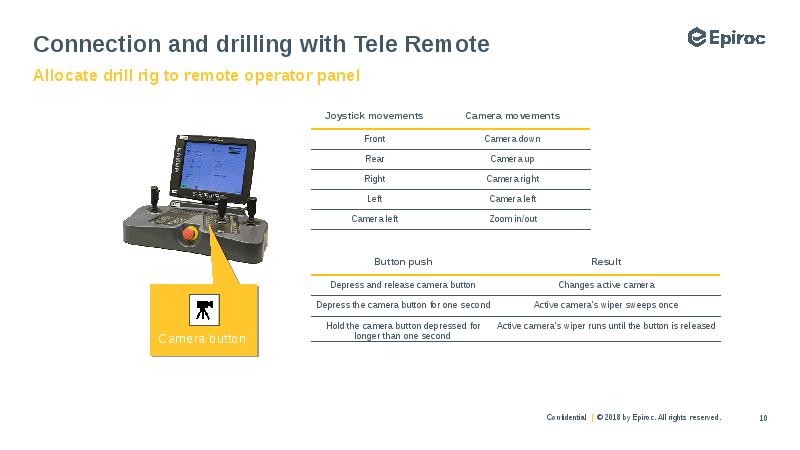
Connection and drilling with Tele Remote
Allocate drill rig to remote operator panel
Слайд 11
Описание слайда:
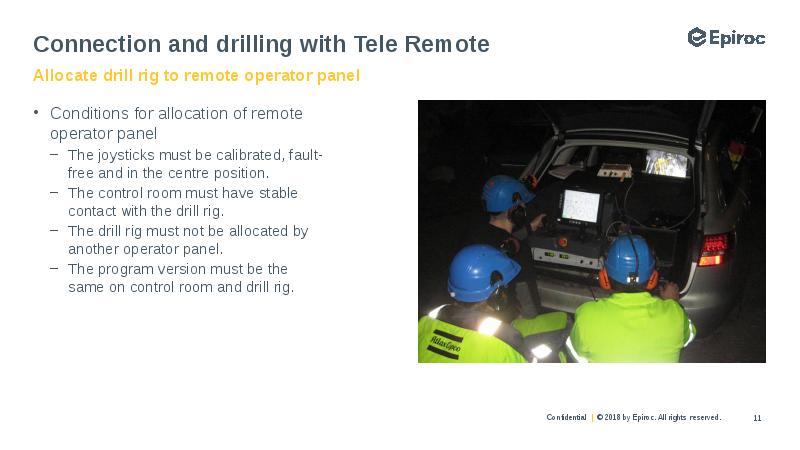
Connection and drilling with Tele Remote
Conditions for allocation of remote
operator panel
The joysticks must be calibrated, fault-
free and in the centre position.
The control room must have stable
contact with the drill rig.
The drill rig must not be allocated by
another operator panel.
The program version must be the
same on control room and drill rig.
Слайд 12
Описание слайда:
Слайд 13
Описание слайда:
Скачать презентацию на тему Tele remote control можно ниже: