CATIA Basics презентация
Содержание
- 2. Table of Contents Manipulating Objects p.3 Start and open a document. p.8 Change
- 3. Exercise Manipulating Objects. In this exercise you will learn
- 4. Design Intent: Manipulating Objects You will work
- 5. Design Process: Manipulating Objects
- 6. Design Process: Manipulating Objects
- 7. Design Process: Manipulating Objects
- 8. Do It Yourself (1/9)
- 9. Do It Yourself (2/9)
- 10. Do It Yourself (3/9)
- 11. Do It Yourself (4/9)
- 12. Do It Yourself (5/9)
- 13. Do It Yourself (6/9)
- 14. Do It Yourself (7/9)
- 15. Do It Yourself (8/9)
- 16. Do It Yourself (9/9)
- 17. Скачать презентацию
Слайды и текст этой презентации
Слайд 1
Описание слайда:
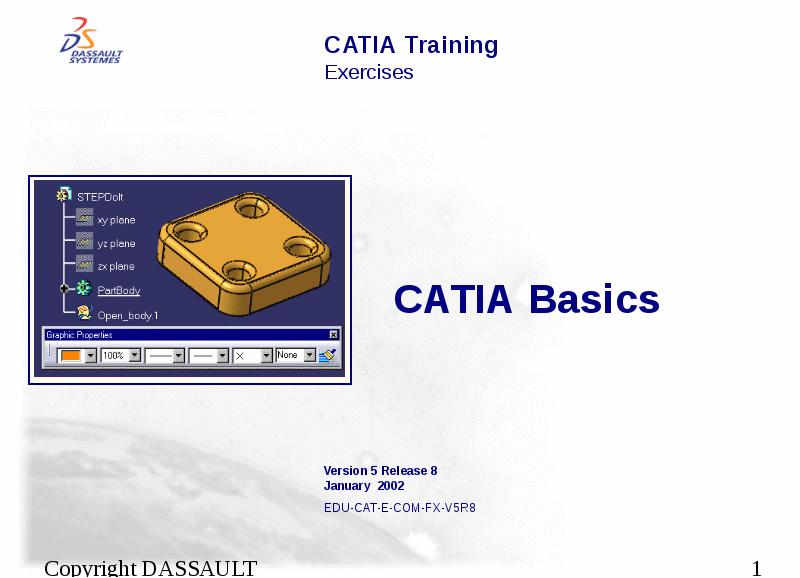
CATIA Basics
Слайд 2
Описание слайда:
Table of Contents
Manipulating Objects p.3
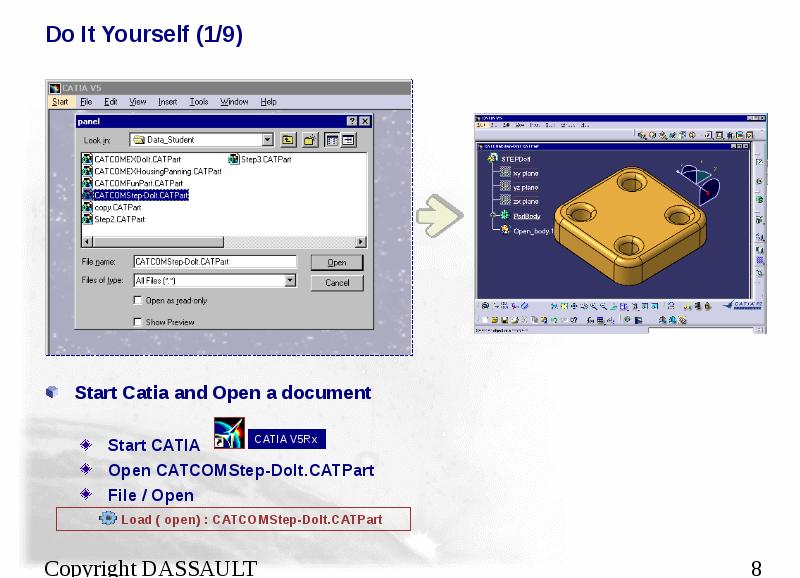
Start and open a document. p.8
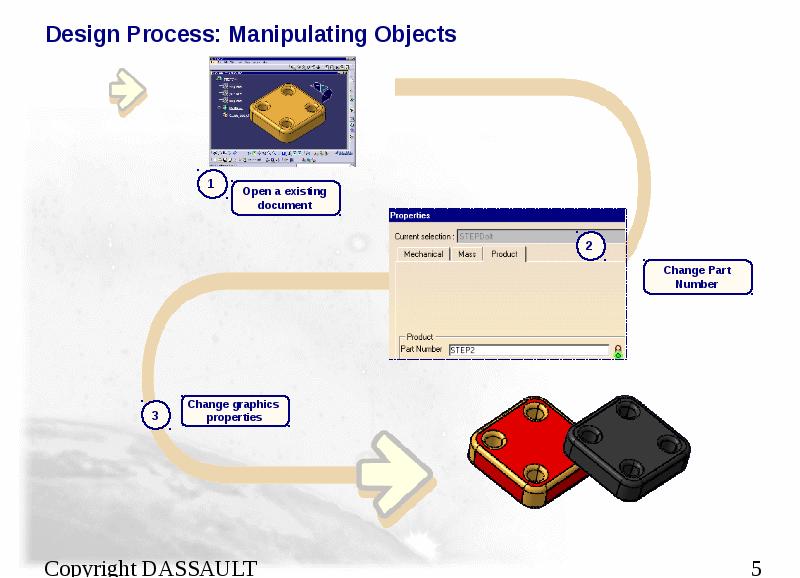
Change the Part Number. p.9
Change graphic properties. p.10
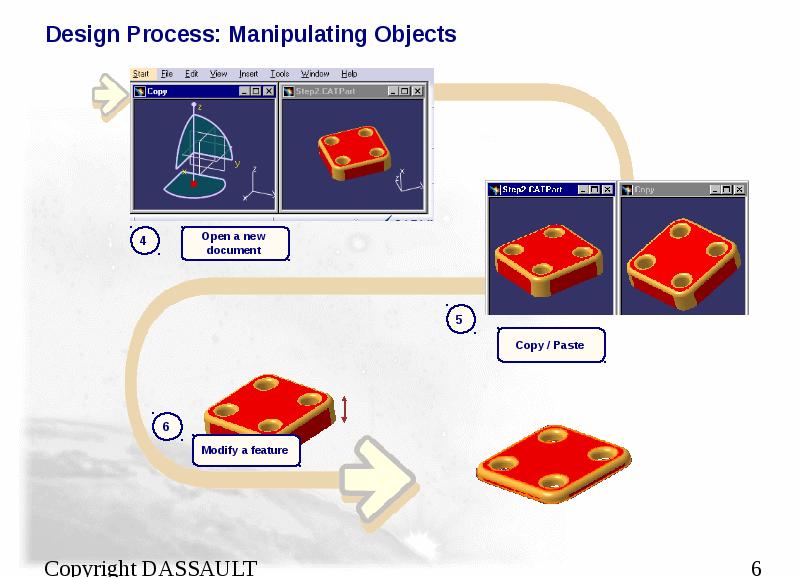
Open a new document. p.11
Copy / Paste a Body. p.12
Modify a feature. p.14
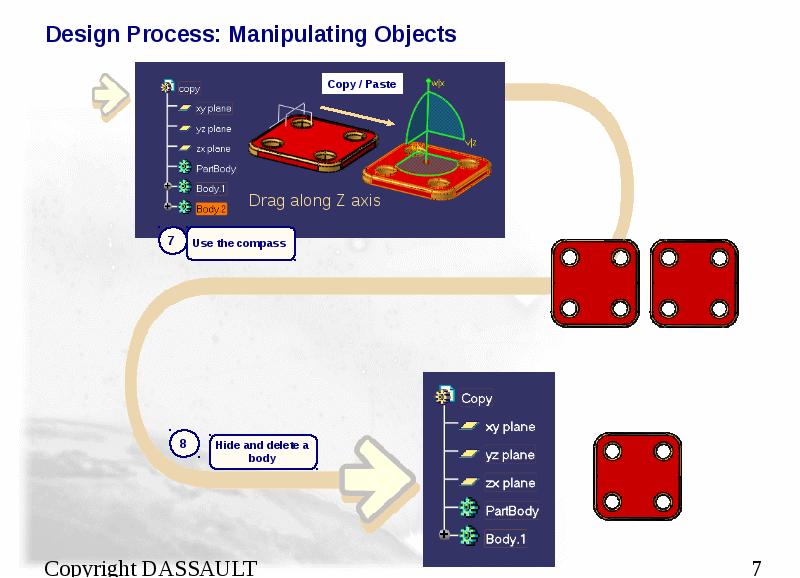
Use the compass to move features p.15
Hide / show p.16
Delete a Body
Слайд 3
Описание слайда:
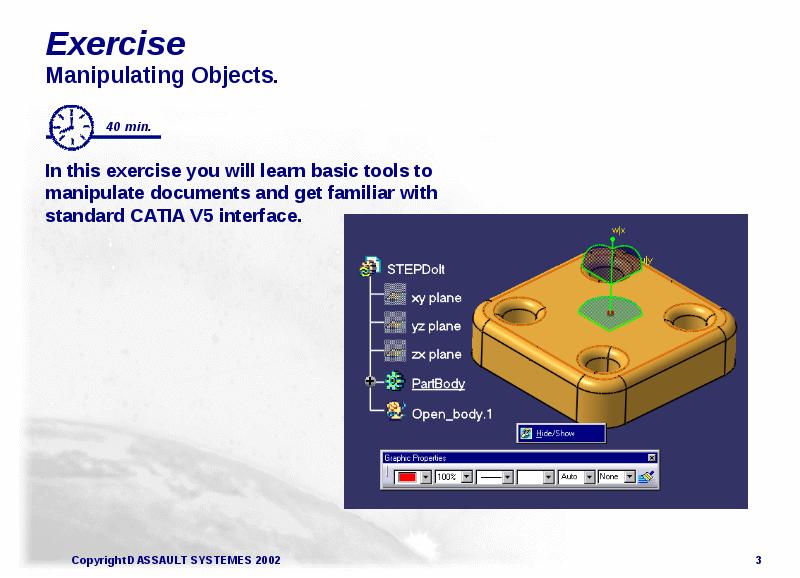
Exercise
Manipulating Objects.
In this exercise you will learn basic tools to manipulate documents and get familiar with standard CATIA V5 interface.
Слайд 4
Описание слайда:
Design Intent: Manipulating Objects
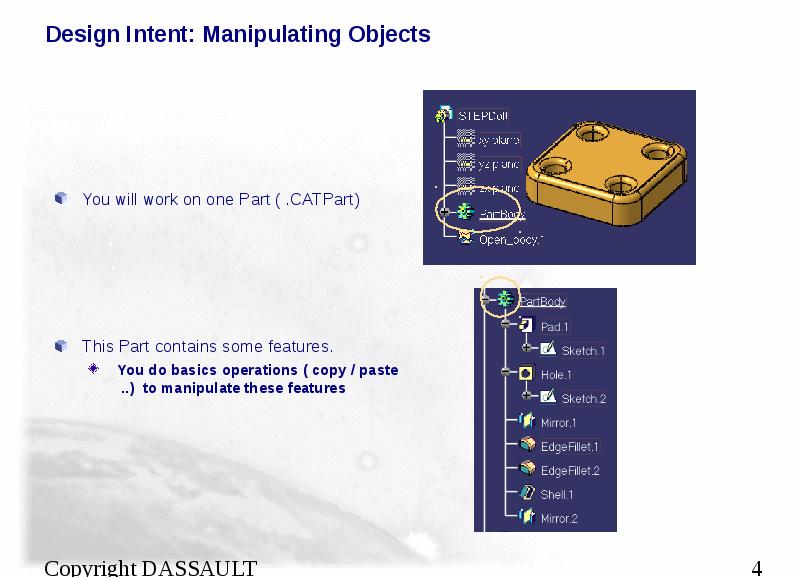
You will work on one Part ( .CATPart)
This Part contains some features.
You do basics operations ( copy / paste ..) to manipulate these features
Слайд 5
Описание слайда:
Design Process: Manipulating Objects
Слайд 6
Описание слайда:
Design Process: Manipulating Objects
Слайд 7
Описание слайда:
Design Process: Manipulating Objects
Слайд 8
Описание слайда:
Do It Yourself (1/9)
Start Catia and Open a document
Start CATIA
Open CATCOMStep-Dolt.CATPart
File / Open
Слайд 9
Описание слайда:
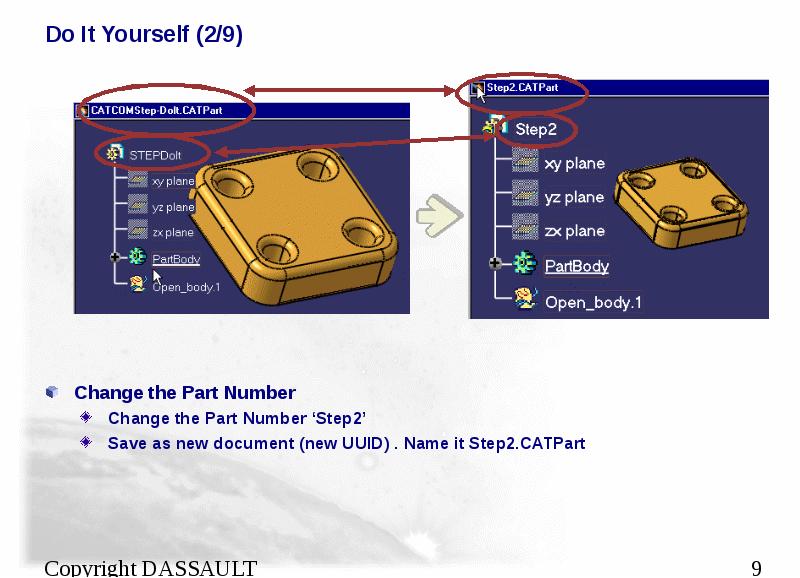
Do It Yourself (2/9)
Change the Part Number
Change the Part Number ‘Step2’
Save as new document (new UUID) . Name it Step2.CATPart
Слайд 10
Описание слайда:
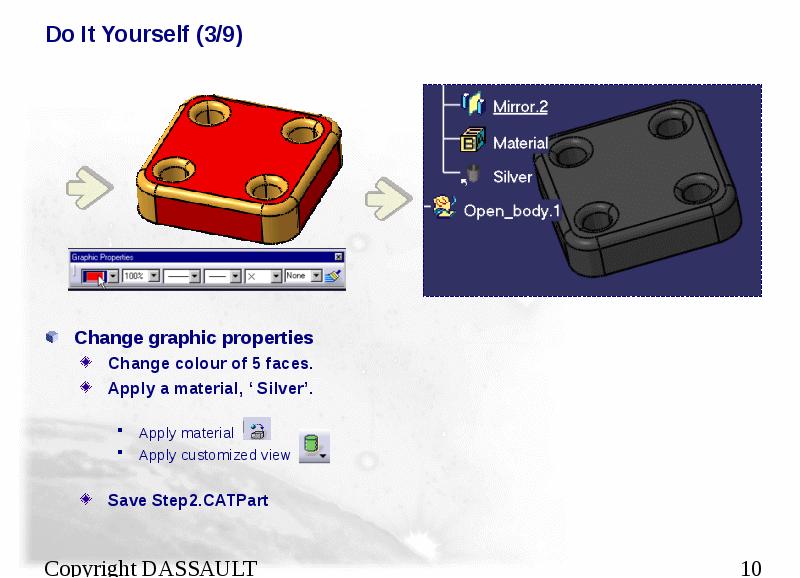
Do It Yourself (3/9)
Change graphic properties
Change colour of 5 faces.
Apply a material, ‘ Silver’.
Apply material
Apply customized view
Save Step2.CATPart
Слайд 11
Описание слайда:
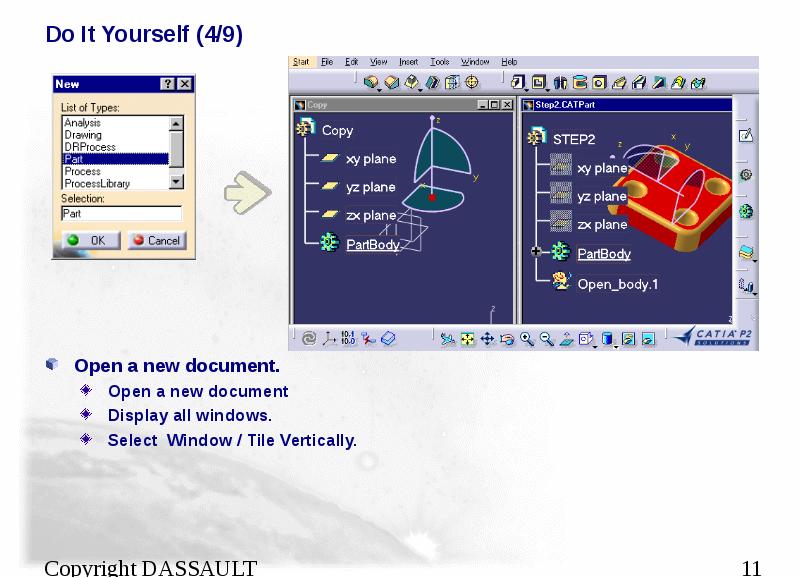
Do It Yourself (4/9)
Open a new document.
Open a new document
Display all windows.
Select Window / Tile Vertically.
Слайд 12
Описание слайда:
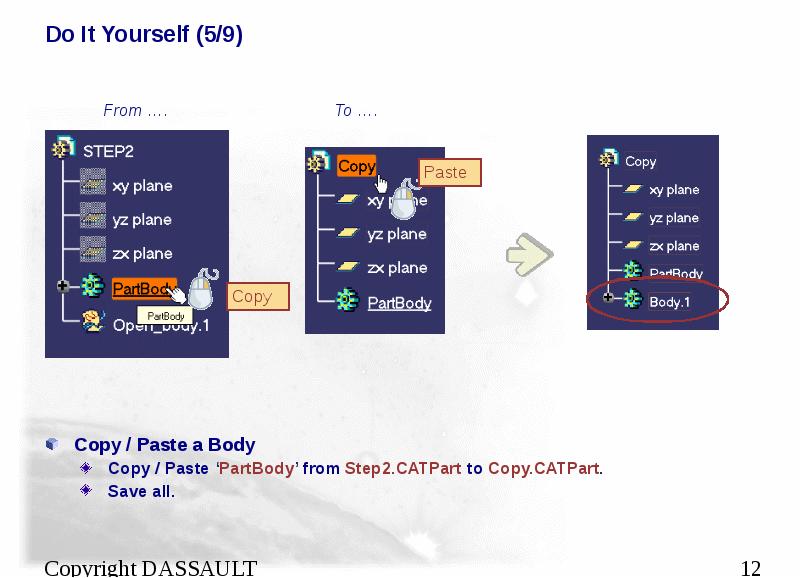
Do It Yourself (5/9)
Copy / Paste a Body
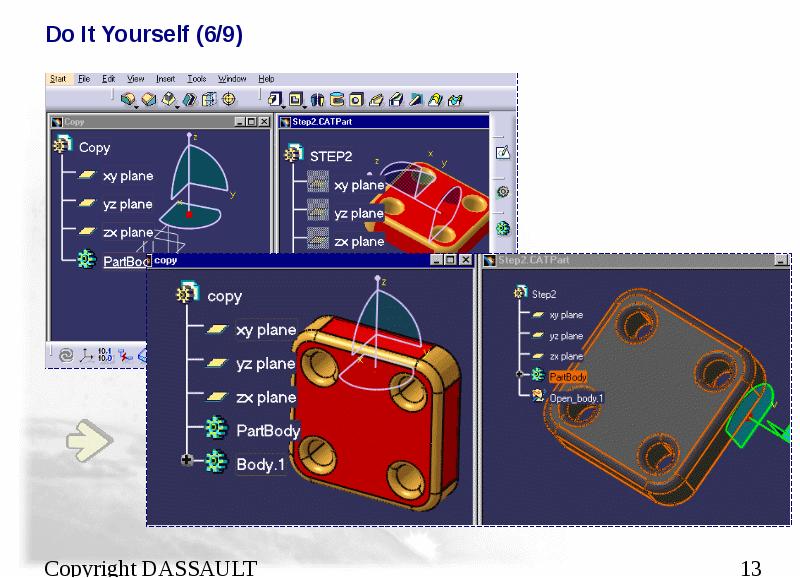
Copy / Paste ‘PartBody’ from Step2.CATPart to Copy.CATPart.
Save all.
Слайд 13
Описание слайда:
Do It Yourself (6/9)
Слайд 14
Описание слайда:
Do It Yourself (7/9)
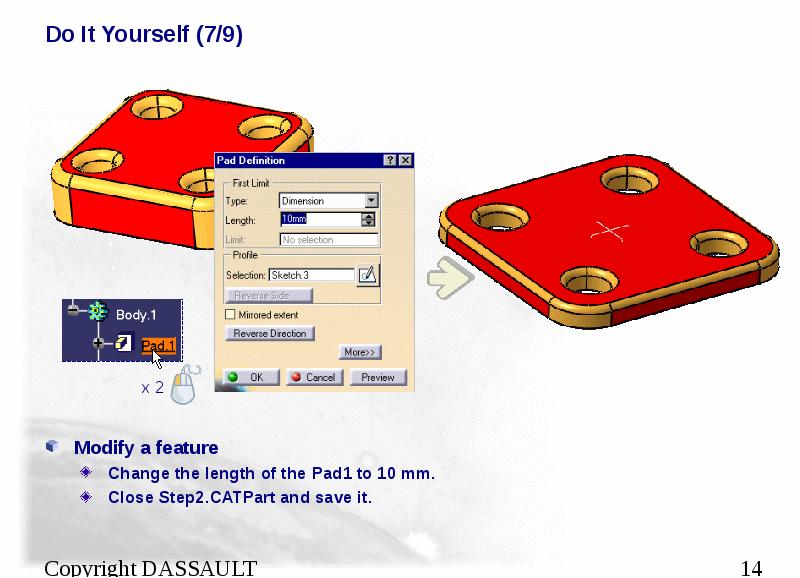
Modify a feature
Change the length of the Pad1 to 10 mm.
Close Step2.CATPart and save it.
Слайд 15
Описание слайда:
Do It Yourself (8/9)
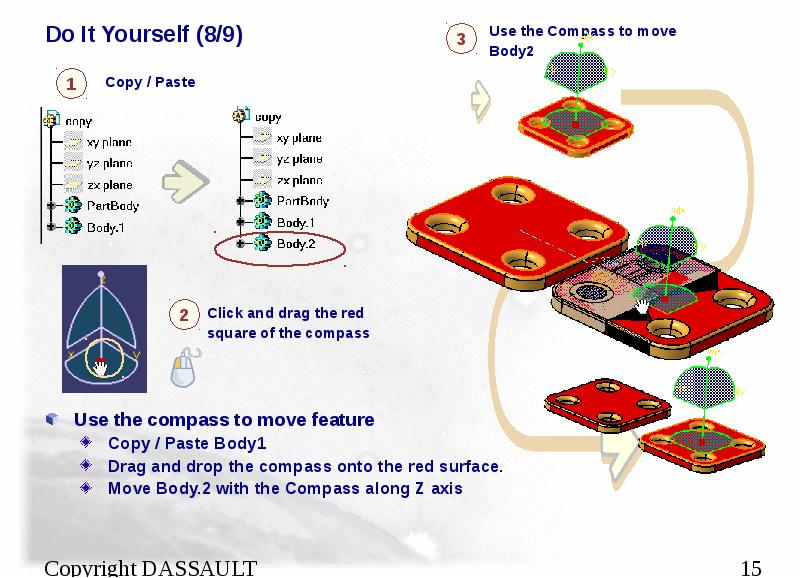
Use the compass to move feature
Copy / Paste Body1
Drag and drop the compass onto the red surface.
Move Body.2 with the Compass along Z axis
Слайд 16
Описание слайда:
Do It Yourself (9/9)
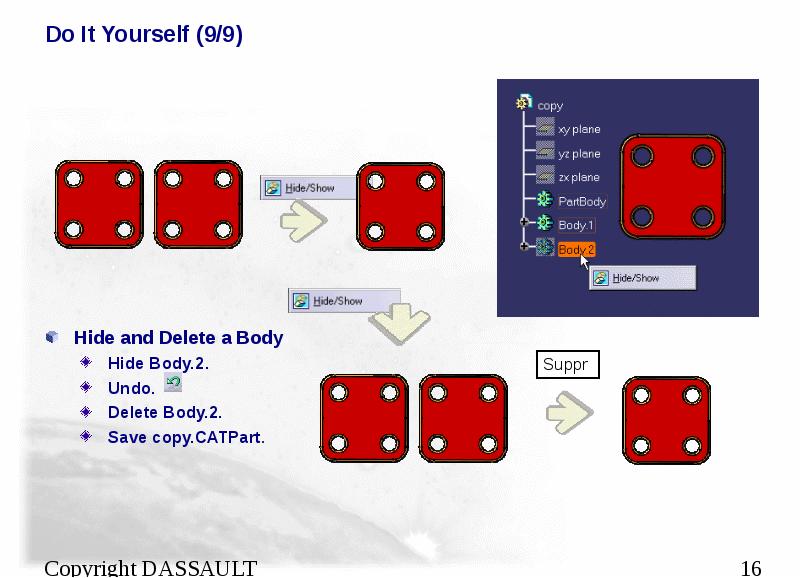
Hide and Delete a Body
Hide Body.2.
Undo.
Delete Body.2.
Save copy.CATPart.
Скачать презентацию на тему CATIA Basics можно ниже: