3. Java Persistence API. 4. Java Persistence Query Language презентация
Содержание
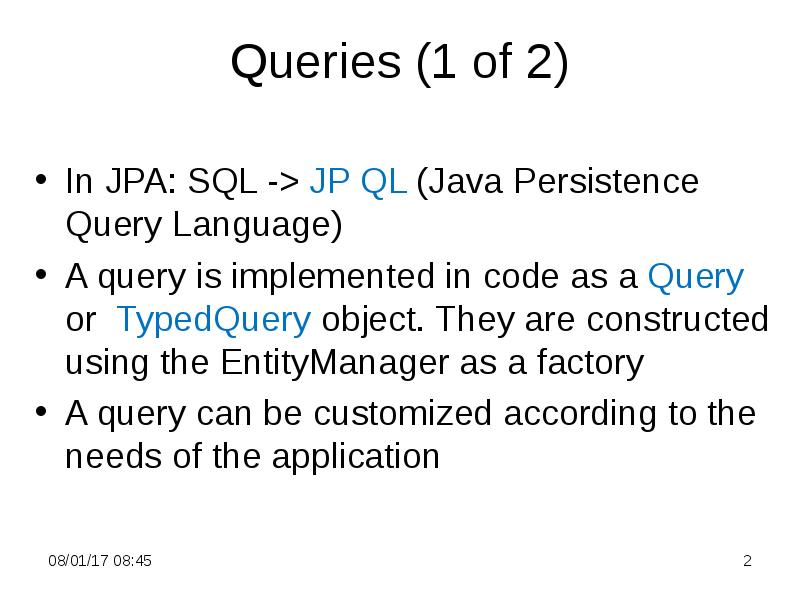
- 2. Queries (1 of 2) In JPA: SQL -> JP QL (Java
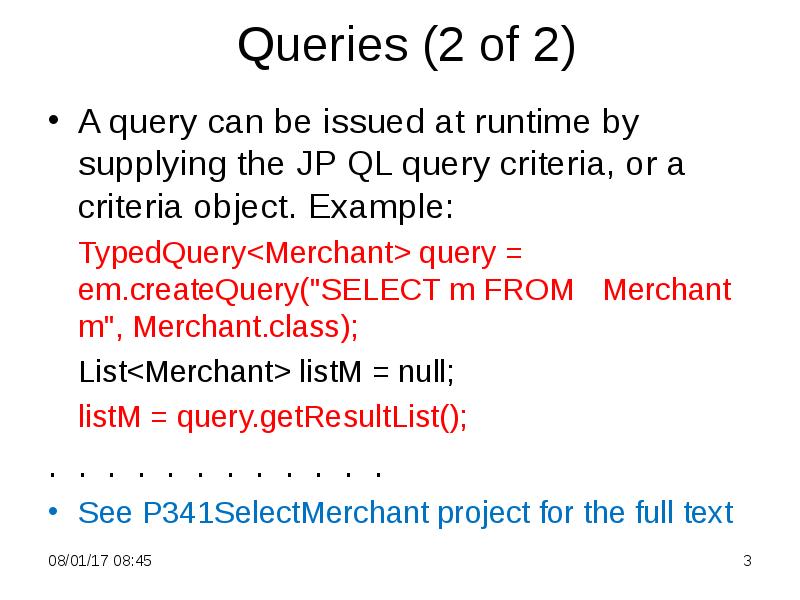
- 3. Queries (2 of 2) A query can be issued at runtime
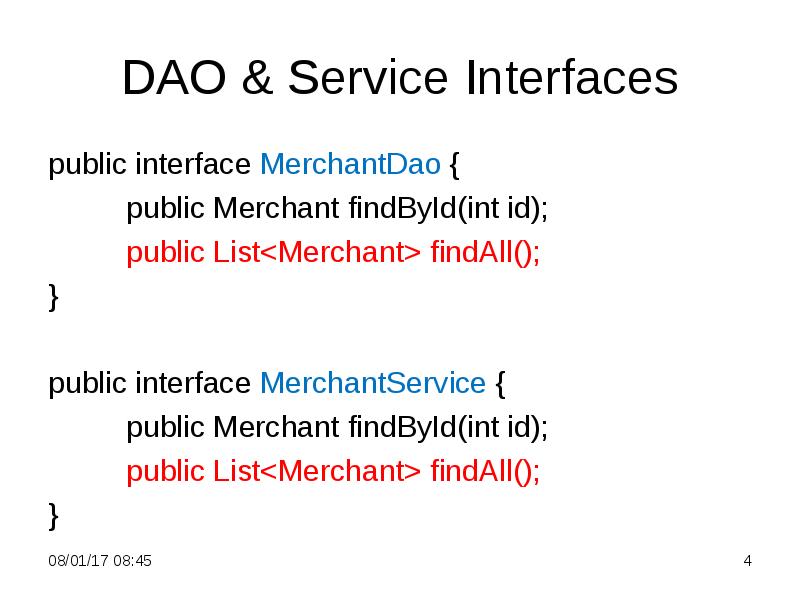
- 4. DAO & Service Interfaces public interface MerchantDao { public Merchant findById(int
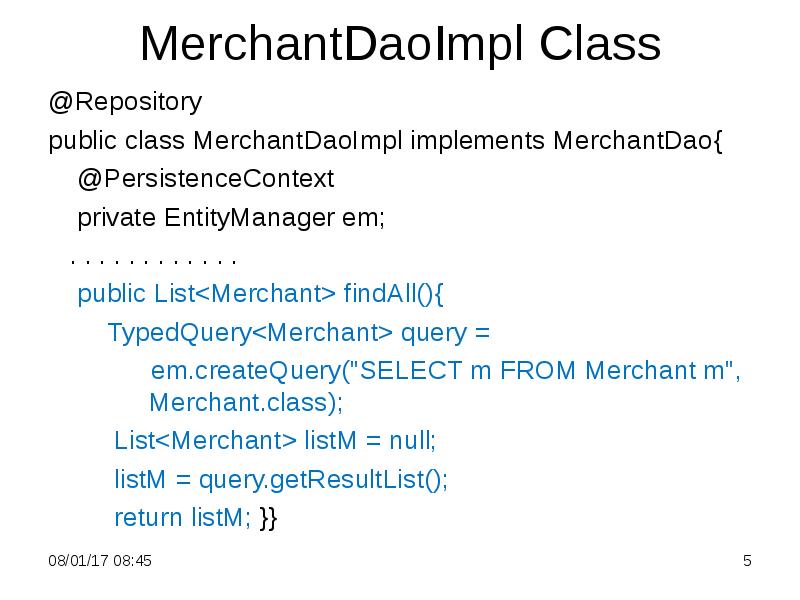
- 5. MerchantDaoImpl Class @Repository public class MerchantDaoImpl implements MerchantDao{ @PersistenceContext
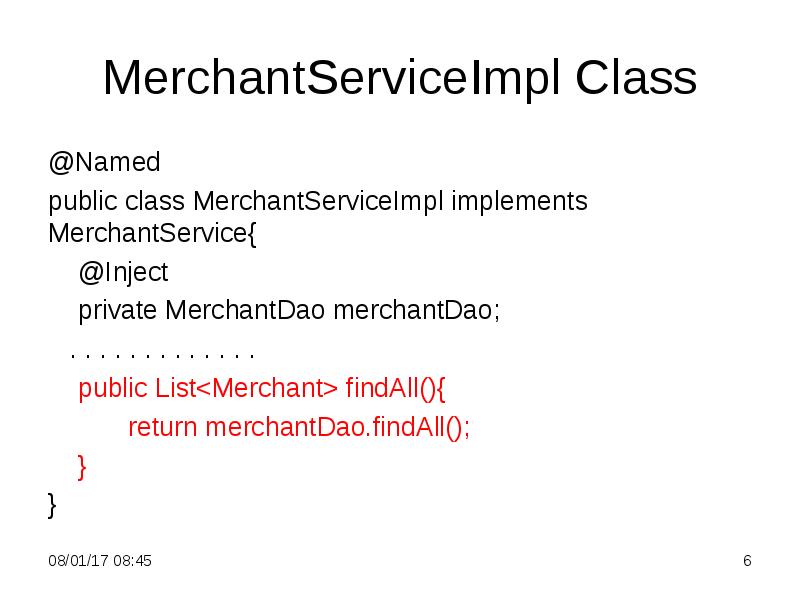
- 6. MerchantServiceImpl Class @Named public class MerchantServiceImpl implements MerchantService{ @Inject
- 7. Main Class @SuppressWarnings("resource") public static void main(String[] args) { ApplicationContext
- 8. Java Persistence Query Language Java Persistence Query Language (JP QL)
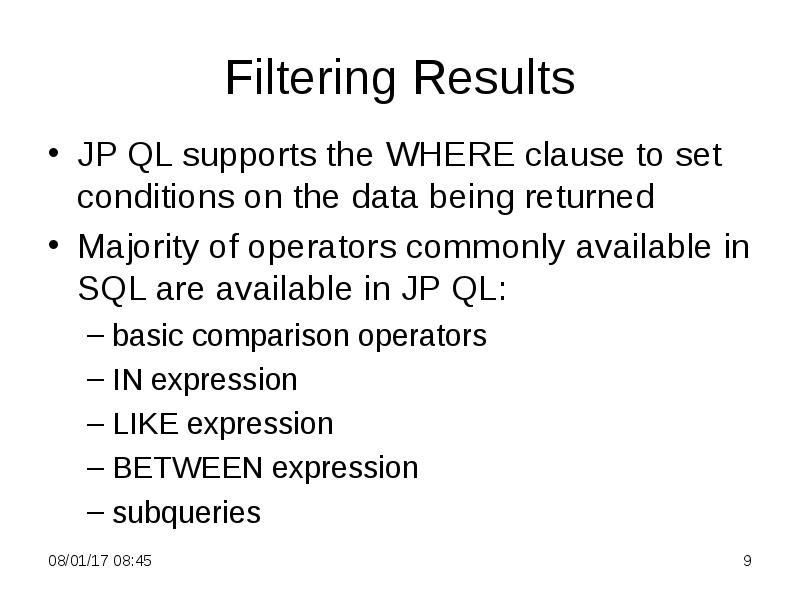
- 9. Filtering Results JP QL supports the WHERE clause to set conditions
- 10. Exercise: Find Payments Find all payments to the given merchant
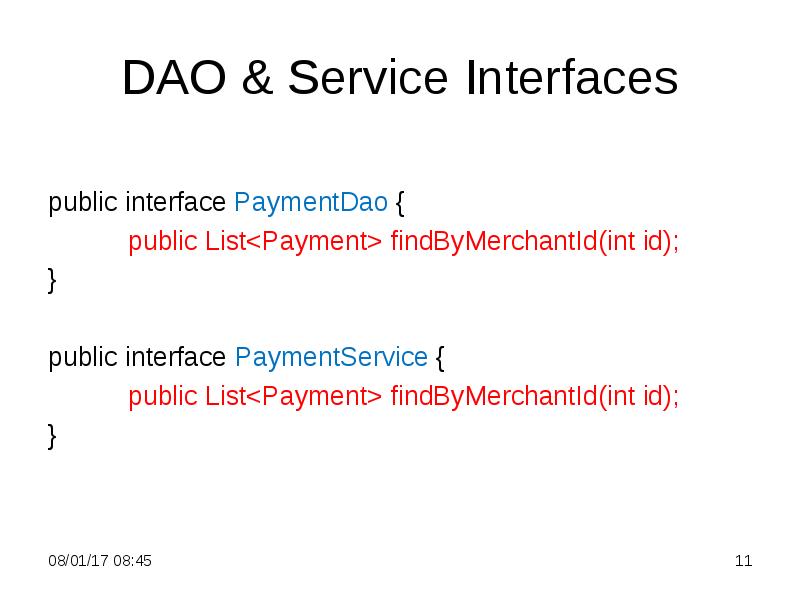
- 11. DAO & Service Interfaces public interface PaymentDao { public List<Payment> findByMerchantId(int
- 12. PaymentDaoImpl Class @Repository public class PaymentDaoImpl implements PaymentDao{ @PersistenceContext
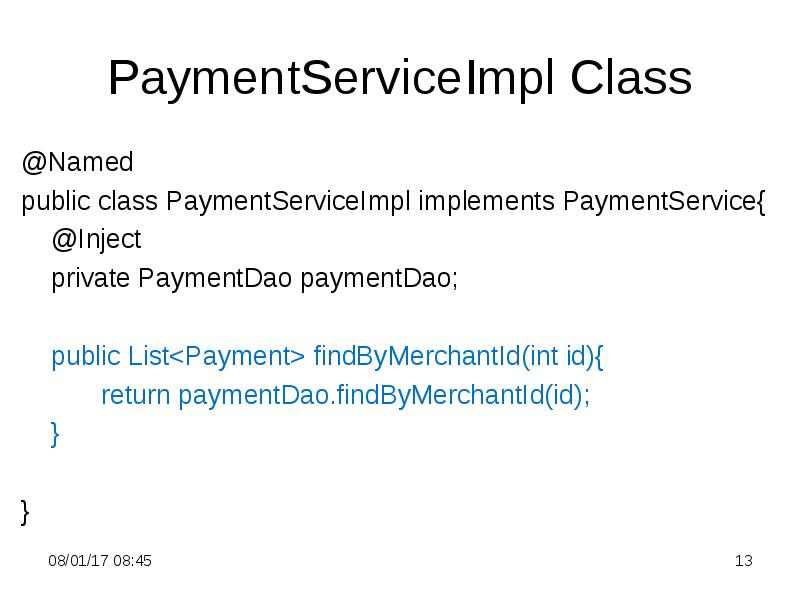
- 13. PaymentServiceImpl Class @Named public class PaymentServiceImpl implements PaymentService{ @Inject
- 14. Main Class @SuppressWarnings("resource") public static void main(String[] args) { ApplicationContext
- 15. Exercise: Find Payments See P342PaymentsWhere project for the full text
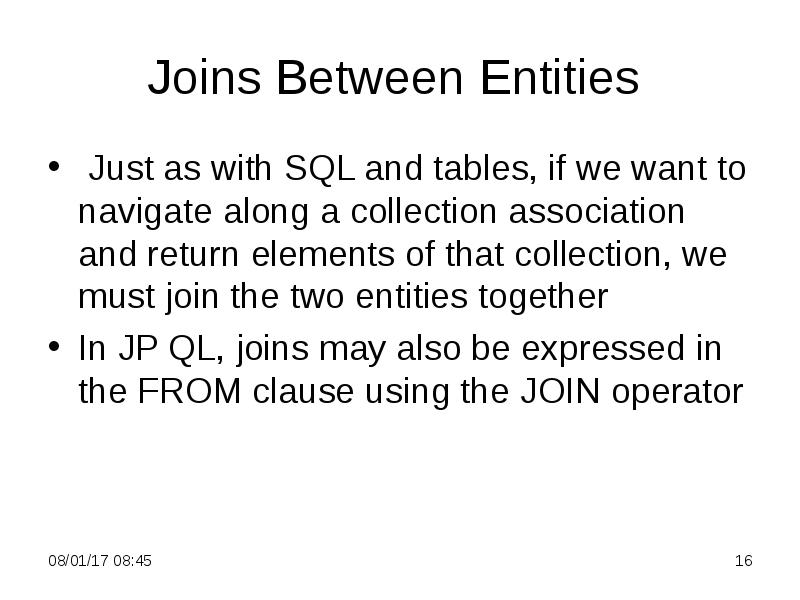
- 16. Joins Between Entities Just as with SQL and tables, if
- 17. Join Example Get names of customers who payed more then 500.0
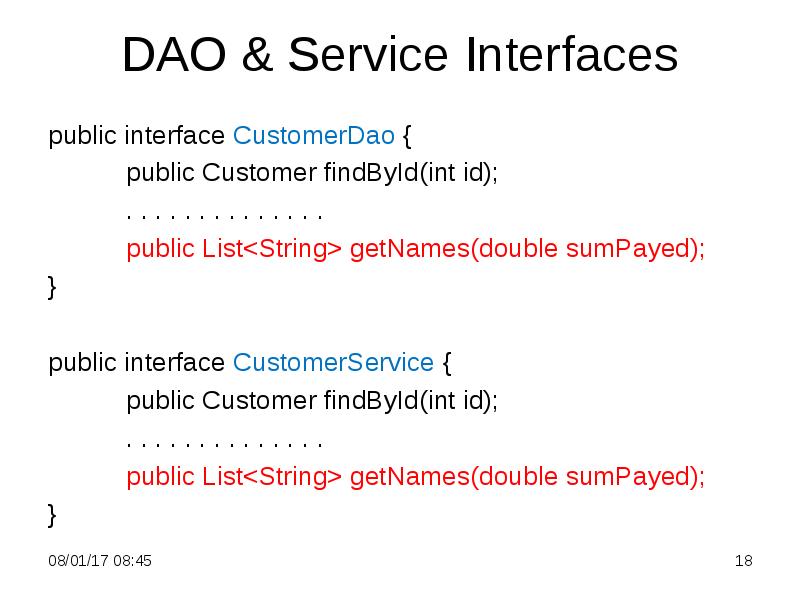
- 18. DAO & Service Interfaces public interface CustomerDao { public Customer findById(int
- 19. CustomerDaoImpl Class public List<String> getNames(double sumPayed){ String txt = "SELECT
- 20. CustomerServiceImpl Class public List<String> getNames(double sumPayed){ return customerDao.getNames(sumPayed); }
- 21. Main Class @SuppressWarnings("resource") public static void main(String[] args) { ApplicationContext
- 22. Join Example See P343PaymentJoin project for the full text
- 23. Aggregate Queries There are five supported aggregate functions (AVG, COUNT, MIN,
- 24. Aggregate Example Find the sum of all payments
- 25. DAO & Service Interfaces public interface PaymentDao { public List<Payment> findByMerchantId(int
- 26. PaymentDaoImpl Class public double getPaymentSum(){ TypedQuery<Double> query = em.createQuery ("SELECT
- 27. Main Class @SuppressWarnings("resource") public static void main(String[] args) { ApplicationContext
- 28. Aggregate Example See P344Aggregation project for the full text
- 29. Query Positional Parameters Parameters are indicated in the query string by
- 30. DAO & Service Interfaces public interface PaymentDao { public List<Payment>
- 31. PaymentDaoImpl Class public List<Payment> getLargePayments(double limit){ TypedQuery<Payment> query = em.createQuery
- 32. Main Class @SuppressWarnings("resource") public static void main(String[] args) { ApplicationContext
- 33. Query Named Parameters Named parameters may also be used and are
- 34. PaymentDaoImpl Class public List<Payment> getLargePayments(double limit){ TypedQuery<Payment> query = em.createQuery
- 35. Executing Queries The TypedQuery interface provides three different ways to execute
- 36. getResultList() Method Returns a collection containing the query results If the
- 37. Exercise: Sort Merchants Create a project to sort merchants by the
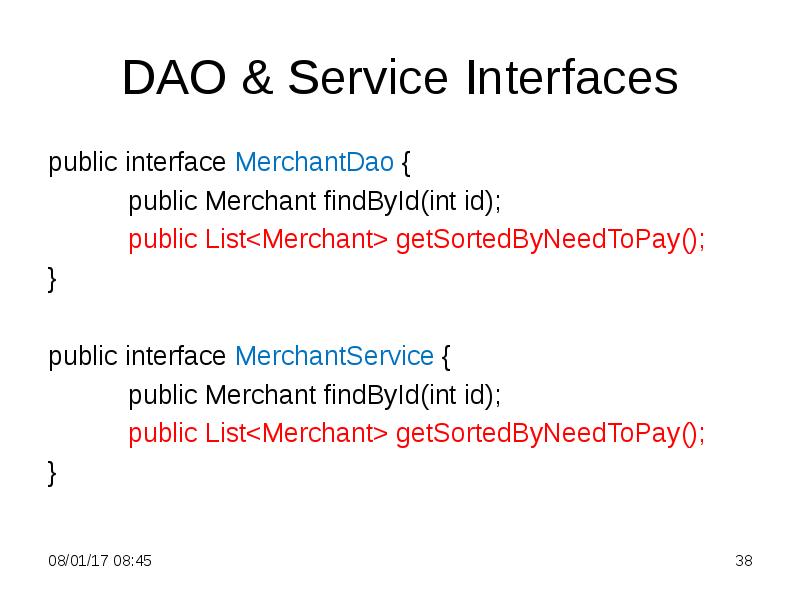
- 38. DAO & Service Interfaces public interface MerchantDao { public Merchant findById(int
- 39. MerchantDaoImpl Class public List<Merchant> getSortedByNeedToPay(){ String txt = "SELECT m
- 40. Main Class @SuppressWarnings("resource") public static void main(String[] args) { ApplicationContext
- 41. Exercise: Sort Merchants See P346Sort project for the full text
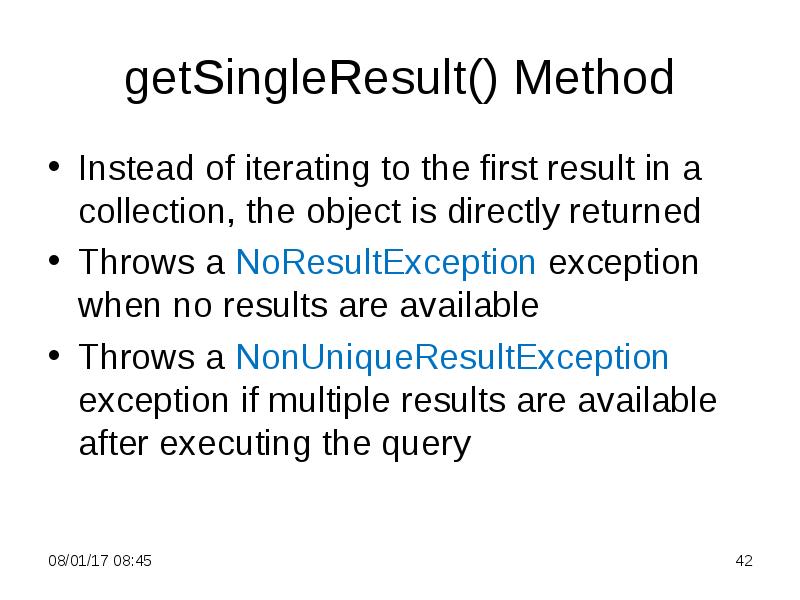
- 42. getSingleResult() Method Instead of iterating to the first result in a
- 43. Working with Query Results The result type of a query is
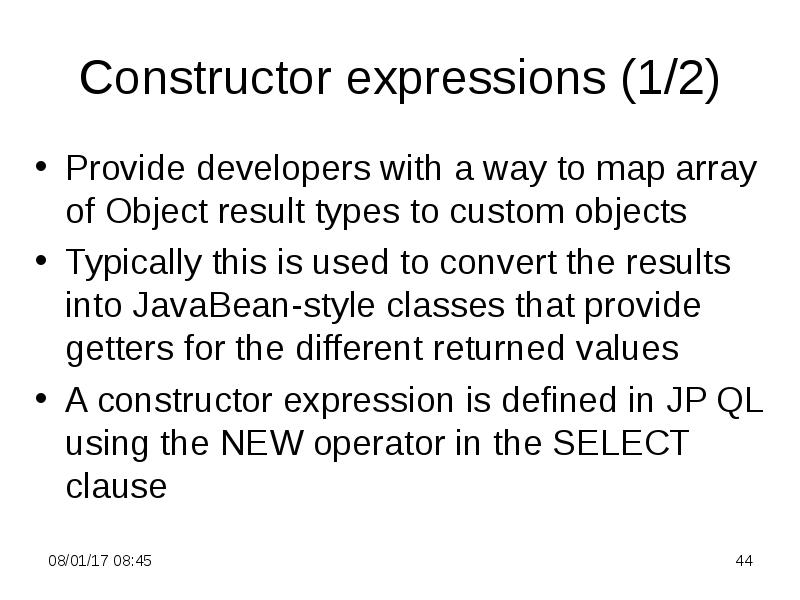
- 44. Constructor expressions (1/2) Provide developers with a way to map array
- 45. Constructor expressions (2/2) The argument to the NEW operator is the
- 46. Example: Grouping Payments Get general sum of charge for every merchant
- 47. Class Result public class Result { private String name; private double
- 48. DAO & Service Interfaces public interface MerchantDao { public Merchant findById(int
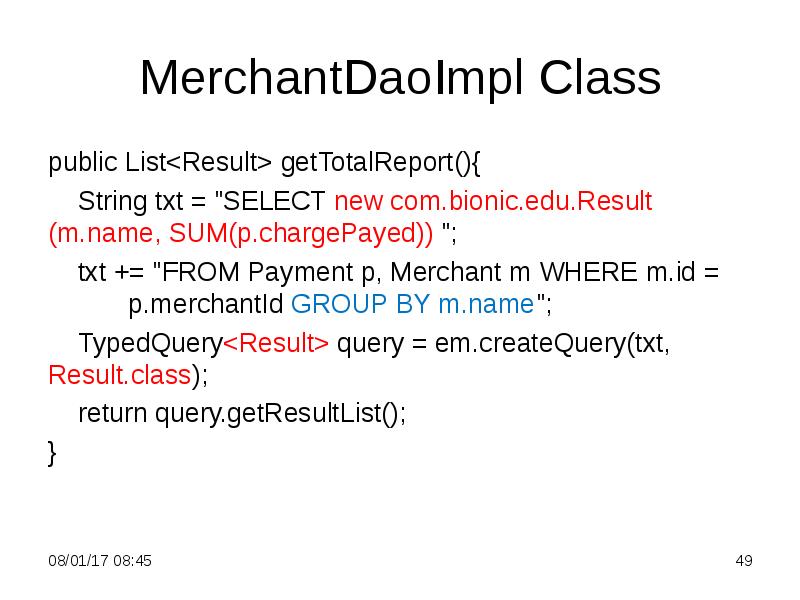
- 49. MerchantDaoImpl Class public List<Result> getTotalReport(){ String txt = "SELECT new
- 50. Main Class @SuppressWarnings("resource") public static void main(String[] args) { ApplicationContext
- 51. Example: Grouping Payments See P347Grouping project for the full text
- 52. Скачать презентацию
![Main Class
@SuppressWarnings("resource")
public static void main(String[] args) {](/documents_3/8a6bf9ebf6f58e1a65b2f27b802093b8/img6.jpg "Main Class
@SuppressWarnings(\"resource\")
public static void main(String[] args) {")


![Main Class
@SuppressWarnings("resource")
public static void main(String[] args) {](/documents_3/8a6bf9ebf6f58e1a65b2f27b802093b8/img13.jpg "Main Class
@SuppressWarnings(\"resource\")
public static void main(String[] args) {")


![Main Class
@SuppressWarnings("resource")
public static void main(String[] args) {](/documents_3/8a6bf9ebf6f58e1a65b2f27b802093b8/img20.jpg "Main Class
@SuppressWarnings(\"resource\")
public static void main(String[] args) {")



![Main Class
@SuppressWarnings("resource")
public static void main(String[] args) {](/documents_3/8a6bf9ebf6f58e1a65b2f27b802093b8/img26.jpg "Main Class
@SuppressWarnings(\"resource\")
public static void main(String[] args) {")


![Main Class
@SuppressWarnings("resource")
public static void main(String[] args) {](/documents_3/8a6bf9ebf6f58e1a65b2f27b802093b8/img31.jpg "Main Class
@SuppressWarnings(\"resource\")
public static void main(String[] args) {")


![Main Class
@SuppressWarnings("resource")
public static void main(String[] args) {](/documents_3/8a6bf9ebf6f58e1a65b2f27b802093b8/img39.jpg "Main Class
@SuppressWarnings(\"resource\")
public static void main(String[] args) {")

![Main Class
@SuppressWarnings("resource")
public static void main(String[] args) {](/documents_3/8a6bf9ebf6f58e1a65b2f27b802093b8/img49.jpg "Main Class
@SuppressWarnings(\"resource\")
public static void main(String[] args) {")
Слайды и текст этой презентации
Слайд 1
Описание слайда:
3. Java Persistence API
4. Java Persistence Query Language
Слайд 2
Описание слайда:
Queries (1 of 2)
In JPA: SQL -> JP QL (Java Persistence Query Language)
A query is implemented in code as a Query or TypedQuery object. They are constructed using the EntityManager as a factory
A query can be customized according to the needs of the application
Слайд 3
Описание слайда:
Queries (2 of 2)
A query can be issued at runtime by supplying the JP QL query criteria, or a criteria object. Example:
TypedQuery<Merchant> query = em.createQuery("SELECT m FROM Merchant m", Merchant.class);
List<Merchant> listM = null;
listM = query.getResultList();
. . . . . . . . . . . .
See P341SelectMerchant project for the full text
Слайд 4
Описание слайда:
DAO & Service Interfaces
public interface MerchantDao {
public Merchant findById(int id);
public List<Merchant> findAll();
}
public interface MerchantService {
public Merchant findById(int id);
public List<Merchant> findAll();
}
Слайд 5
Описание слайда:
MerchantDaoImpl Class
@Repository
public class MerchantDaoImpl implements MerchantDao{
@PersistenceContext
private EntityManager em;
. . . . . . . . . . . .
public List<Merchant> findAll(){
TypedQuery<Merchant> query =
em.createQuery("SELECT m FROM Merchant m", Merchant.class);
List<Merchant> listM = null;
listM = query.getResultList();
return listM; }}
Слайд 6
Описание слайда:
MerchantServiceImpl Class
@Named
public class MerchantServiceImpl implements MerchantService{
@Inject
private MerchantDao merchantDao;
. . . . . . . . . . . . .
public List<Merchant> findAll(){
return merchantDao.findAll();
}
}
Слайд 7
Описание слайда:
Main Class
@SuppressWarnings("resource")
public static void main(String[] args) {
ApplicationContext context = new ClassPathXmlApplicationContext("beans.xml");
MerchantService merchantService = context.getBean(MerchantService.class);
List<Merchant> list = merchantService.findAll();
for(Merchant m: list)
System.out.println("name = " + m.getName() + " charge = " +m.getCharge());
}
Слайд 8
Описание слайда:
Java Persistence Query Language
Java Persistence Query Language (JP QL) is a database-independent query language that operates on the logical entity model as opposed to the physical data model
Queries may also be expressed in SQL to take advantage of the underlying database
The key difference between SQL and JP QL is that instead of selecting from a table, an entity from the application domain model has been specified instead
Слайд 9
Описание слайда:
Filtering Results
JP QL supports the WHERE clause to set conditions on the data being returned
Majority of operators commonly available in SQL are available in JP QL:
basic comparison operators
IN expression
LIKE expression
BETWEEN expression
subqueries
Слайд 10
Описание слайда:
Exercise: Find Payments
Find all payments to the given merchant
Слайд 11
Описание слайда:
DAO & Service Interfaces
public interface PaymentDao {
public List<Payment> findByMerchantId(int id);
}
public interface PaymentService {
public List<Payment> findByMerchantId(int id);
}
Слайд 12
Описание слайда:
PaymentDaoImpl Class
@Repository
public class PaymentDaoImpl implements PaymentDao{
@PersistenceContext
private EntityManager em;
public List<Payment> findByMerchantId(int id){
TypedQuery<Payment> query = em.createQuery("SELECT p FROM Payment p WHERE p.merchantId = " + id, Payment.class);
return query.getResultList();
}
}
Слайд 13
Описание слайда:
PaymentServiceImpl Class
@Named
public class PaymentServiceImpl implements PaymentService{
@Inject
private PaymentDao paymentDao;
public List<Payment> findByMerchantId(int id){
return paymentDao.findByMerchantId(id);
}
}
Слайд 14
Описание слайда:
Main Class
@SuppressWarnings("resource")
public static void main(String[] args) {
ApplicationContext context = new ClassPathXmlApplicationContext("beans.xml");
PaymentService paymentService = context.getBean(PaymentService.class);
List<Payment> list = paymentService.findByMerchantId(3);
for(Payment p: list)
System.out.println(p.toString());
}
Слайд 15
Описание слайда:
Exercise: Find Payments
See P342PaymentsWhere project for the full text
Слайд 16
Описание слайда:
Joins Between Entities
Just as with SQL and tables, if we want to navigate along a collection association and return elements of that collection, we must join the two entities together
In JP QL, joins may also be expressed in the FROM clause using the JOIN operator
Слайд 17
Описание слайда:
Join Example
Get names of customers who payed more then 500.0 by the time
Слайд 18
Описание слайда:
DAO & Service Interfaces
public interface CustomerDao {
public Customer findById(int id);
. . . . . . . . . . . . . .
public List<String> getNames(double sumPayed);
}
public interface CustomerService {
public Customer findById(int id);
. . . . . . . . . . . . . .
public List<String> getNames(double sumPayed);
}
Слайд 19
Описание слайда:
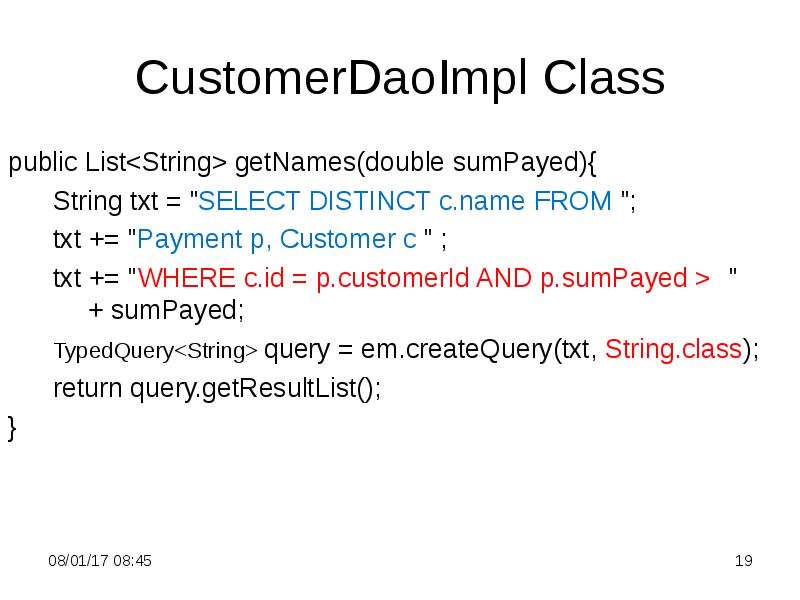
CustomerDaoImpl Class
public List<String> getNames(double sumPayed){
String txt = "SELECT DISTINCT c.name FROM ";
txt += "Payment p, Customer c " ;
txt += "WHERE c.id = p.customerId AND p.sumPayed > " + sumPayed;
TypedQuery<String> query = em.createQuery(txt, String.class);
return query.getResultList();
}
Слайд 20
Описание слайда:
CustomerServiceImpl Class
public List<String> getNames(double sumPayed){
return customerDao.getNames(sumPayed);
}
Слайд 21
Описание слайда:
Main Class
@SuppressWarnings("resource")
public static void main(String[] args) {
ApplicationContext context = new ClassPathXmlApplicationContext("beans.xml");
CustomerService customerService = context.getBean(CustomerService.class);
List<String> list = customerService.getNames(500.0);
for(String s: list)
System.out.println(s);
}
Слайд 22
Описание слайда:
Join Example
See P343PaymentJoin project for the full text
Слайд 23
Описание слайда:
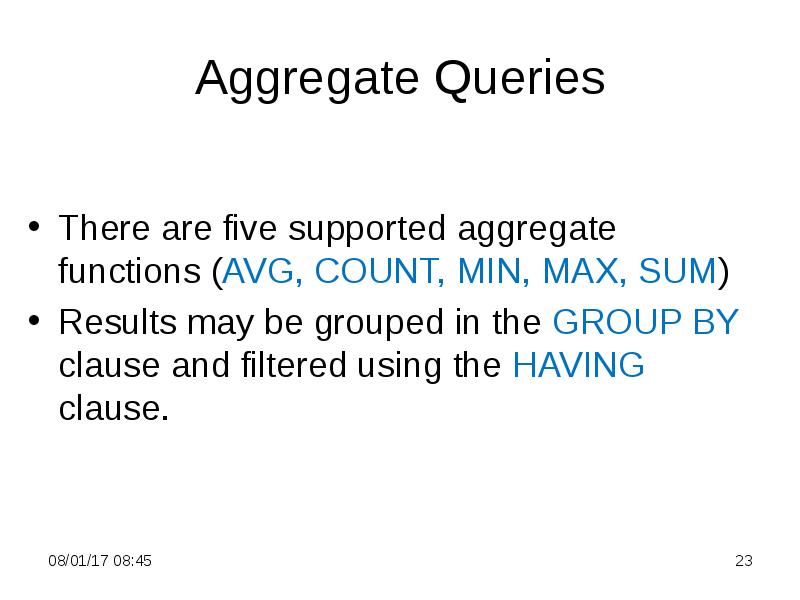
Aggregate Queries
There are five supported aggregate functions (AVG, COUNT, MIN, MAX, SUM)
Results may be grouped in the GROUP BY clause and filtered using the HAVING clause.
Слайд 24
Описание слайда:
Aggregate Example
Find the sum of all payments
Слайд 25
Описание слайда:
DAO & Service Interfaces
public interface PaymentDao {
public List<Payment> findByMerchantId(int id);
public double getPaymentSum();
}
public interface PaymentService {
public List<Payment> findByMerchantId(int id);
public double getPaymentSum();
}
Слайд 26
Описание слайда:
PaymentDaoImpl Class
public double getPaymentSum(){
TypedQuery<Double> query = em.createQuery ("SELECT SUM(p.sumPayed) FROM Payment p", Double.class);
return query.getSingleResult();
}
Слайд 27
Описание слайда:
Main Class
@SuppressWarnings("resource")
public static void main(String[] args) {
ApplicationContext context = new ClassPathXmlApplicationContext("beans.xml");
PaymentService paymentService = context.getBean(PaymentService.class);
double sum = paymentService.getPaymentSum();
System.out.println("total = " + sum);
}
Слайд 28
Описание слайда:
Aggregate Example
See P344Aggregation project for the full text
Слайд 29
Описание слайда:
Query Positional Parameters
Parameters are indicated in the query string by a question mark followed by the parameter number
When the query is executed, the developer specifies the parameter number that should be replaced
Слайд 30
Описание слайда:
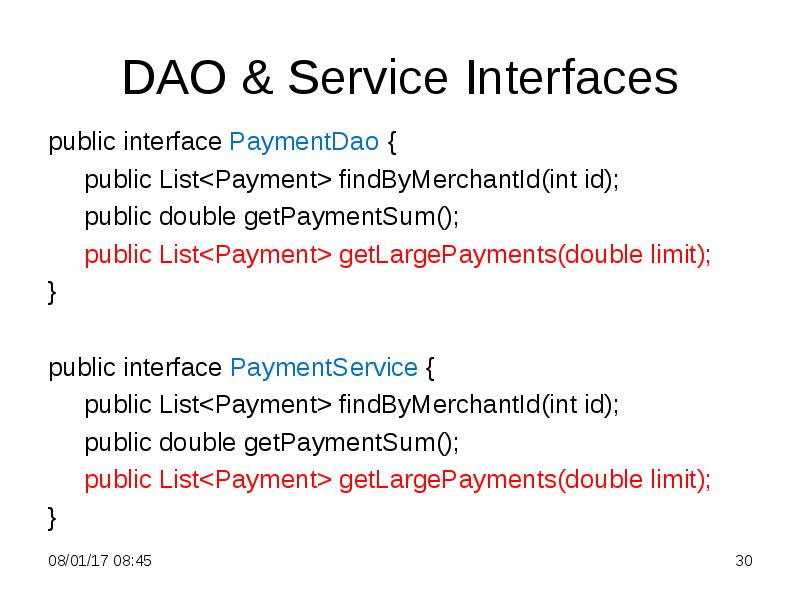
DAO & Service Interfaces
public interface PaymentDao {
public List<Payment> findByMerchantId(int id);
public double getPaymentSum();
public List<Payment> getLargePayments(double limit);
}
public interface PaymentService {
public List<Payment> findByMerchantId(int id);
public double getPaymentSum();
public List<Payment> getLargePayments(double limit);
}
Слайд 31
Описание слайда:
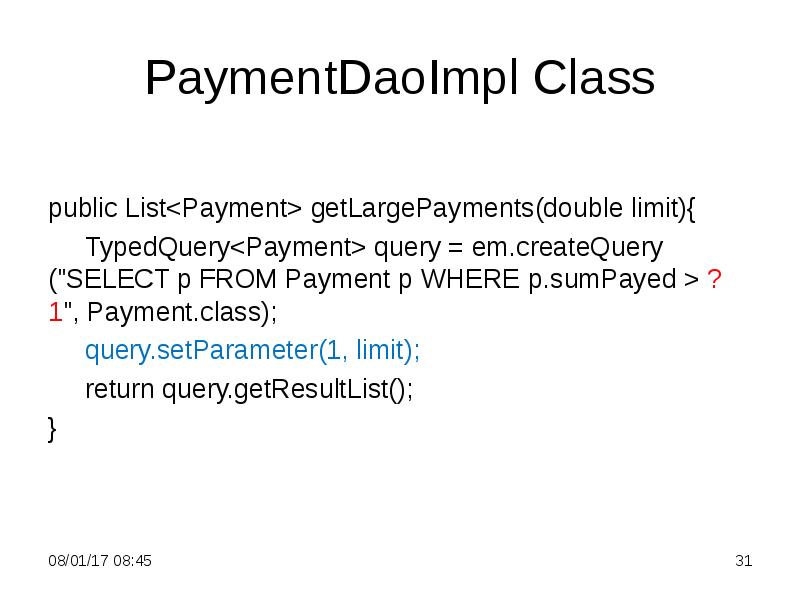
PaymentDaoImpl Class
public List<Payment> getLargePayments(double limit){
TypedQuery<Payment> query = em.createQuery ("SELECT p FROM Payment p WHERE p.sumPayed > ?1", Payment.class);
query.setParameter(1, limit);
return query.getResultList();
}
Слайд 32
Описание слайда:
Main Class
@SuppressWarnings("resource")
public static void main(String[] args) {
ApplicationContext context = new ClassPathXmlApplicationContext("beans.xml");
PaymentService paymentService = context.getBean(PaymentService.class);
List<Payment> list = paymentService.getLargePayments(750.0);
for (Payment p: list)
System.out.println(p.toString());
}
See P345Parameters project for the full text
Слайд 33
Описание слайда:
Query Named Parameters
Named parameters may also be used and are indicated in the query string by a colon followed by the parameter name
When the query is executed, the developer specifies the parameter name that should be replaced
Слайд 34
Описание слайда:
PaymentDaoImpl Class
public List<Payment> getLargePayments(double limit){
TypedQuery<Payment> query = em.createQuery ("SELECT p FROM Payment p WHERE p.sumPayed > :limit", Payment.class);
query.setParameter("limit", limit);
return query.getResultList();
}
See P245Parameters project for the full text
Слайд 35
Описание слайда:
Executing Queries
The TypedQuery interface provides three different ways to execute a query:
getSingleResult() - if the query is expected to return a single result
getResultList() - if more than one result may be returned
executeUpdate() - is used to invoke bulk update and delete queries
Слайд 36
Описание слайда:
getResultList() Method
Returns a collection containing the query results
If the query did not return any data, the collection is empty
The return type is specified as a List instead of a Collection in order to support queries that specify a sort order
If the query uses the ORDER BY clause to specify a sort order, the results will be put into the result list in the same order
Слайд 37
Описание слайда:
Exercise: Sort Merchants
Create a project to sort merchants by the value of needToSend field
Слайд 38
Описание слайда:
DAO & Service Interfaces
public interface MerchantDao {
public Merchant findById(int id);
public List<Merchant> getSortedByNeedToPay();
}
public interface MerchantService {
public Merchant findById(int id);
public List<Merchant> getSortedByNeedToPay();
}
Слайд 39
Описание слайда:
MerchantDaoImpl Class
public List<Merchant> getSortedByNeedToPay(){
String txt = "SELECT m FROM Merchant m ORDER BY m.needToSend";
TypedQuery<Merchant> query = em.createQuery(txt, Merchant.class);
return query.getResultList();
}
Слайд 40
Описание слайда:
Main Class
@SuppressWarnings("resource")
public static void main(String[] args) {
ApplicationContext context = new ClassPathXmlApplicationContext("beans.xml");
MerchantService merchantService = context.getBean(MerchantService.class);
List<Merchant> list = merchantService.getSortedByNeedToPay();
for(Merchant m: list)
System.out.println("name = " + m.getName() + " sumToPay = " + m .getNeedToSend());
}
Слайд 41
Описание слайда:
Exercise: Sort Merchants
See P346Sort project for the full text
Слайд 42
Описание слайда:
getSingleResult() Method
Instead of iterating to the first result in a collection, the object is directly returned
Throws a NoResultException exception when no results are available
Throws a NonUniqueResultException exception if multiple results are available after executing the query
Слайд 43
Описание слайда:
Working with Query Results
The result type of a query is determined by the expressions listed in the SELECT clause of the query:
Basic types, such as String, the primitive types, and JDBC types
Entity types
An array of Object
User-defined types created from a constructor expression
Слайд 44
Описание слайда:
Constructor expressions (1/2)
Provide developers with a way to map array of Object result types to custom objects
Typically this is used to convert the results into JavaBean-style classes that provide getters for the different returned values
A constructor expression is defined in JP QL using the NEW operator in the SELECT clause
Слайд 45
Описание слайда:
Constructor expressions (2/2)
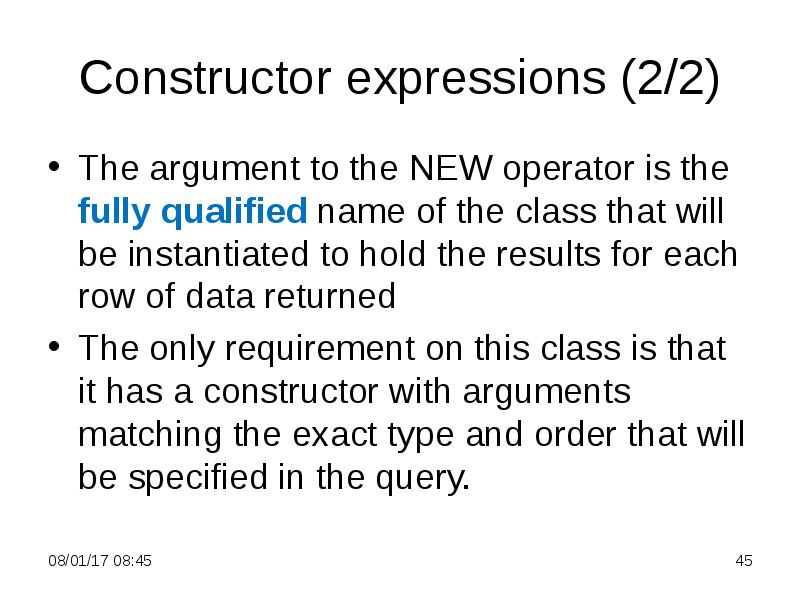
The argument to the NEW operator is the fully qualified name of the class that will be instantiated to hold the results for each row of data returned
The only requirement on this class is that it has a constructor with arguments matching the exact type and order that will be specified in the query.
Слайд 46
Описание слайда:
Example: Grouping Payments
Get general sum of charge for every merchant
Слайд 47
Описание слайда:
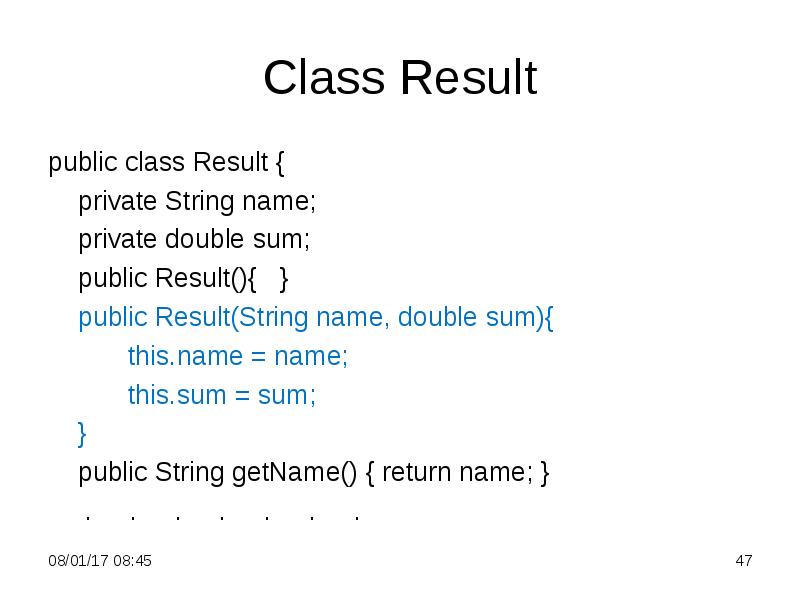
Class Result
public class Result {
private String name;
private double sum;
public Result(){ }
public Result(String name, double sum){
this.name = name;
this.sum = sum;
}
public String getName() { return name; }
. . . . . . .
Слайд 48
Описание слайда:
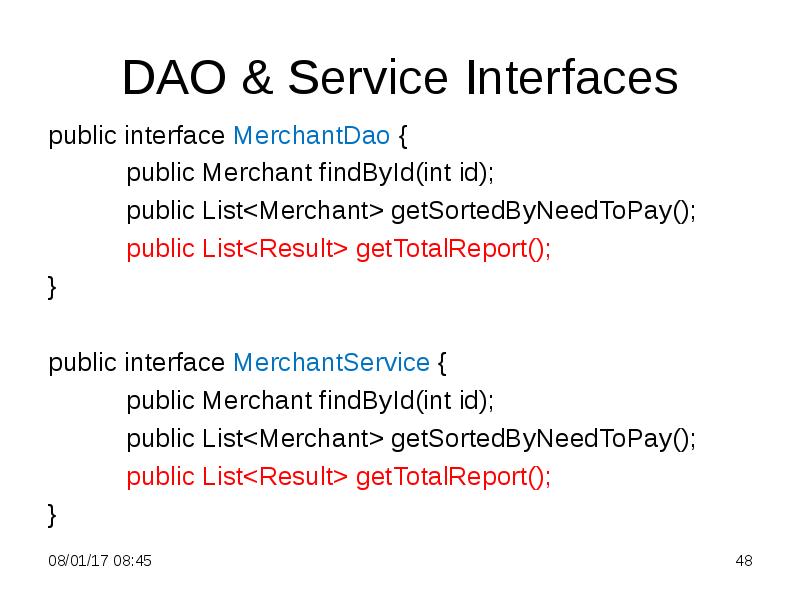
DAO & Service Interfaces
public interface MerchantDao {
public Merchant findById(int id);
public List<Merchant> getSortedByNeedToPay();
public List<Result> getTotalReport();
}
public interface MerchantService {
public Merchant findById(int id);
public List<Merchant> getSortedByNeedToPay();
public List<Result> getTotalReport();
}
Слайд 49
Описание слайда:
MerchantDaoImpl Class
public List<Result> getTotalReport(){
String txt = "SELECT new com.bionic.edu.Result (m.name, SUM(p.chargePayed)) ";
txt += "FROM Payment p, Merchant m WHERE m.id = p.merchantId GROUP BY m.name";
TypedQuery<Result> query = em.createQuery(txt, Result.class);
return query.getResultList();
}
Слайд 50
Описание слайда:
Main Class
@SuppressWarnings("resource")
public static void main(String[] args) {
ApplicationContext context = new ClassPathXmlApplicationContext("beans.xml");
MerchantService merchantService = context.getBean(MerchantService.class);
List<Result> list = merchantService.getTotalReport();
for(Result r: list)
System.out.format("%1$25s %2$8.2f \n", r.getName(), r.getSum());
}
Слайд 51
Описание слайда:
Example: Grouping Payments
See P347Grouping project for the full text
Скачать презентацию на тему 3. Java Persistence API. 4. Java Persistence Query Language можно ниже: