Configuration and management презентация
Содержание
- 2. Configuration options WEB Browser, by connecting to the internal web-server, and
- 3. Configuration options SNMP Requires an IP path between the computer on
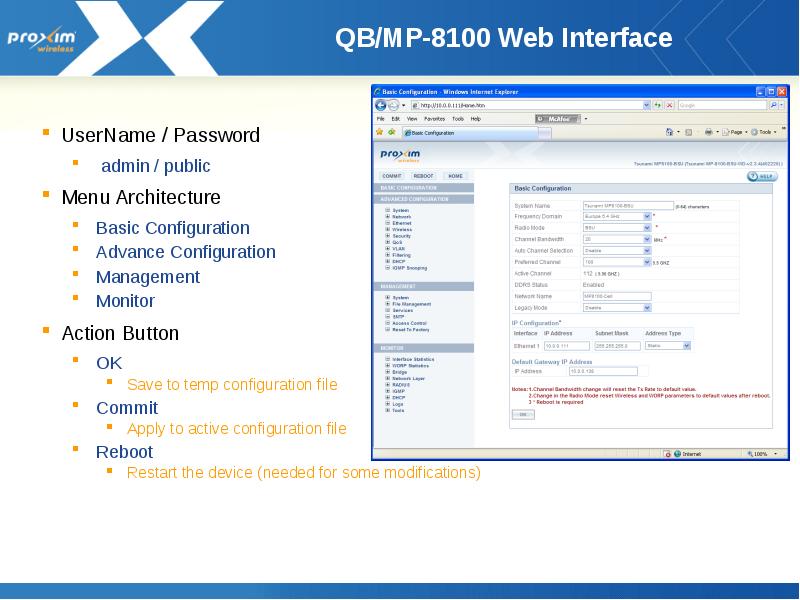
- 4. QB/MP-8100 Web Interface UserName / Password admin / public Menu
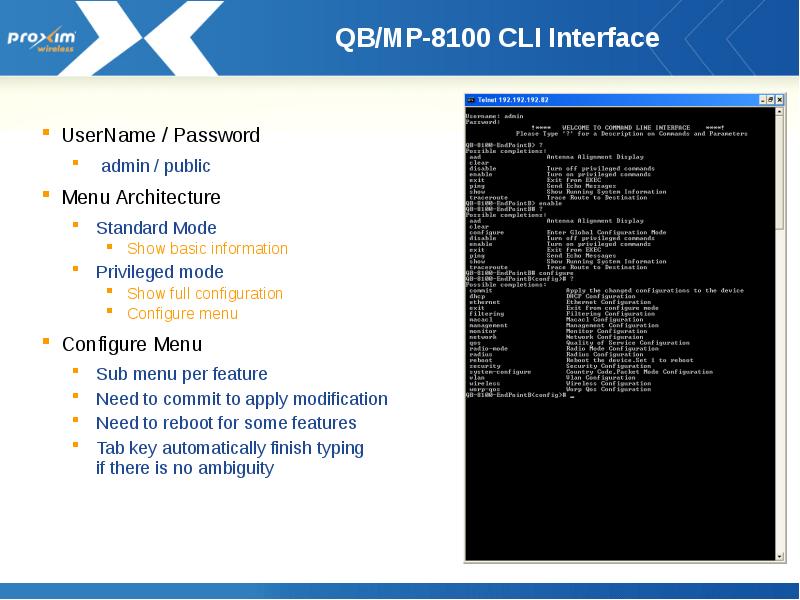
- 5. QB/MP-8100 CLI Interface UserName / Password admin / public Menu
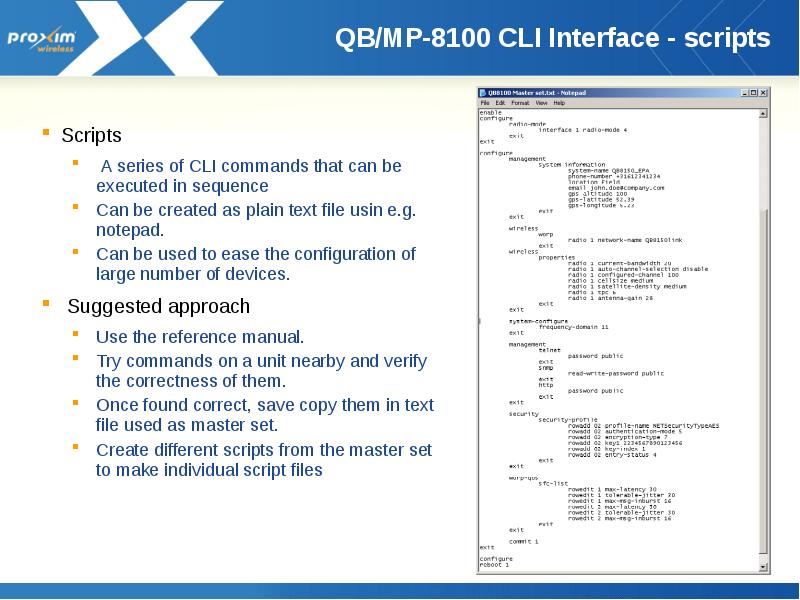
- 6. QB/MP-8100 CLI Interface - scripts Scripts A series of CLI commands
- 7. Text Based Configuration Device configuration can be downloaded as an XML
- 8. Text Based Configuration Once downloaded, the XML config file can be
- 9. Configure PC to manage 8100 Set the IP Address of the
- 10. Using scantool Small windows application to be used to detect Proxim
- 11. Using Scantool to change IP After clicking ‘OK’ you will be
- 12. Login Screen
- 13. Home Page
- 14. Configuration screens - live Operation AT this point the instructor
- 15. Return to agenda
- 16. Скачать презентацию




Слайды и текст этой презентации
Слайд 1
Описание слайда:
Proxim Product Training Class
Tsunami 8000 Product family
Configuration and Management
Слайд 2
Описание слайда:
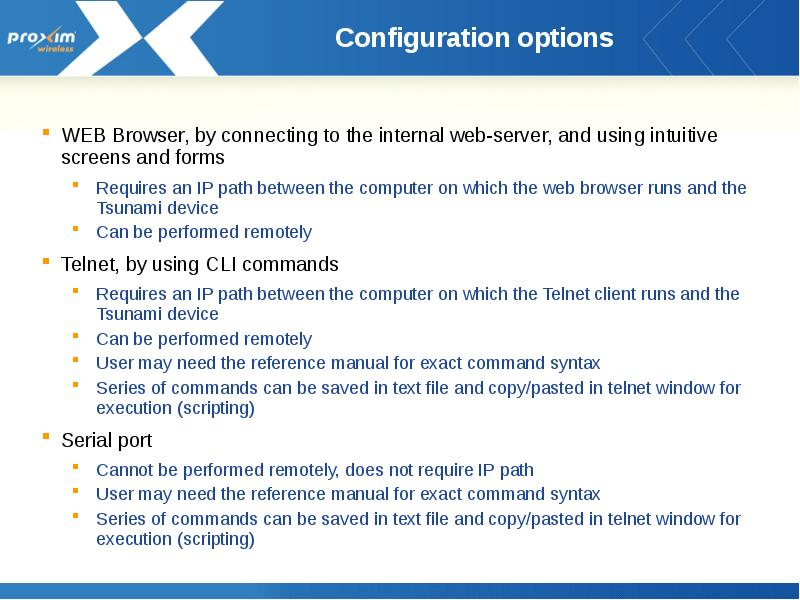
Configuration options
WEB Browser, by connecting to the internal web-server, and using intuitive screens and forms
Requires an IP path between the computer on which the web browser runs and the Tsunami device
Can be performed remotely
Telnet, by using CLI commands
Requires an IP path between the computer on which the Telnet client runs and the Tsunami device
Can be performed remotely
User may need the reference manual for exact command syntax
Series of commands can be saved in text file and copy/pasted in telnet window for execution (scripting)
Serial port
Cannot be performed remotely, does not require IP path
User may need the reference manual for exact command syntax
Series of commands can be saved in text file and copy/pasted in telnet window for execution (scripting)
Слайд 3
Описание слайда:
Configuration options
SNMP
Requires an IP path between the computer on which the SNMP browser or manager runs and the Tsunami device
Can be performed remotely
Used by ProximVisionES
MIBs are provided to allow integration in user selected SNMP manager
User defined/edited configuration files
Device configuration can be downloaded as an XML file.
It can then be edited and loaded back on to the device
Слайд 4
Описание слайда:
QB/MP-8100 Web Interface
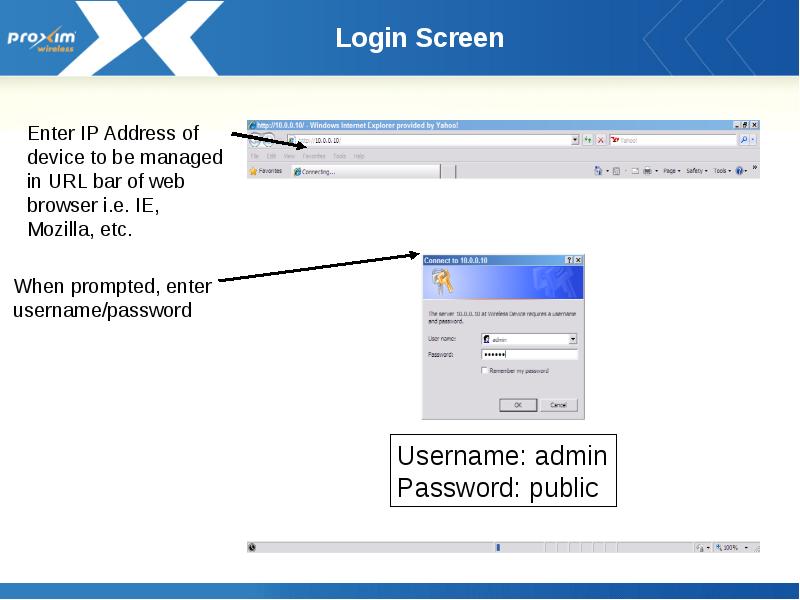
UserName / Password
admin / public
Menu Architecture
Basic Configuration
Advance Configuration
Management
Monitor
Action Button
OK
Save to temp configuration file
Commit
Apply to active configuration file
Reboot
Restart the device (needed for some modifications)
Слайд 5
Описание слайда:
QB/MP-8100 CLI Interface
UserName / Password
admin / public
Menu Architecture
Standard Mode
Show basic information
Privileged mode
Show full configuration
Configure menu
Configure Menu
Sub menu per feature
Need to commit to apply modification
Need to reboot for some features
Tab key automatically finish typing
if there is no ambiguity
Слайд 6
Описание слайда:
QB/MP-8100 CLI Interface - scripts
Scripts
A series of CLI commands that can be executed in sequence
Can be created as plain text file usin e.g. notepad.
Can be used to ease the configuration of large number of devices.
Suggested approach
Use the reference manual.
Try commands on a unit nearby and verify the correctness of them.
Once found correct, save copy them in text file used as master set.
Create different scripts from the master set to make individual script files
Слайд 7
Описание слайда:
Text Based Configuration
Device configuration can be downloaded as an XML file.
It can then be edited and loaded back on to the device
Before being able to download the XML configuration file it needs to be generated through CLI.
Two versions can be generated
Config file including
passwords (in clear)
Config file without
passwords
Only change made
during the current
CLI session are saved
into the XML config file
Слайд 8
Описание слайда:
Text Based Configuration
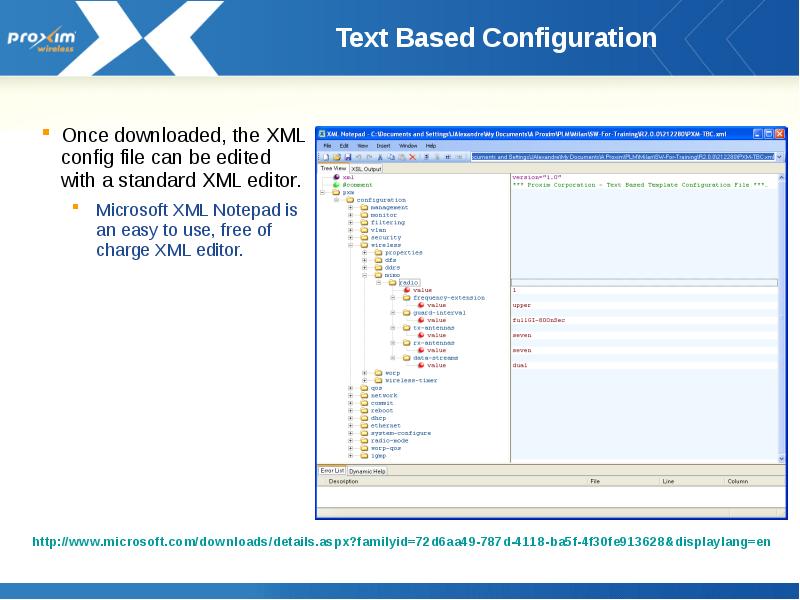
Once downloaded, the XML config file can be edited with a standard XML editor.
Microsoft XML Notepad is an easy to use, free of charge XML editor.
Слайд 9
Описание слайда:
Configure PC to manage 8100
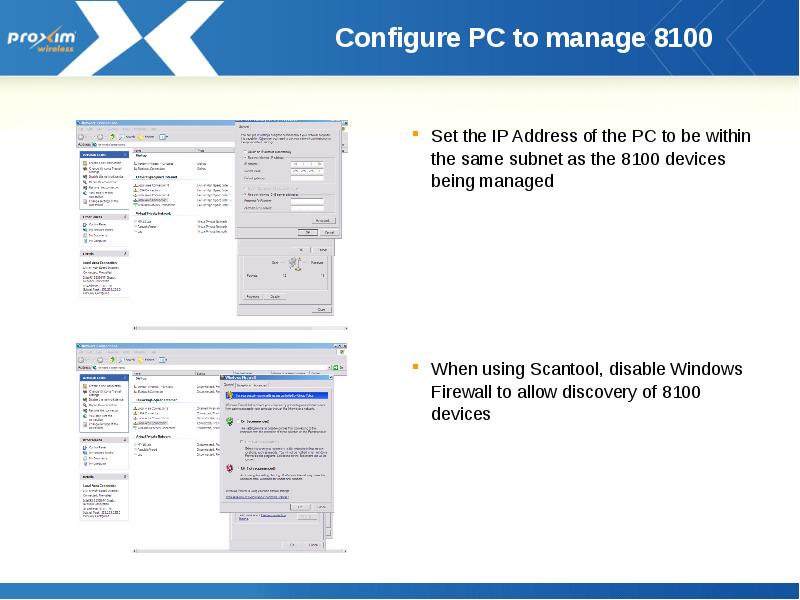
Set the IP Address of the PC to be within the same subnet as the 8100 devices being managed
When using Scantool, disable Windows Firewall to allow discovery of 8100 devices
Слайд 10
Описание слайда:
Using scantool
Small windows application to be used to detect Proxim equipment
Configuration computer and Proxim device needs to be on same segment (the scan request will not pass through a router)
Shows IP addresses for Proxim devices found (even though these maybe in a different subnet from the configuration computer)
Allows making basic changes (IP address)
Can be used during forced reload procedure to “tell” the bootloader where the tftp server is and what the name is of the image that is to be reloaded
Слайд 11
Описание слайда:
Using Scantool to change IP
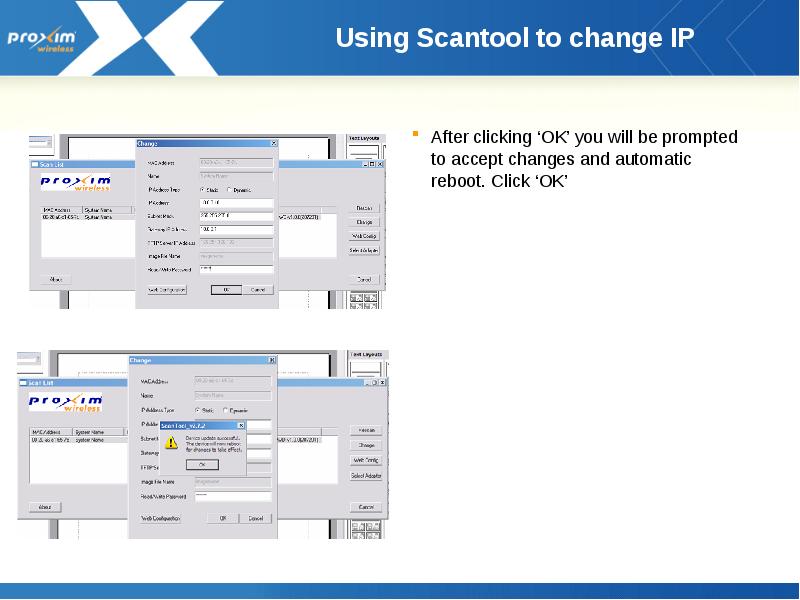
After clicking ‘OK’ you will be prompted to accept changes and automatic reboot. Click ‘OK’
Слайд 12
Описание слайда:
Login Screen
Слайд 13
Описание слайда:
Home Page
Слайд 14
Описание слайда:
Configuration screens - live Operation
AT this point the instructor will connect live to an 8xxx system and illustrate the various configuration screens when access the device(s) using the web interface
Слайд 15
Описание слайда:
Return to agenda
Скачать презентацию на тему Configuration and management можно ниже: