Firmware update process презентация
Содержание
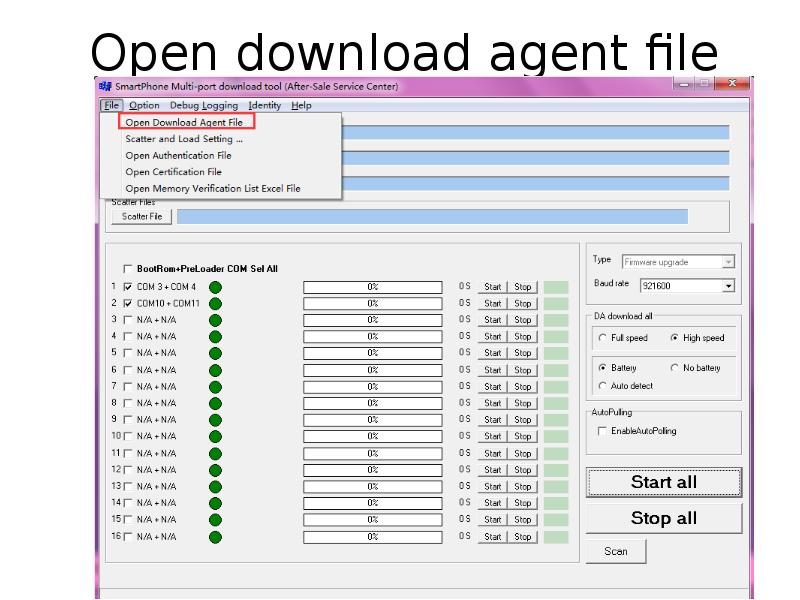
- 2. Open download agent file
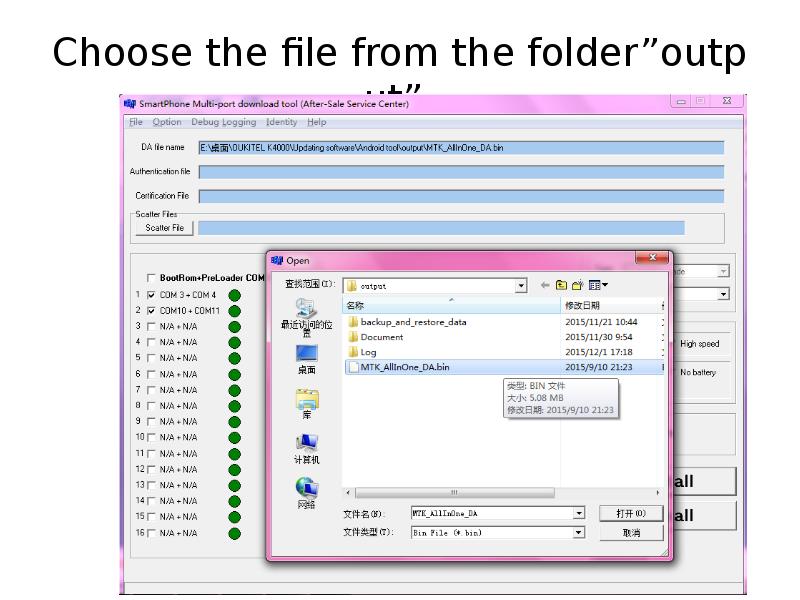
- 3. Choose the file from the folder”output”
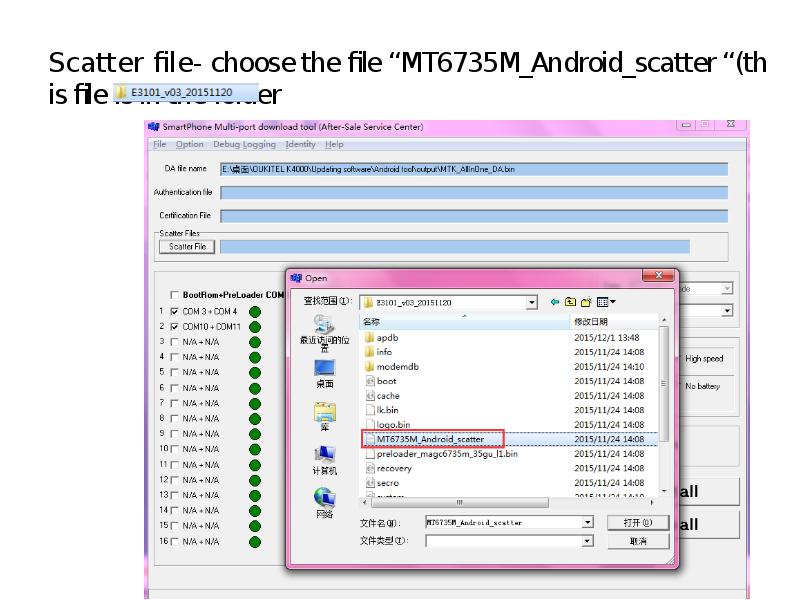
- 4. Scatter file- choose the file “MT6735M_Android_scatter “(this file is in the
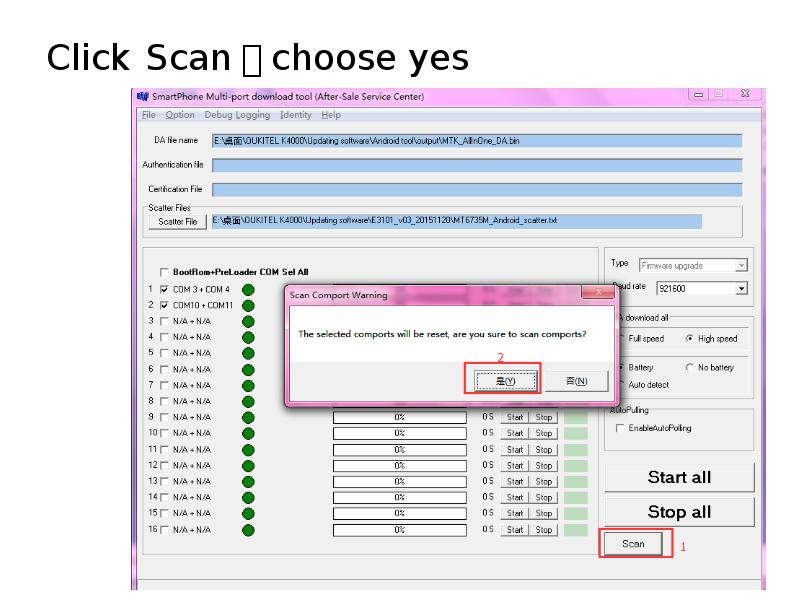
- 5. Click Scan,choose yes
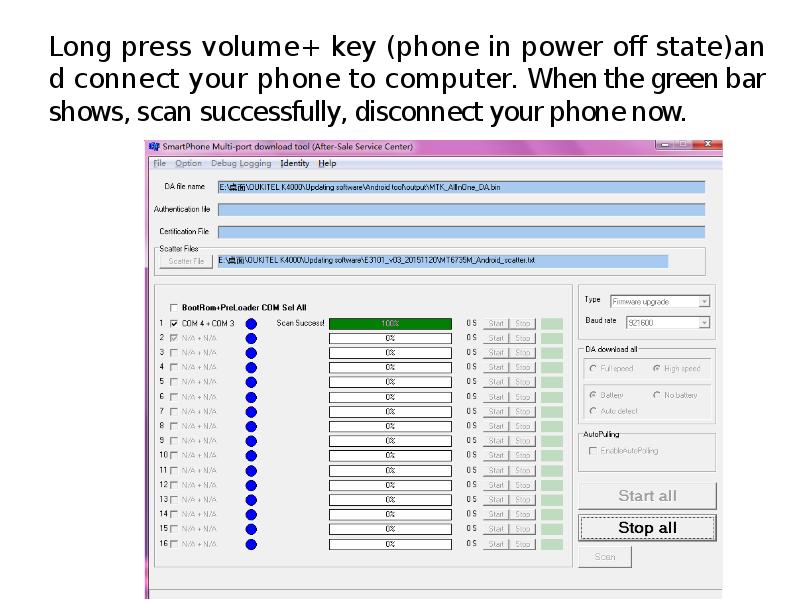
- 6. Long press volume+ key (phone in power off state)and connect your
- 7. Click stop all, then click start all, when the small window
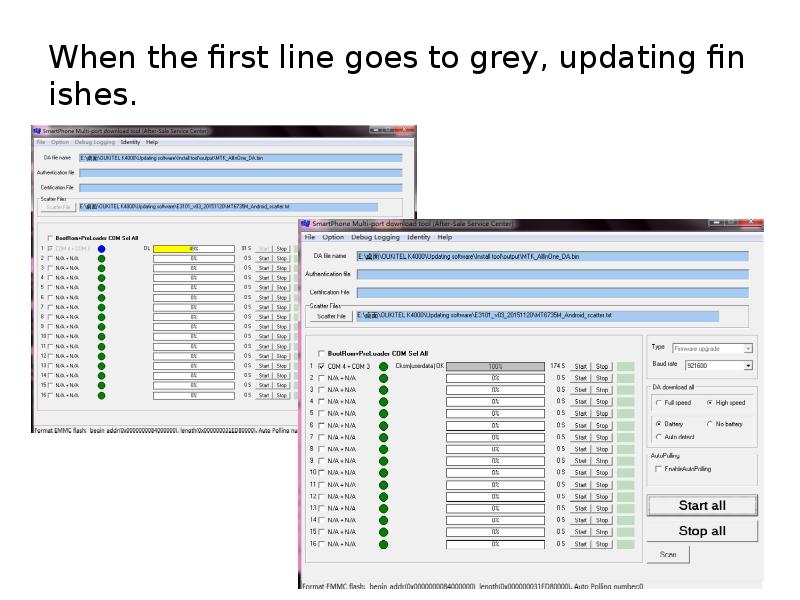
- 8. When the first line goes to grey, updating finishes.
- 9. Скачать презентацию

Слайды и текст этой презентации
Слайд 1
Описание слайда:
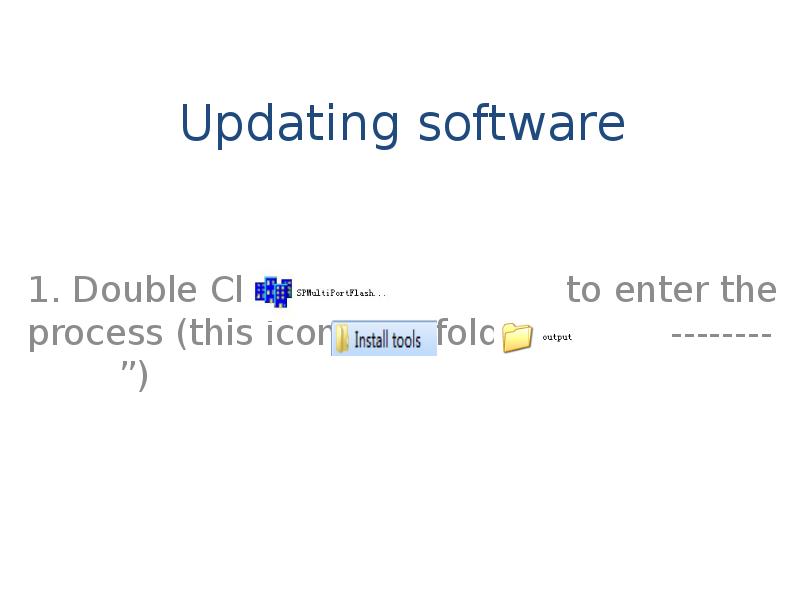
Updating software
1. Double Click to enter the process (this icon is in folder” -------- ”)
Слайд 2
Описание слайда:
Open download agent file
Слайд 3
Описание слайда:
Choose the file from the folder”output”
Слайд 4
Описание слайда:
Scatter file- choose the file “MT6735M_Android_scatter “(this file is in the folder
Слайд 5
Описание слайда:
Click Scan,choose yes
Слайд 6
Описание слайда:
Long press volume+ key (phone in power off state)and connect your phone to computer. When the green bar shows, scan successfully, disconnect your phone now.
Слайд 7
Описание слайда:
Click stop all, then click start all, when the small window finishes, connect your phone to computer . It will start update automatically.
Слайд 8
Описание слайда:
When the first line goes to grey, updating finishes.
Скачать презентацию на тему Firmware update process можно ниже: