How to made a DOS Bootable USB Stick and flash your Vbios презентация
Содержание
- 2. Step-1 Unzip “68.rar” file. You can see as follow picture Here
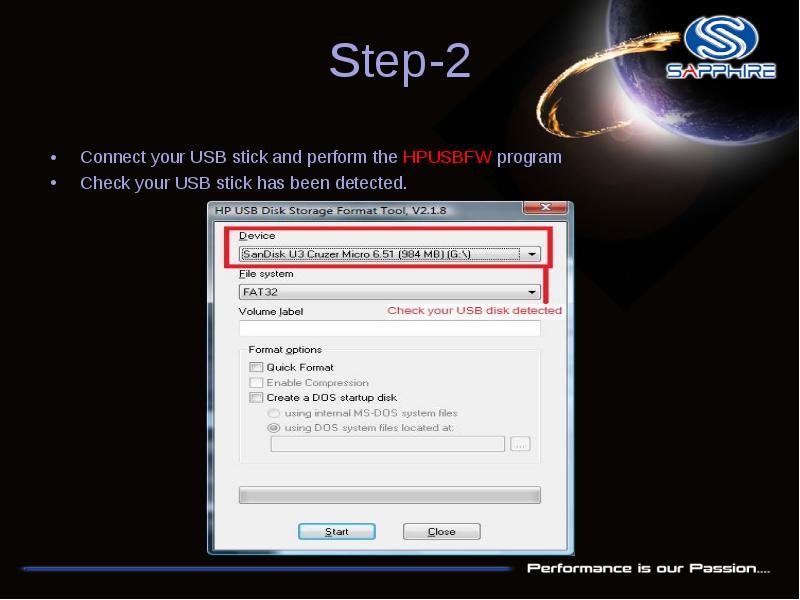
- 3. Step-2 Connect your USB stick and perform the HPUSBFW program
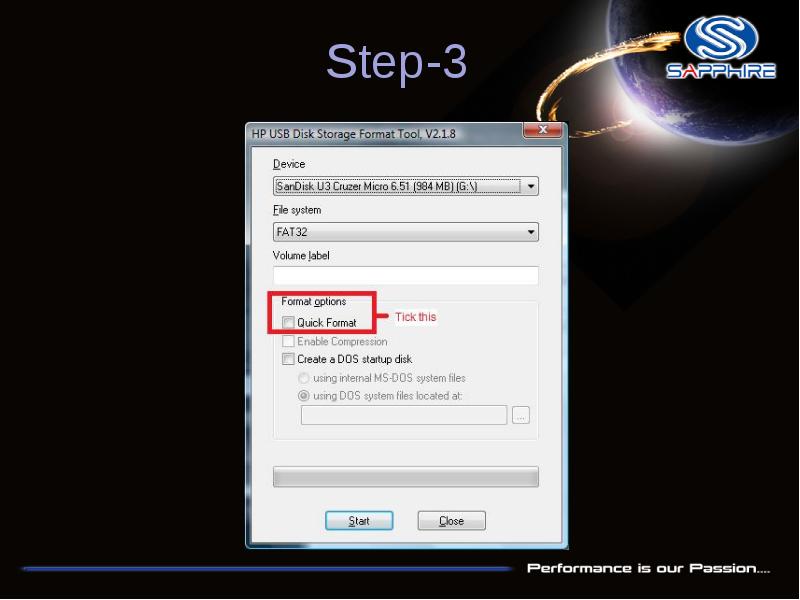
- 4. Step-3
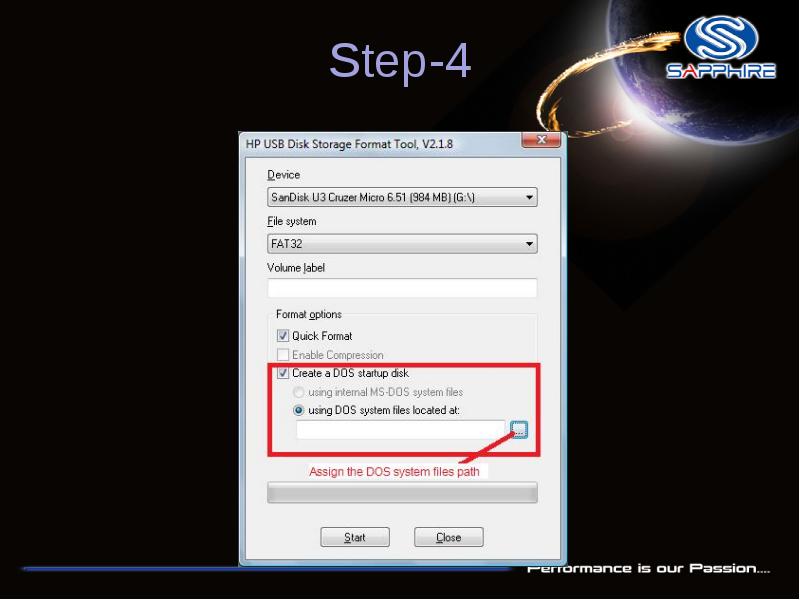
- 5. Step-4
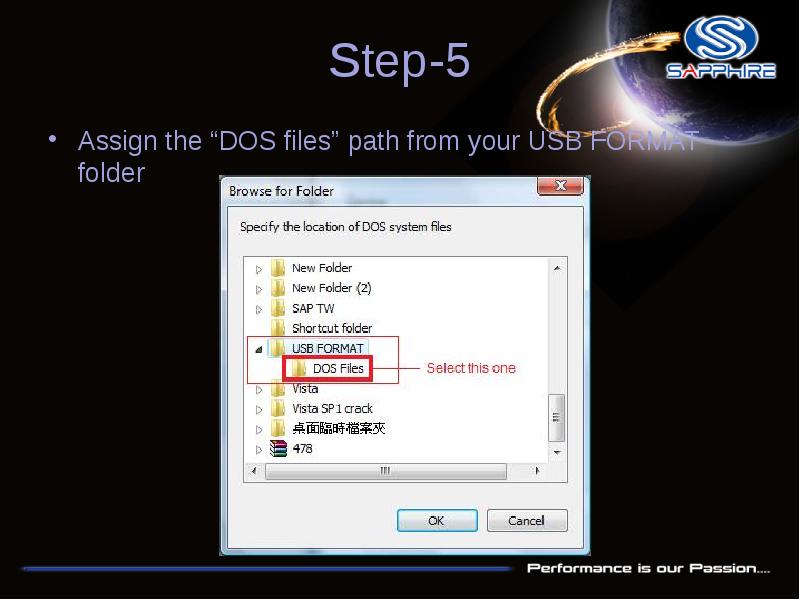
- 6. Step-5 Assign the “DOS files” path from your USB FORMAT folder
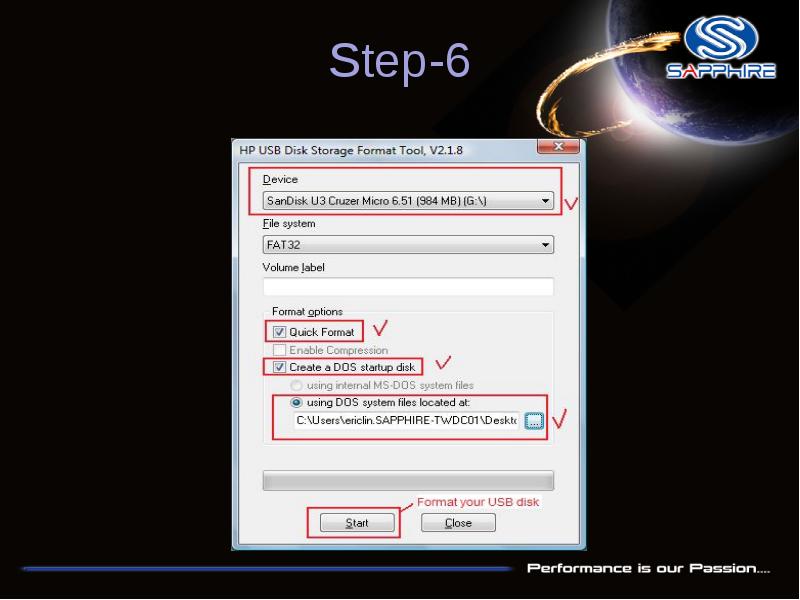
- 7. Step-6
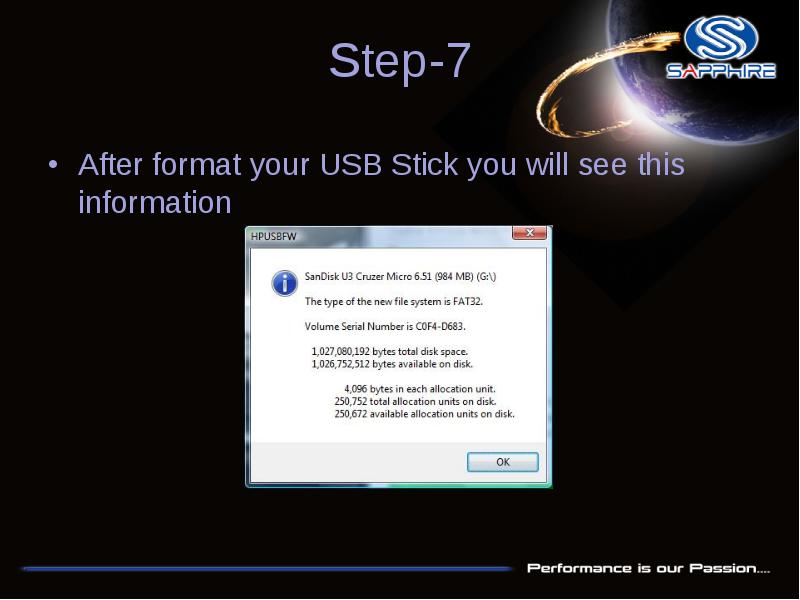
- 8. Step-7 After format your USB Stick you will see this information
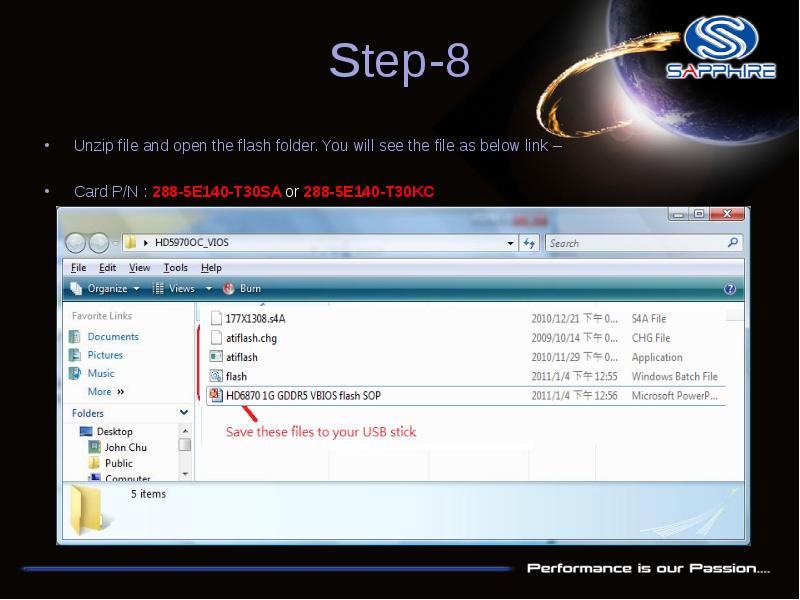
- 9. Step-8 Unzip file and open the flash folder. You will see
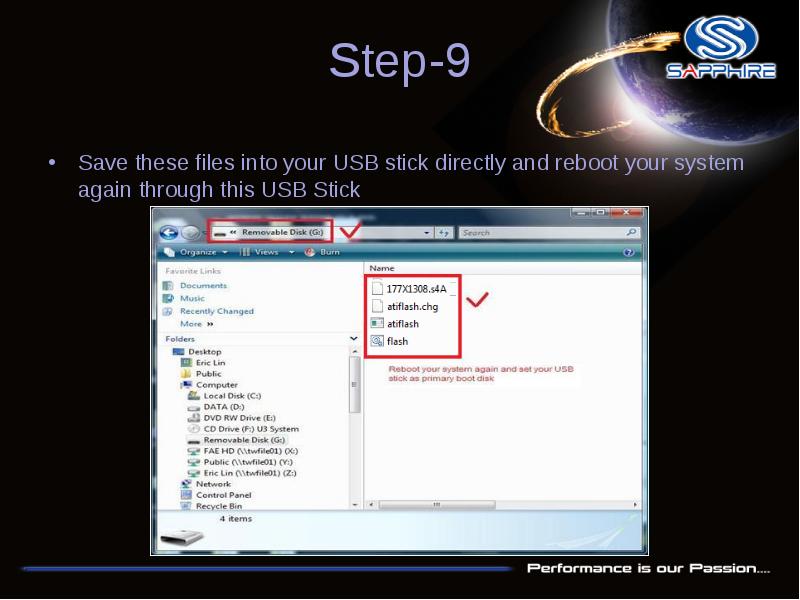
- 10. Step-9 Save these files into your USB stick directly and reboot
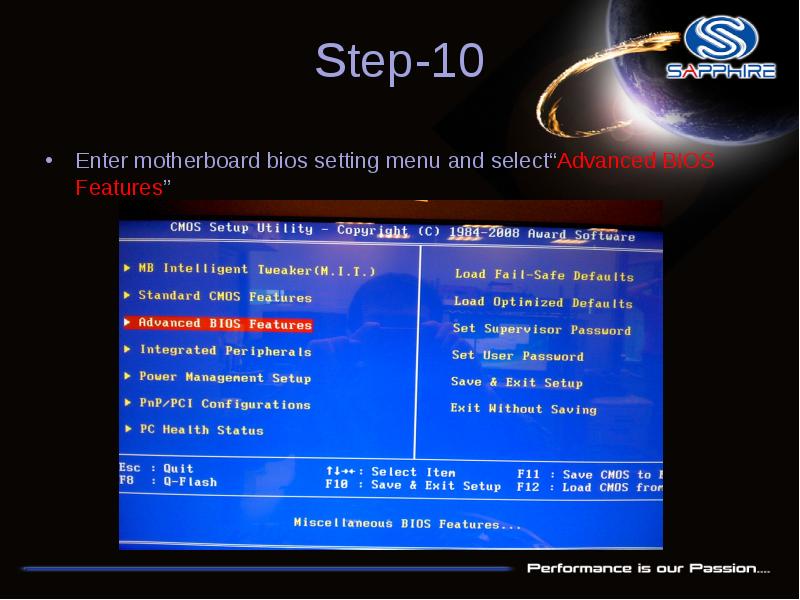
- 11. Step-10 Enter motherboard bios setting menu and select“Advanced BIOS Features”
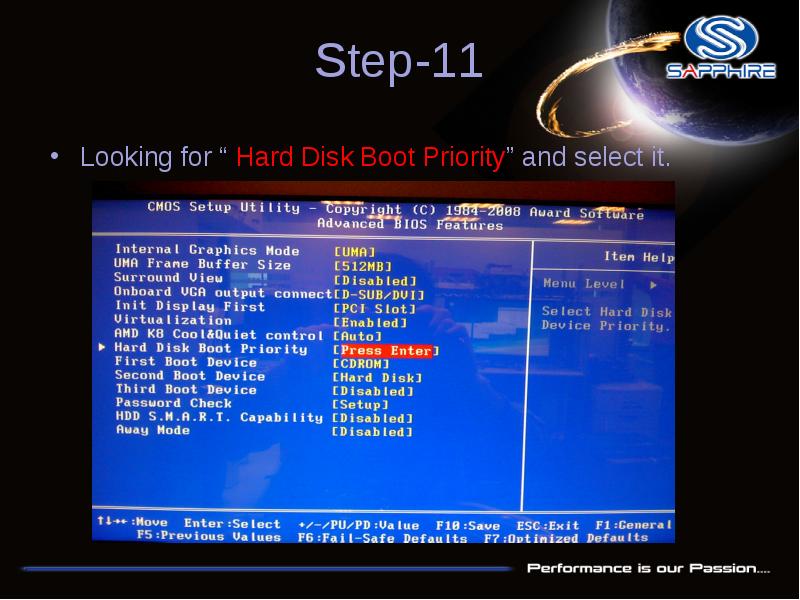
- 12. Step-11 Looking for “ Hard Disk Boot Priority” and select it.
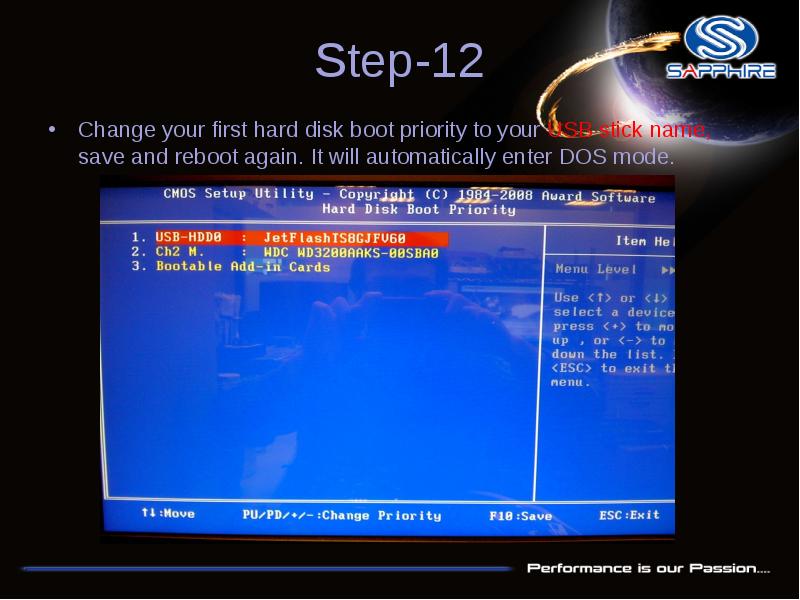
- 13. Step-12 Change your first hard disk boot priority to your USB
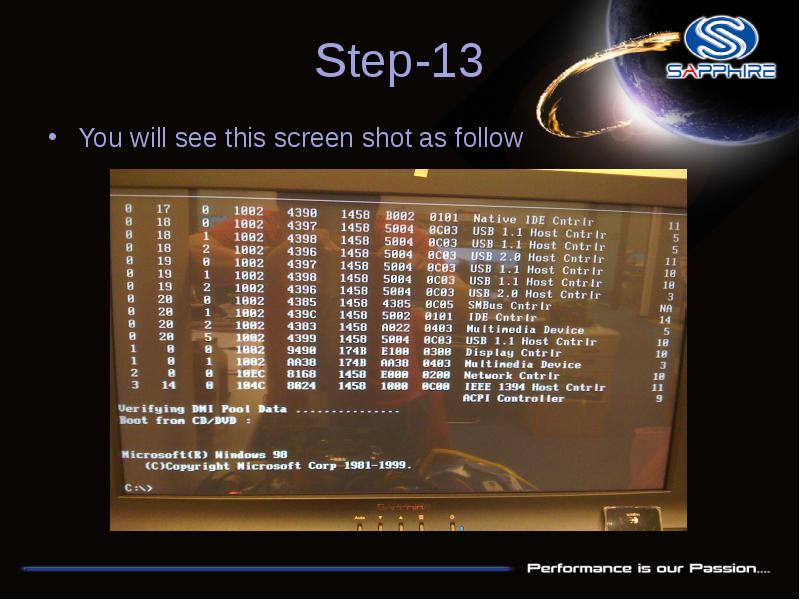
- 14. Step-13 You will see this screen shot as follow
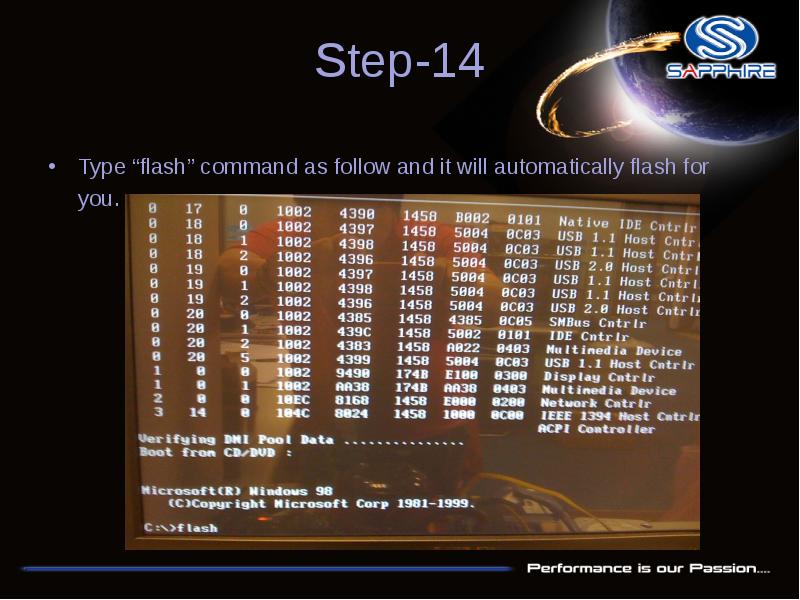
- 15. Step-14 Type “flash” command as follow and it will automatically flash
- 16. Step-15 After flash your vbios and reboot, please reinstall card driver
- 17. Скачать презентацию
Слайды и текст этой презентации
Слайд 1
Описание слайда:
How to made a DOS Bootable USB Stick and flash your Vbios
Please note: The Vbios example is for Sapphire HD6870 1G GDDR5 PCI-E DL DVI-I + SL DVI-D / HDMI / Dual mini DP , P/N:288-1E177-100SA or 288-1E177-100KC
Before doing this, please backup your original USB stick files
Слайд 2
Описание слайда:
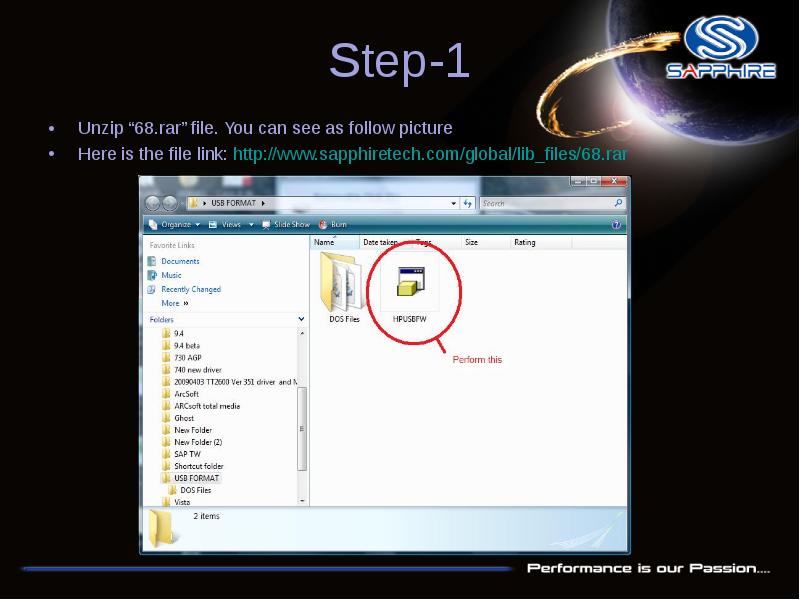
Step-1
Unzip “68.rar” file. You can see as follow picture
Here is the file link: http://www.sapphiretech.com/global/lib_files/68.rar
Слайд 3
Описание слайда:
Step-2
Connect your USB stick and perform the HPUSBFW program
Check your USB stick has been detected.
Слайд 4
Описание слайда:
Step-3
Слайд 5
Описание слайда:
Step-4
Слайд 6
Описание слайда:
Step-5
Assign the “DOS files” path from your USB FORMAT folder
Слайд 7
Описание слайда:
Step-6
Слайд 8
Описание слайда:
Step-7
After format your USB Stick you will see this information
Слайд 9
Описание слайда:
Step-8
Unzip file and open the flash folder. You will see the file as below link –
Card P/N : 288-5E140-T30SA or 288-5E140-T30KC
Слайд 10
Описание слайда:
Step-9
Save these files into your USB stick directly and reboot your system again through this USB Stick
Слайд 11
Описание слайда:
Step-10
Enter motherboard bios setting menu and select“Advanced BIOS Features”
Слайд 12
Описание слайда:
Step-11
Looking for “ Hard Disk Boot Priority” and select it.
Слайд 13
Описание слайда:
Step-12
Change your first hard disk boot priority to your USB stick name, save and reboot again. It will automatically enter DOS mode.
Слайд 14
Описание слайда:
Step-13
You will see this screen shot as follow
Слайд 15
Описание слайда:
Step-14
Type “flash” command as follow and it will automatically flash for you.
Слайд 16
Описание слайда:
Step-15
After flash your vbios and reboot, please reinstall card driver and reboot again.
Скачать презентацию на тему How to made a DOS Bootable USB Stick and flash your Vbios можно ниже: