New Callback functionality for CBS (Callback Basic information) презентация
Содержание
- 2. The whole system
- 5. CBS role in the system CBS will generate Notifications for customer
- 6. Configuration in CBS Configuration will specify which action should initiate a
- 7. Notification <NSCBSCBP1:NotificationRequest description="Refill" identifier="1"> <NSCBSCBP1:Notification transaction="1405" identifier="7505"> <NSCBSCBP1:Arguments> *this fields are
- 8. Notification
- 9. Old Callback In case when in registry for the old Callback
- 10. How to create a CBS configuration? create a subscriber in CBS
- 11. Documentation This presentation (overall information about system) CallBack F.A.Q .docx -
- 12. Скачать презентацию


Слайды и текст этой презентации
Слайд 1
Описание слайда:
New Callback functionality for CBS
Слайд 2
Описание слайда:
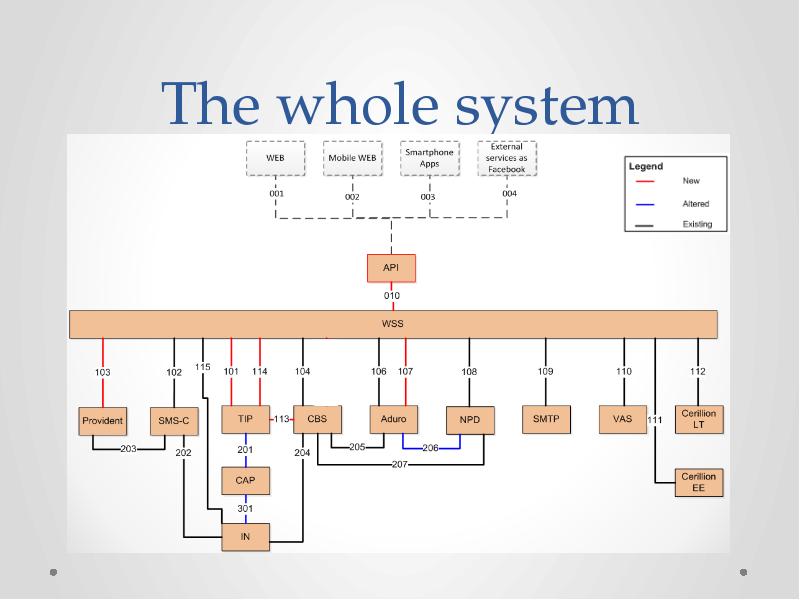
The whole system
Слайд 3
Описание слайда:
Слайд 4
Описание слайда:
Слайд 5
Описание слайда:
CBS role in the system
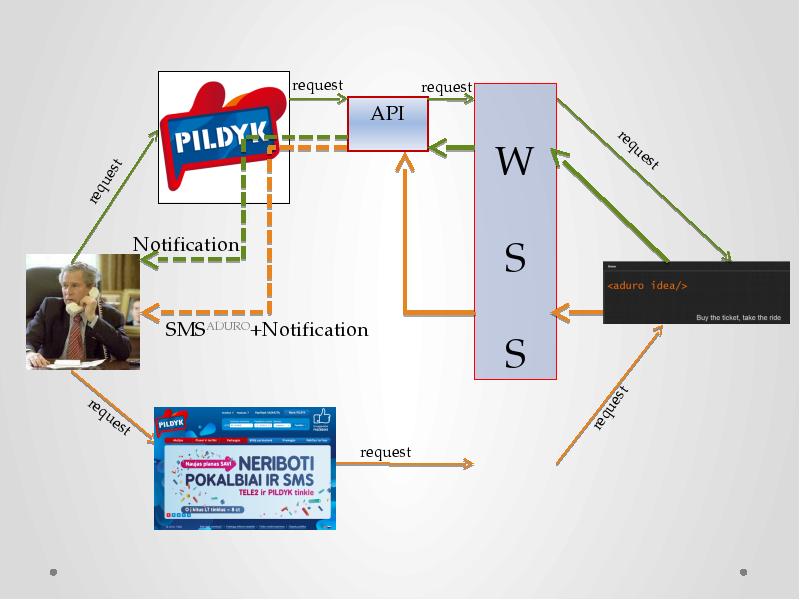
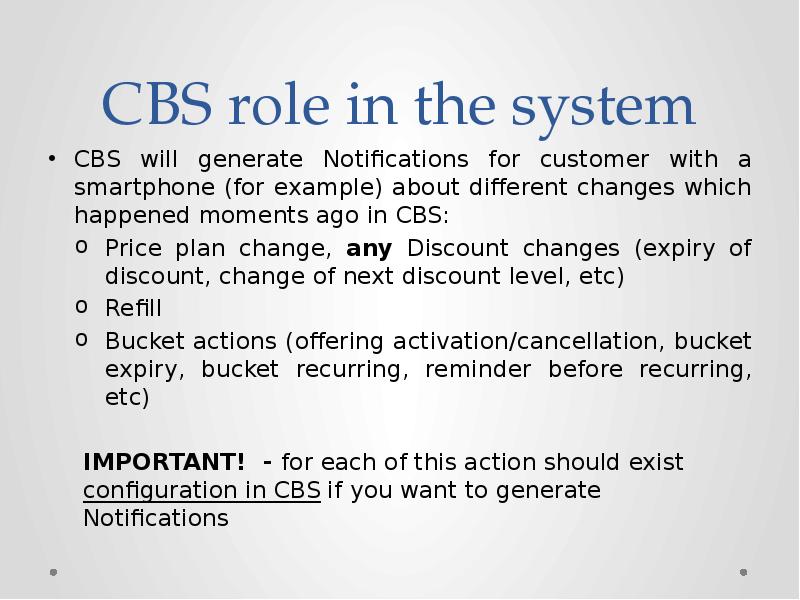
CBS will generate Notifications for customer with a smartphone (for example) about different changes which happened moments ago in CBS:
Price plan change, any Discount changes (expiry of discount, change of next discount level, etc)
Refill
Bucket actions (offering activation/cancellation, bucket expiry, bucket recurring, reminder before recurring, etc)
IMPORTANT! - for each of this action should exist configuration in CBS if you want to generate Notifications
Слайд 6
Описание слайда:
Configuration in CBS
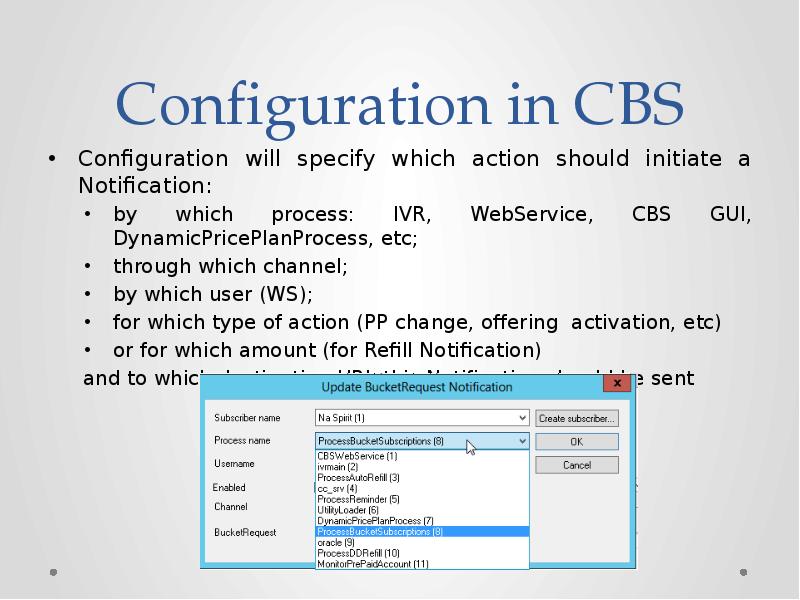
Configuration will specify which action should initiate a Notification:
by which process: IVR, WebService, CBS GUI, DynamicPricePlanProcess, etc;
through which channel;
by which user (WS);
for which type of action (PP change, offering activation, etc)
or for which amount (for Refill Notification)
and to which destination URL this Notification should be sent
Слайд 7
Описание слайда:
Notification
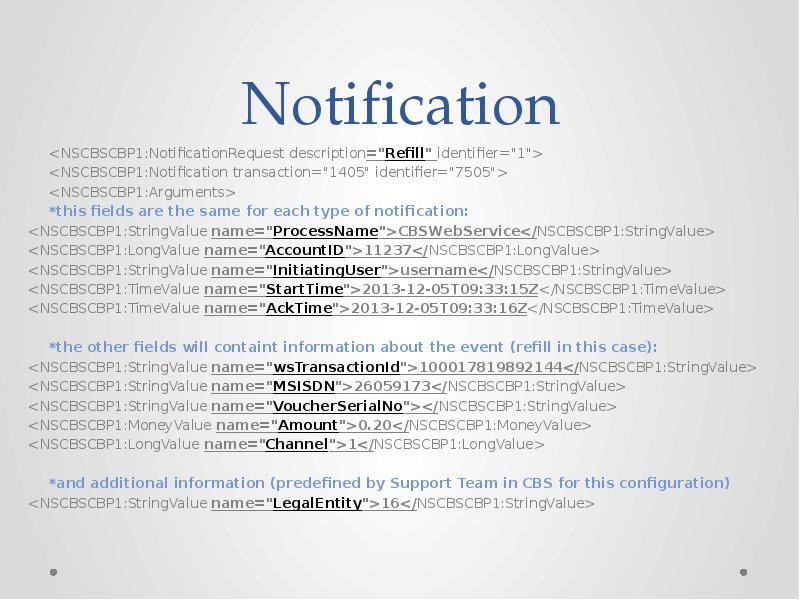
<NSCBSCBP1:NotificationRequest description="Refill" identifier="1">
<NSCBSCBP1:Notification transaction="1405" identifier="7505">
<NSCBSCBP1:Arguments>
*this fields are the same for each type of notification:
<NSCBSCBP1:StringValue name="ProcessName">CBSWebService</NSCBSCBP1:StringValue>
<NSCBSCBP1:LongValue name="AccountID">11237</NSCBSCBP1:LongValue>
<NSCBSCBP1:StringValue name="InitiatingUser">username</NSCBSCBP1:StringValue>
<NSCBSCBP1:TimeValue name="StartTime">2013-12-05T09:33:15Z</NSCBSCBP1:TimeValue>
<NSCBSCBP1:TimeValue name="AckTime">2013-12-05T09:33:16Z</NSCBSCBP1:TimeValue>
*the other fields will containt information about the event (refill in this case):
<NSCBSCBP1:StringValue name="wsTransactionId">100017819892144</NSCBSCBP1:StringValue>
<NSCBSCBP1:StringValue name="MSISDN">26059173</NSCBSCBP1:StringValue>
<NSCBSCBP1:StringValue name="VoucherSerialNo"></NSCBSCBP1:StringValue>
<NSCBSCBP1:MoneyValue name="Amount">0.20</NSCBSCBP1:MoneyValue>
<NSCBSCBP1:LongValue name="Channel">1</NSCBSCBP1:LongValue>
*and additional information (predefined by Support Team in CBS for this configuration)
<NSCBSCBP1:StringValue name="LegalEntity">16</NSCBSCBP1:StringValue>
Слайд 8
Описание слайда:
Notification
Слайд 9
Описание слайда:
Old Callback
In case when in registry for the old Callback logic (ConfirmBucketTransferMessage) value “Enabled” is set to 1 then 2 different transactions will be created.
For each of logic should work its own Callback process.
Слайд 10
Описание слайда:
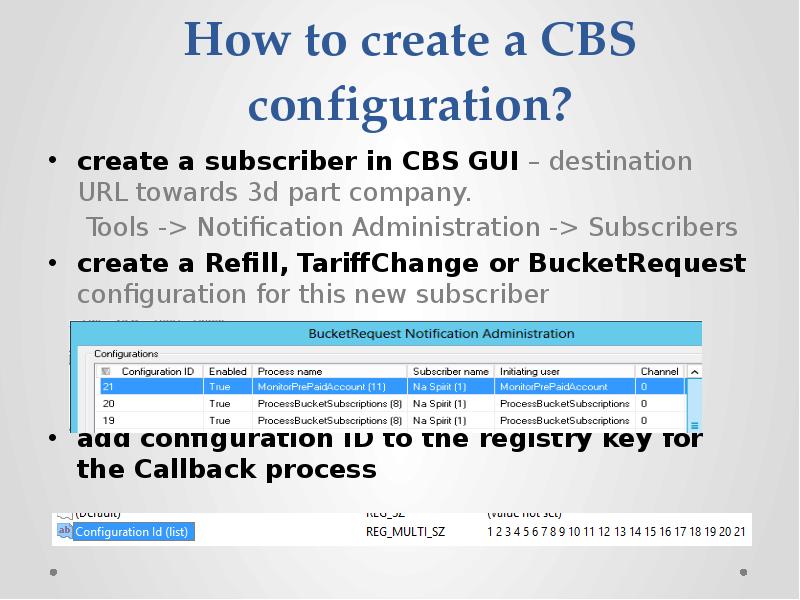
How to create a CBS configuration?
create a subscriber in CBS GUI – destination URL towards 3d part company.
Tools -> Notification Administration -> Subscribers
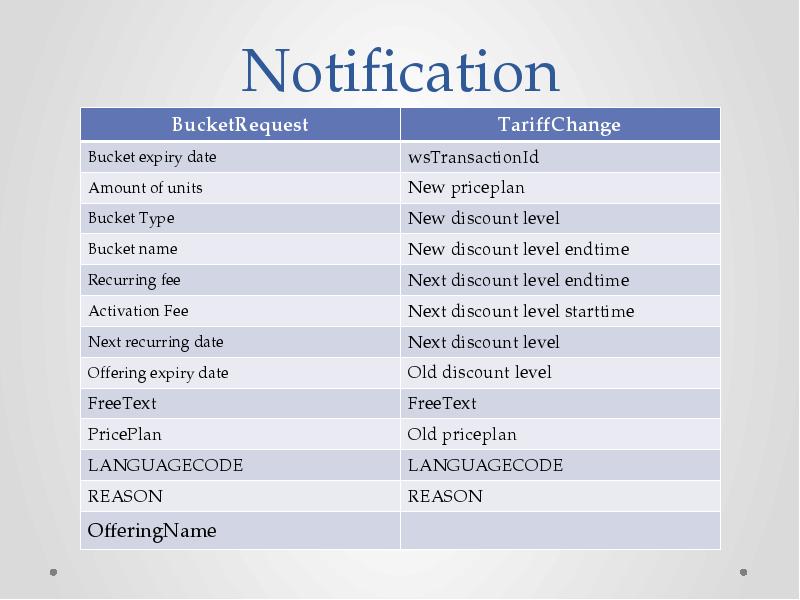
create a Refill, TariffChange or BucketRequest configuration for this new subscriber
add configuration ID to the registry key for the Callback process
Слайд 11
Описание слайда:
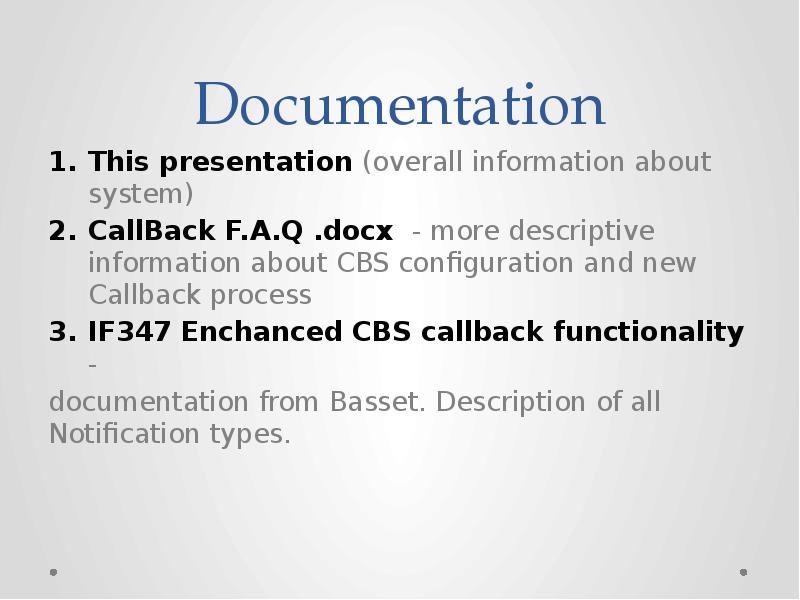
Documentation
This presentation (overall information about system)
CallBack F.A.Q .docx - more descriptive information about CBS configuration and new Callback process
IF347 Enchanced CBS callback functionality -
documentation from Basset. Description of all Notification types.
Скачать презентацию на тему New Callback functionality for CBS (Callback Basic information) можно ниже: