Learn the Best Practices in Mobile Game Testing презентация
Содержание
- 2. Agenda Different Types of Testing and How Game Testing Differs from
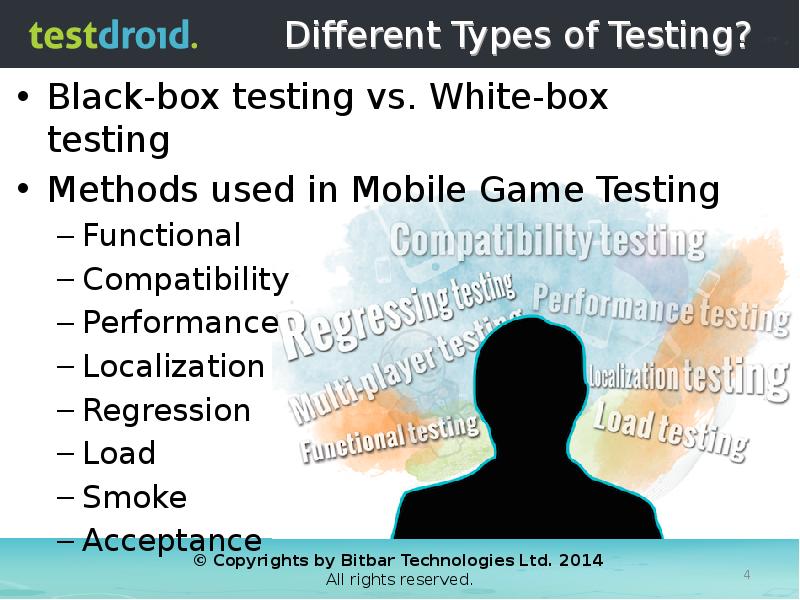
- 4. Different Types of Testing? Black-box testing vs. White-box testing Methods used
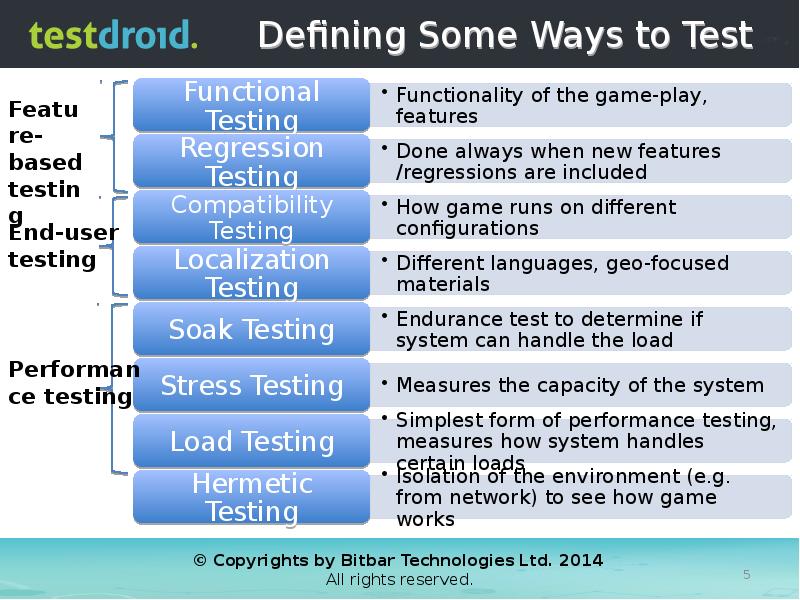
- 5. Defining Some Ways to Test
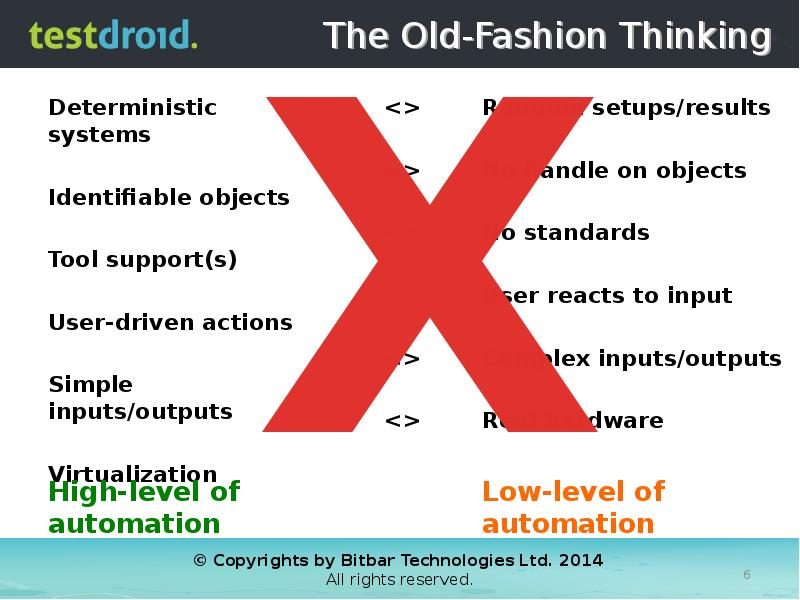
- 6. The Old-Fashion Thinking Deterministic systems Identifiable objects Tool support(s)
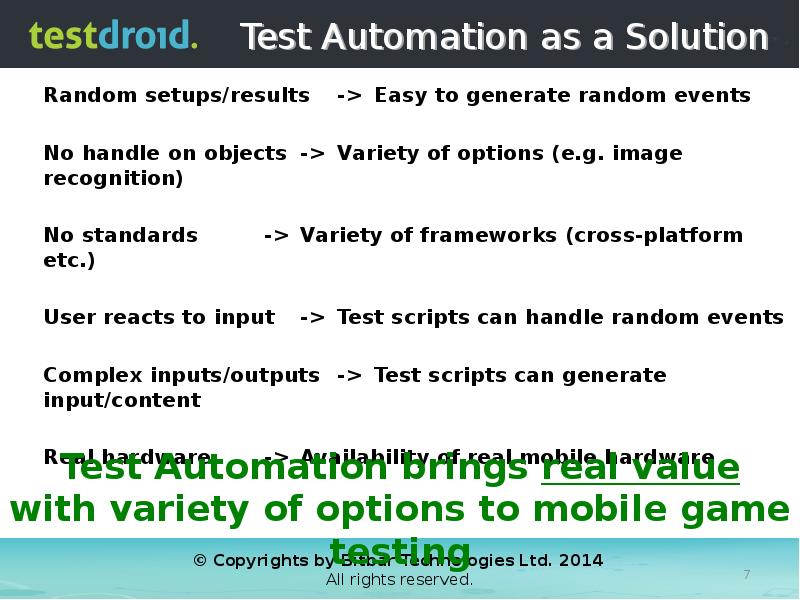
- 7. Test Automation as a Solution
- 8. Challenges that Test Automation Tackles Proliferation of Devices, Brands, Operators, Platforms
- 9. Significant Benefits of Using Automation
- 10. Different 'Verticals' Require Different Practices
- 12. Important Aspects in Game Testing User Interface and Functionality UI layouts/elements,
- 13. User Interface and Functional Compared to regular app testing, mobile
- 14. Performance Testing Performance, Load, Stress, Spike, Soak
- 15. Performance Makes +/- UX Studies: Majority of users leave game due
- 16. Building the User Experience
- 17. Multi-Player/User Features End-to-end between tests, AI or more simple implementations Optimize
- 18. Social Integrations Important part of the after-engagement (how gamers share their
- 19. Security and Liabilities
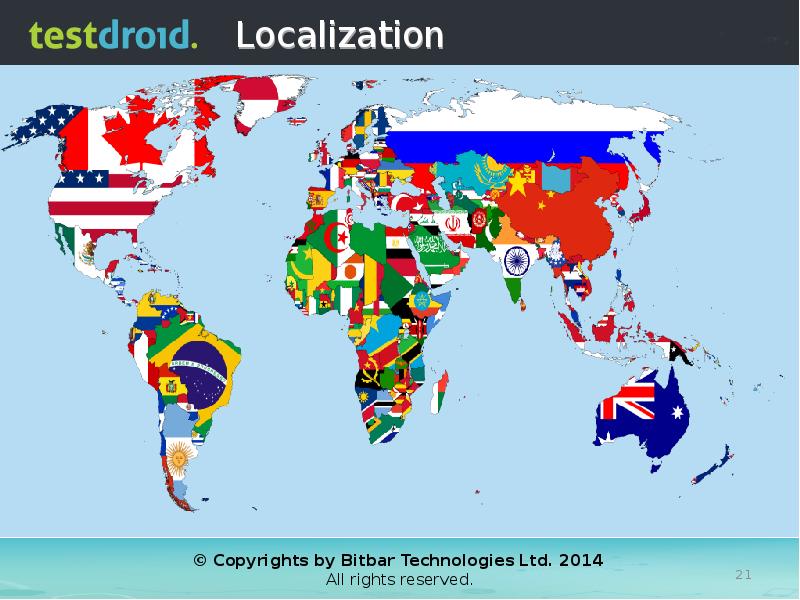
- 21. Localization
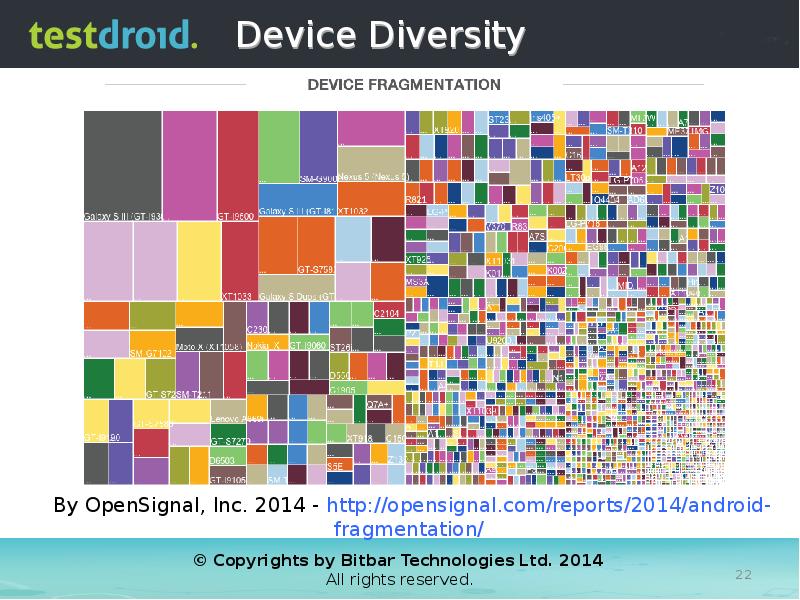
- 22. Device Diversity
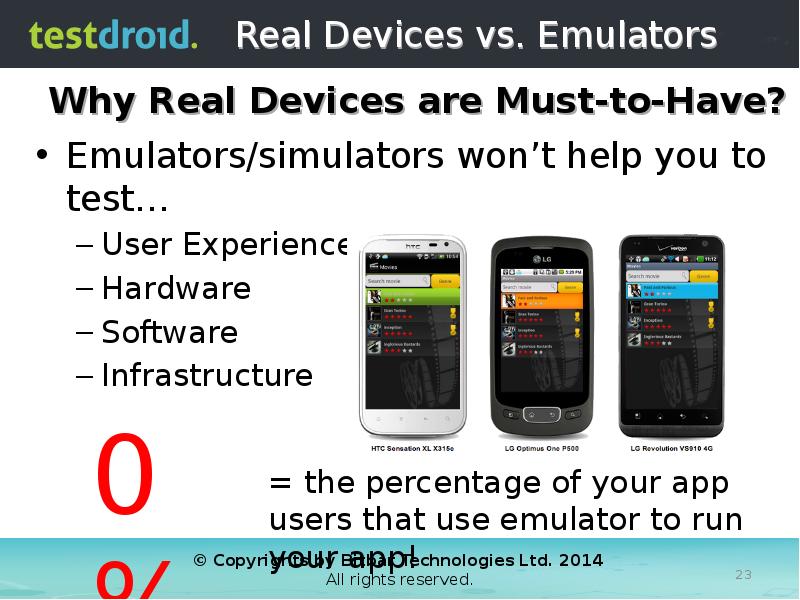
- 23. Real Devices vs. Emulators Emulators/simulators won’t help you to test… User
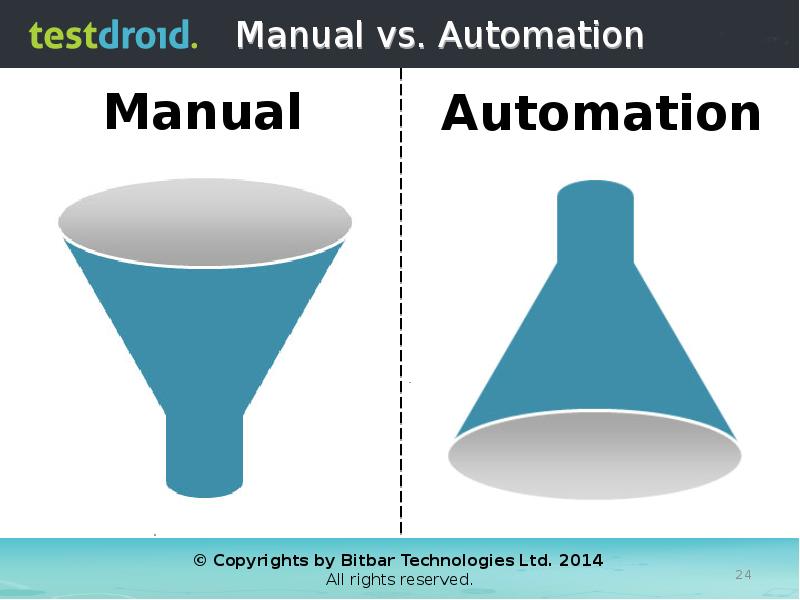
- 24. Manual vs. Automation
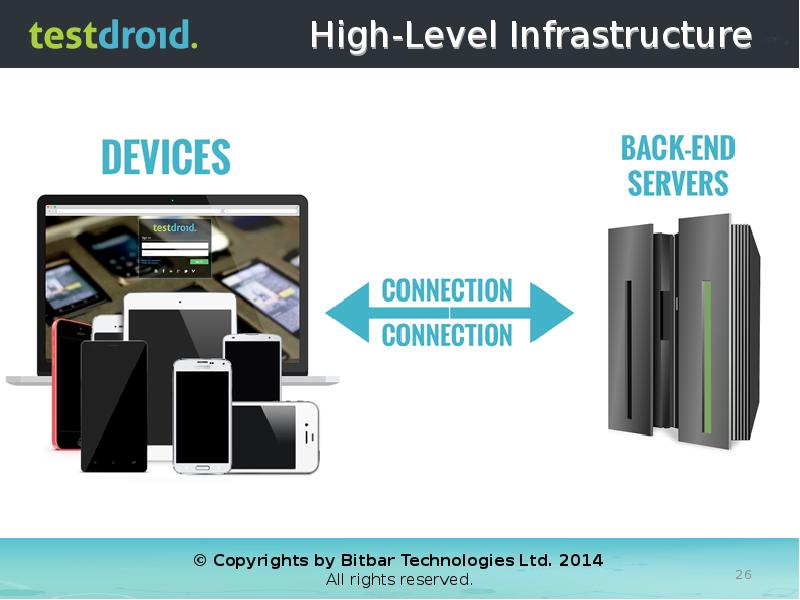
- 26. High-Level Infrastructure
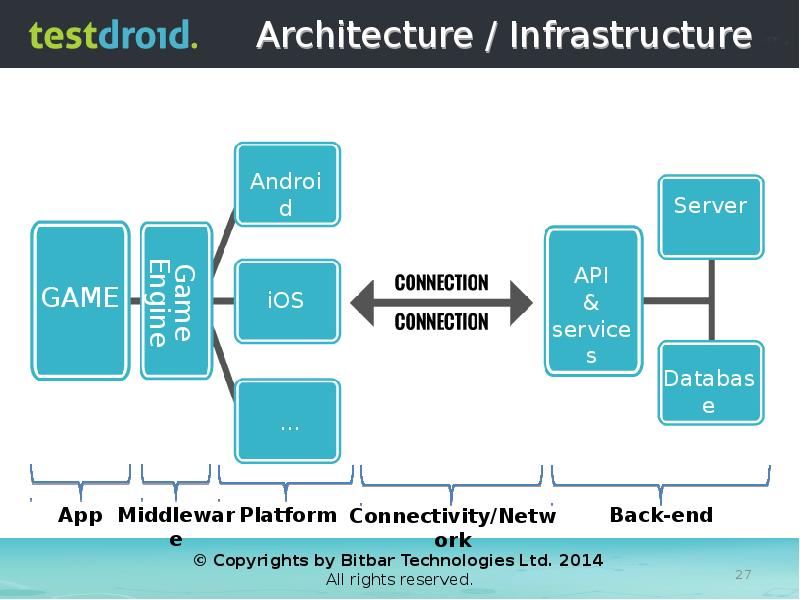
- 27. Architecture / Infrastructure
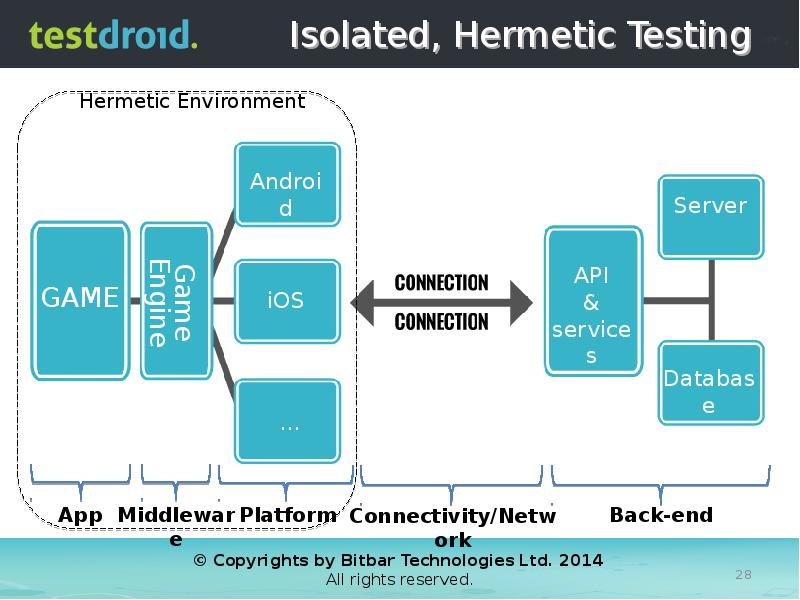
- 28. Isolated, Hermetic Testing
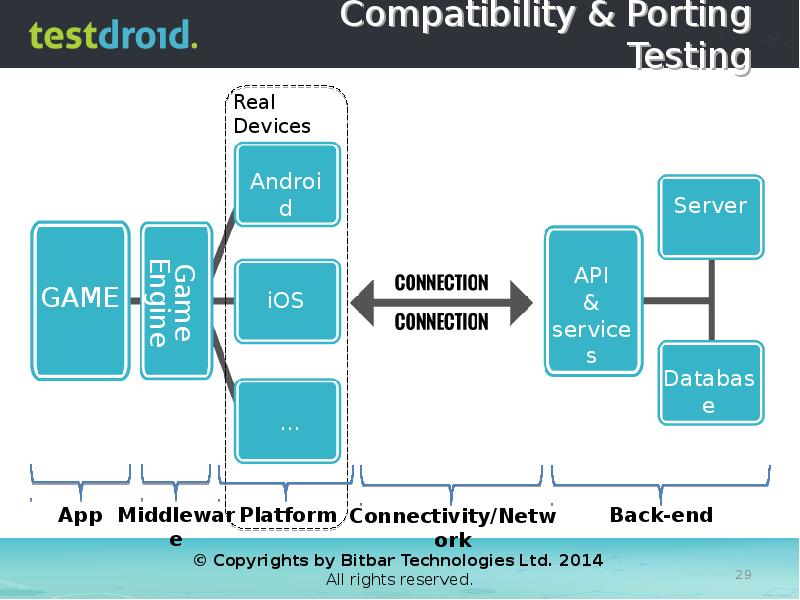
- 29. Compatibility & Porting Testing
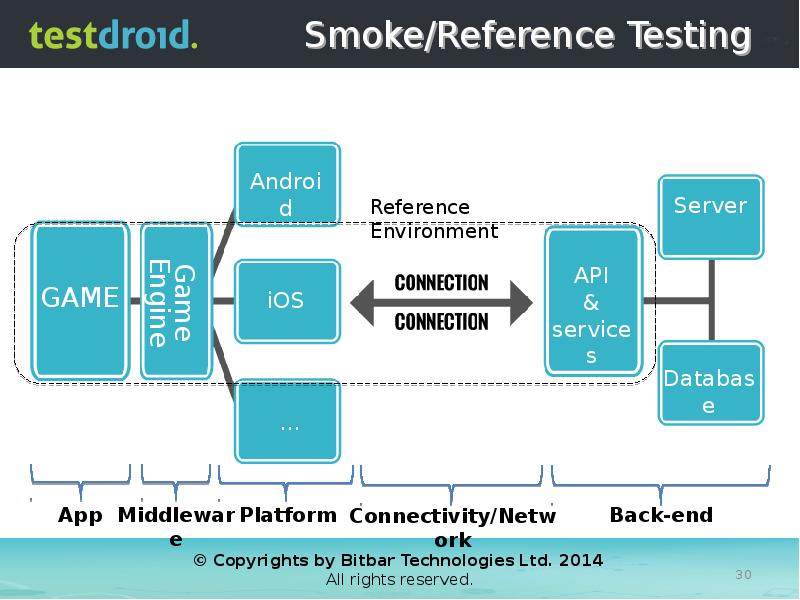
- 30. Smoke/Reference Testing
- 31. Back-End Performance Testing
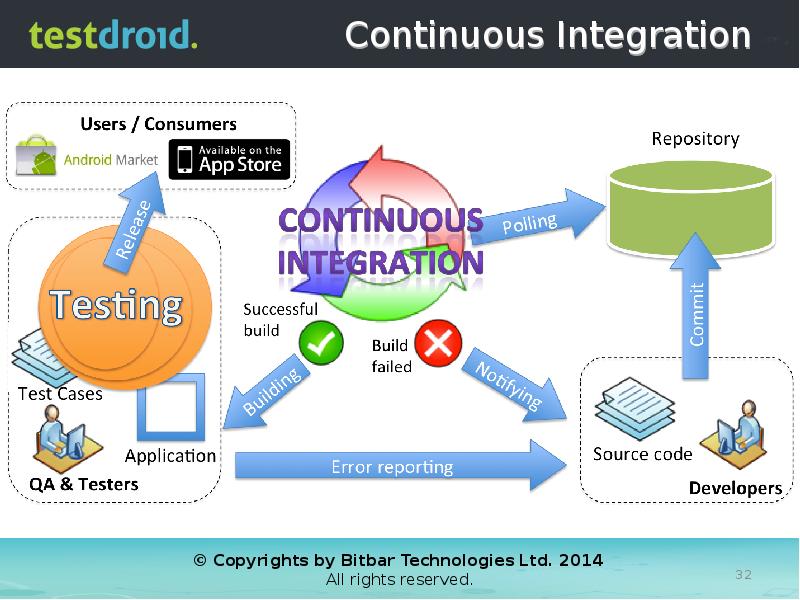
- 32. Continuous Integration
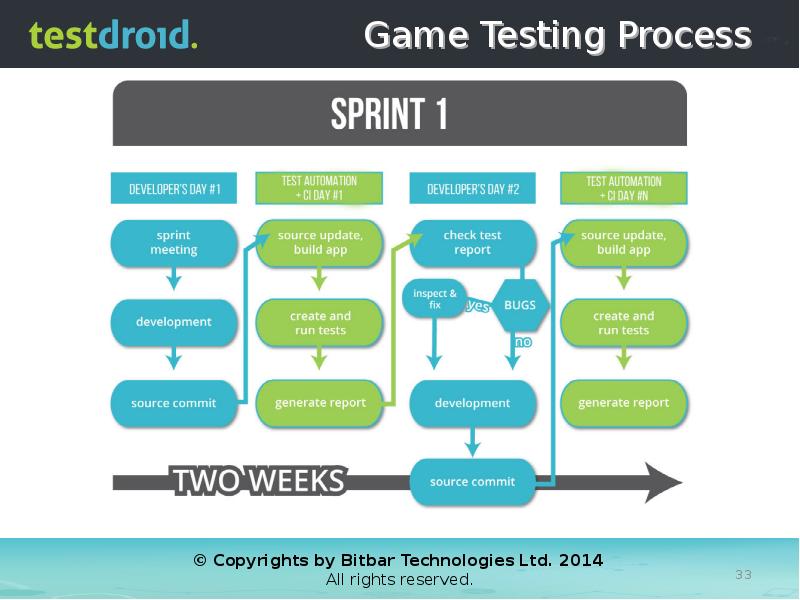
- 33. Game Testing Process
- 35. Setup Continuous Integration (e.g. Jenkins) Appium framework (for Android and iOS)
- 36. Continuous Integration
- 37. Appium Intro
- 38. Appium Basics Uses Selenium Webdriver (W3C standard) as a scripting framework
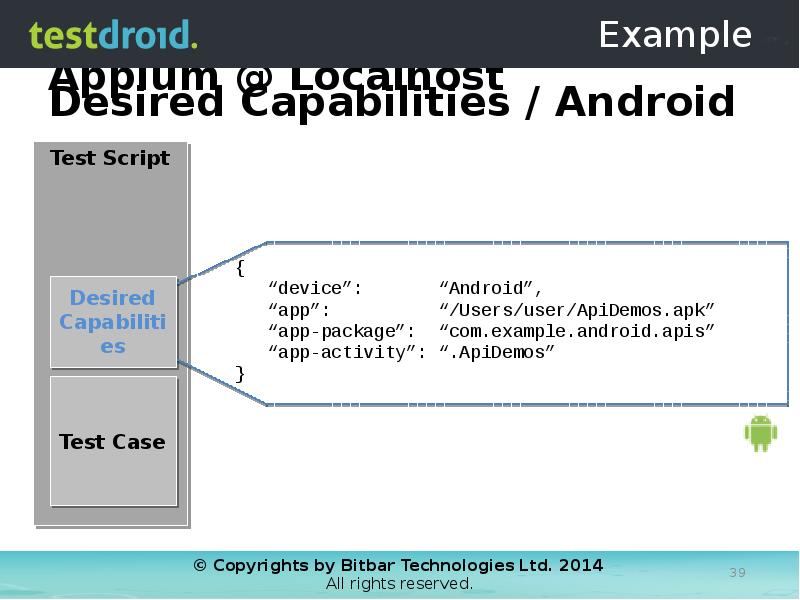
- 39. Appium @ Localhost
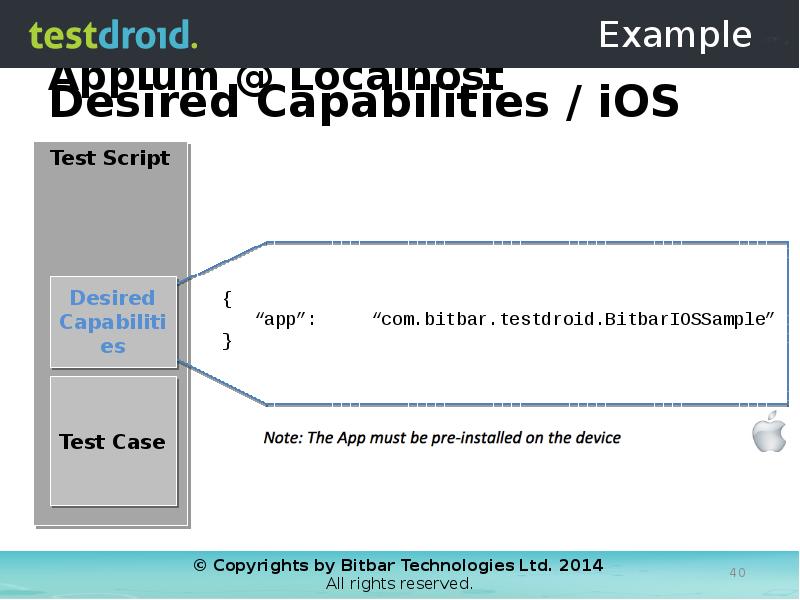
- 40. Appium @ Localhost
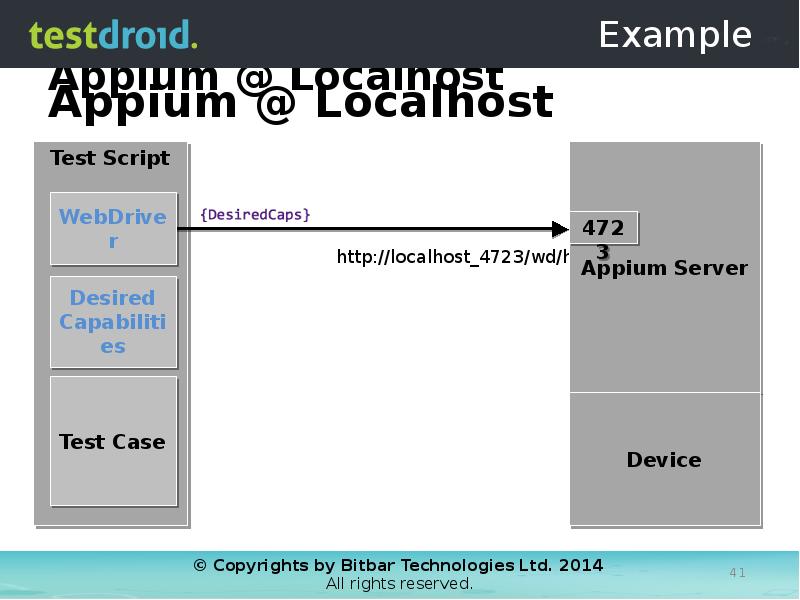
- 41. Appium @ Localhost
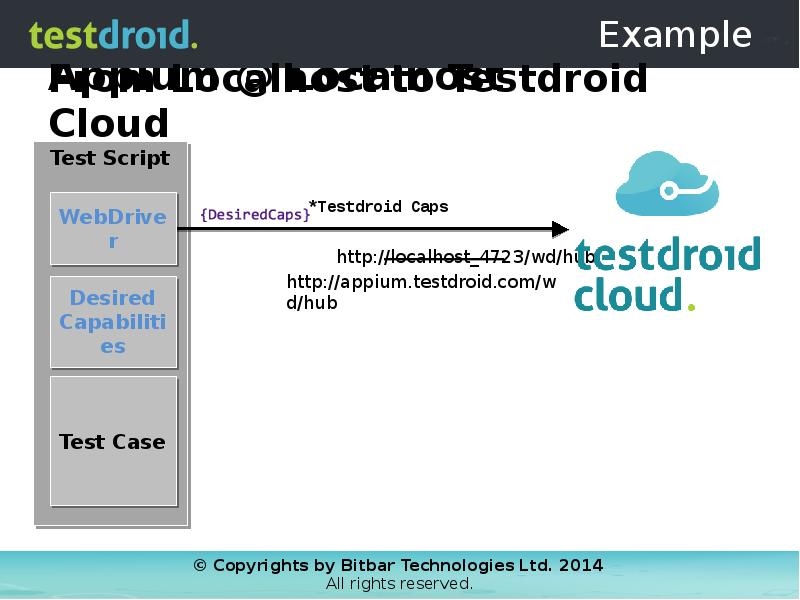
- 42. Appium @ Localhost
- 43. Appium @ Localhost
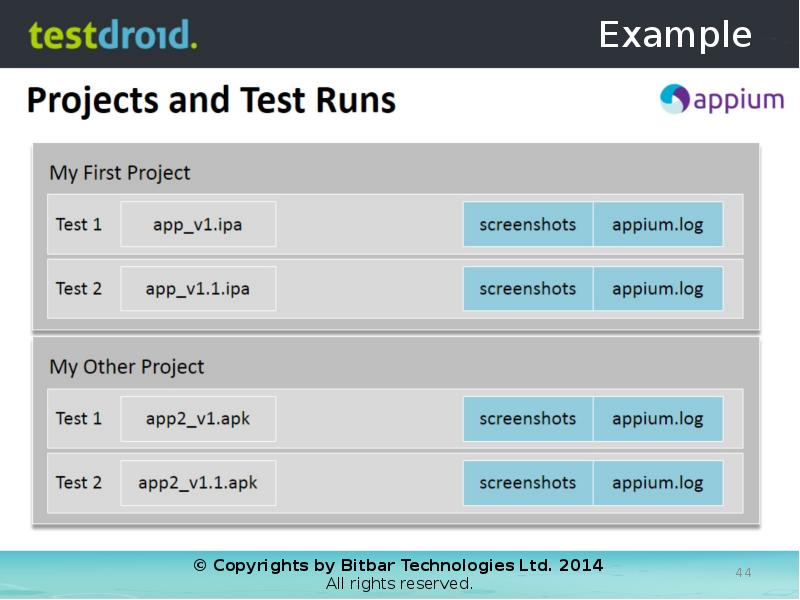
- 44. Projects and Test Runs
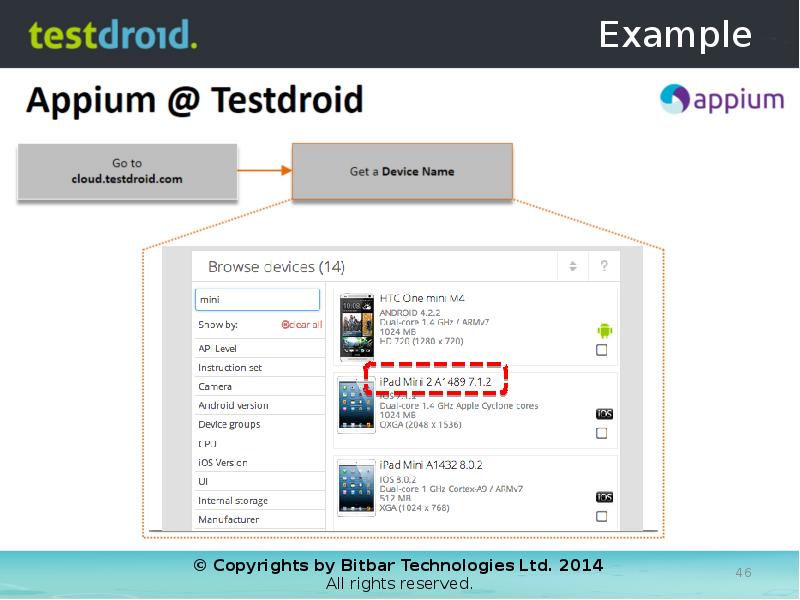
- 46. Appium @ Testdroid
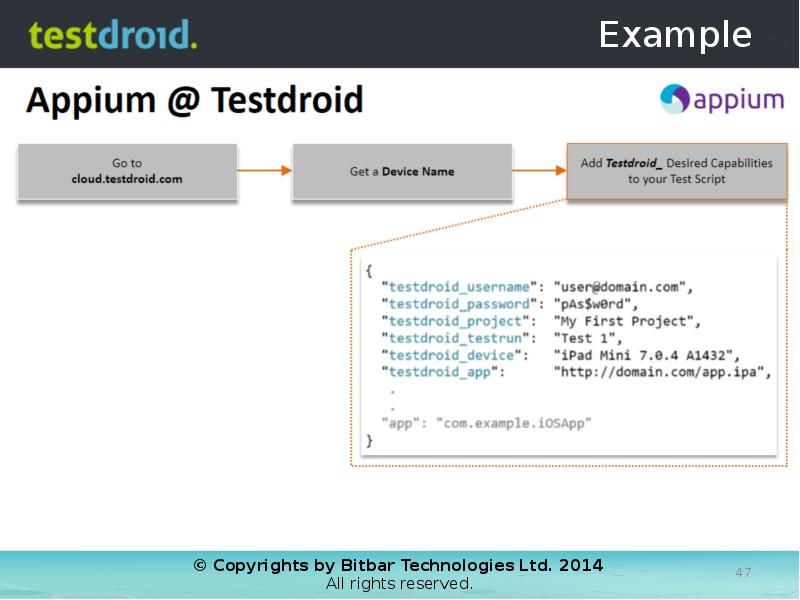
- 47. Appium @ Testdroid
- 48. Appium @ Testdroid
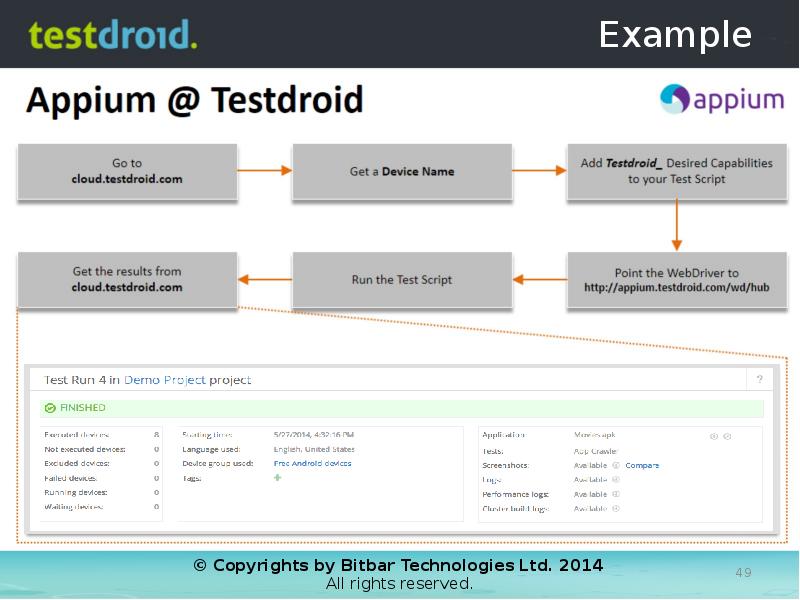
- 49. Appium @ Testdroid
- 50. Appium @ Testdroid
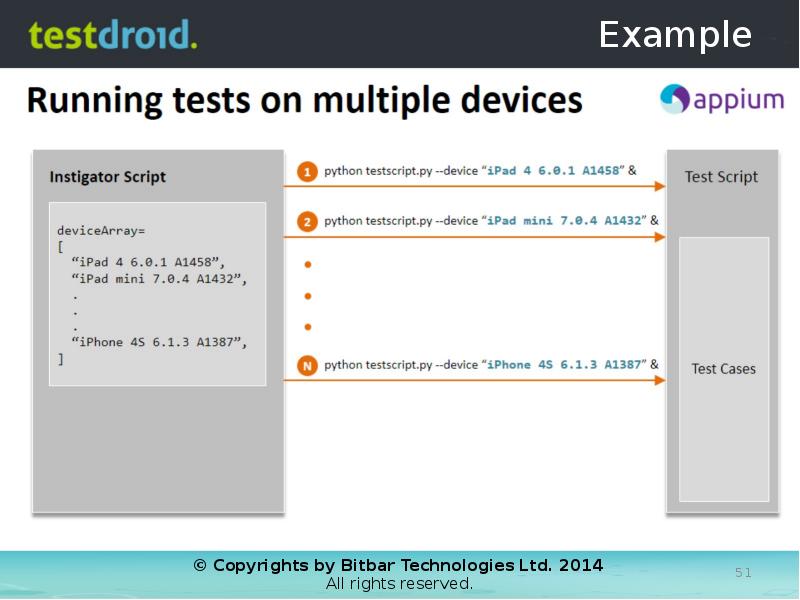
- 51. Running tests on multiple devices
- 53. Appium @ Localhost
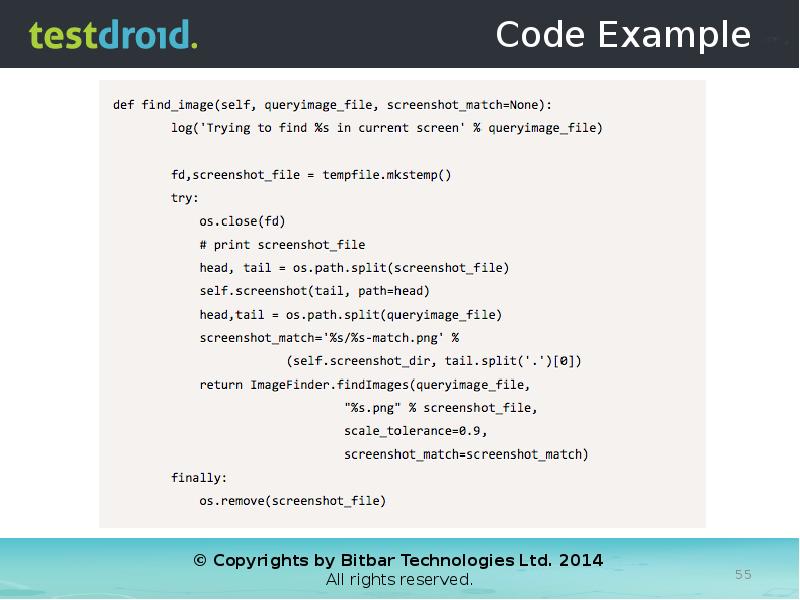
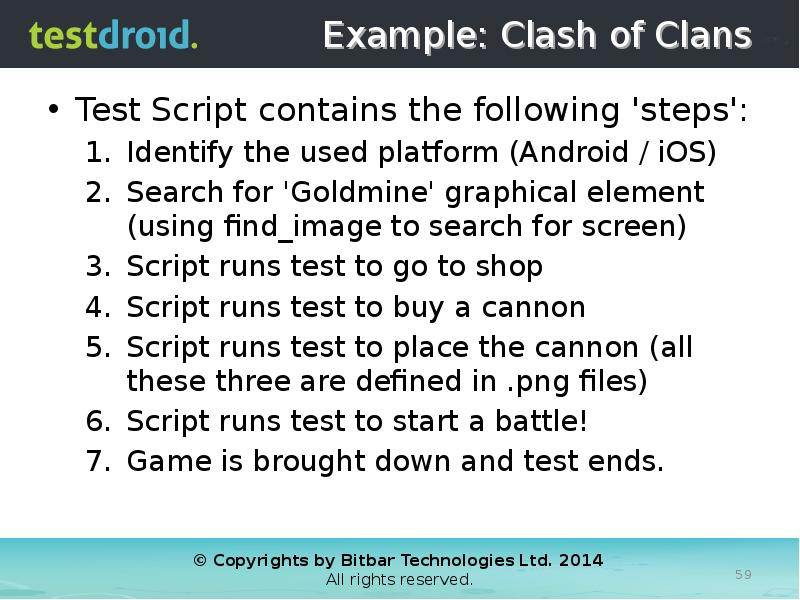
- 59. Example: Clash of Clans Test Script contains the following 'steps': Identify
- 68. THANK YOU! Video recording & slides of this webinar will be
- 70. Скачать презентацию
















Слайды и текст этой презентации
Слайд 1
Описание слайда:
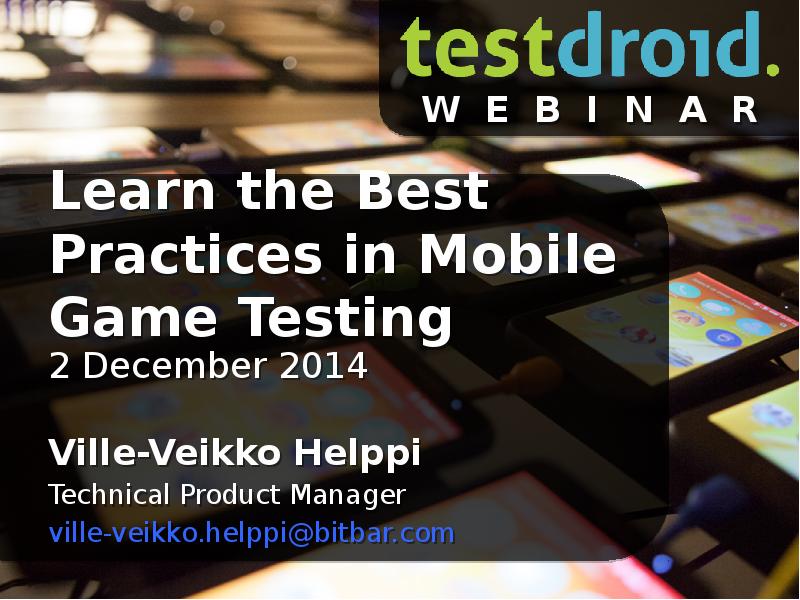
Learn the Best Practices in Mobile Game Testing
2 December 2014
Ville-Veikko Helppi
Technical Product Manager
[email protected]
Слайд 2
Описание слайда:
Agenda
Different Types of Testing and How Game Testing Differs from Regular App Testing?
Frameworks, Tools and Technologies – What is Important in Mobile Game Testing Today?
Top Priorities for Mobile Game Testing
Infrastructure for Successful Game Testing
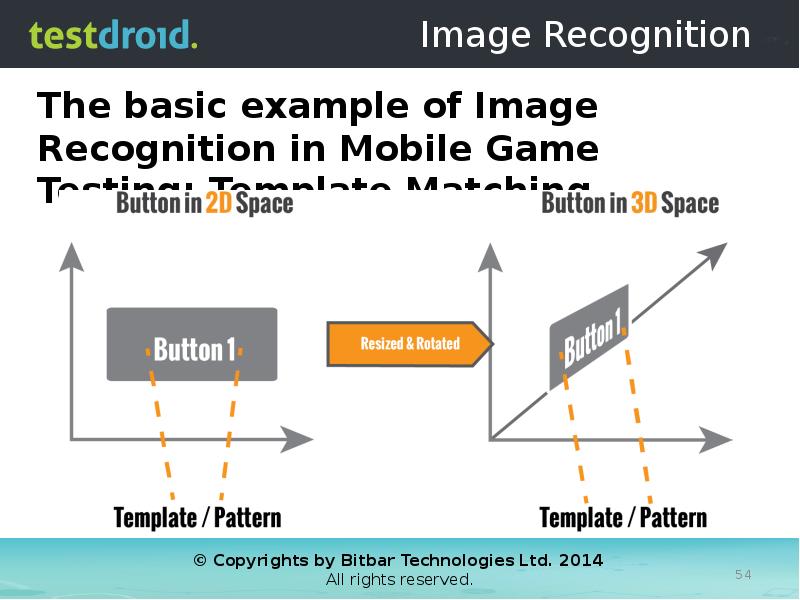
Hands-on Example (Image Recognition)
Testdroid Update
Q&A
Слайд 3
Описание слайда:
Слайд 4
Описание слайда:
Different Types of Testing?
Black-box testing vs. White-box testing
Methods used in Mobile Game Testing
Functional
Compatibility
Performance
Localization
Regression
Load
Smoke
Acceptance
Слайд 5
Описание слайда:
Defining Some Ways to Test
Слайд 6
Описание слайда:
The Old-Fashion Thinking
Deterministic systems
Identifiable objects
Tool support(s)
User-driven actions
Simple inputs/outputs
Virtualization
Слайд 7
Описание слайда:
Test Automation as a Solution
Слайд 8
Описание слайда:
Challenges that Test Automation Tackles
Proliferation of Devices, Brands, Operators, Platforms
Coupling the Testing and Development process (Continuous Integration/Deployment/Delivery)
Different Types of Testing (as automated)
Stress, Load, Performance, Functionality etc.
Test script & test asset usability
Cons of Manual testing
Tedious effort, Expensive human resources, Error-prone (as done by humans) & Not reusable (done once)
Слайд 9
Описание слайда:
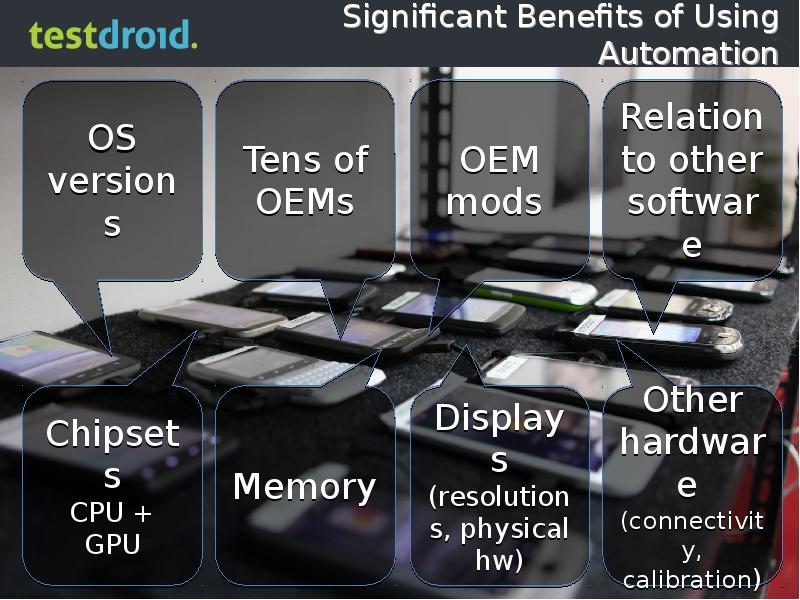
Significant Benefits of Using Automation
Слайд 10
Описание слайда:
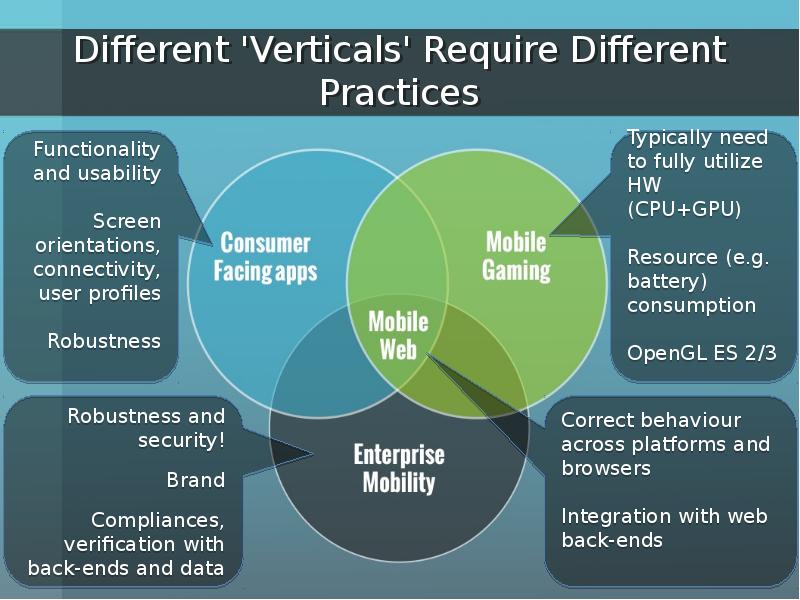
Different 'Verticals' Require Different Practices
Слайд 11
Описание слайда:
Слайд 12
Описание слайда:
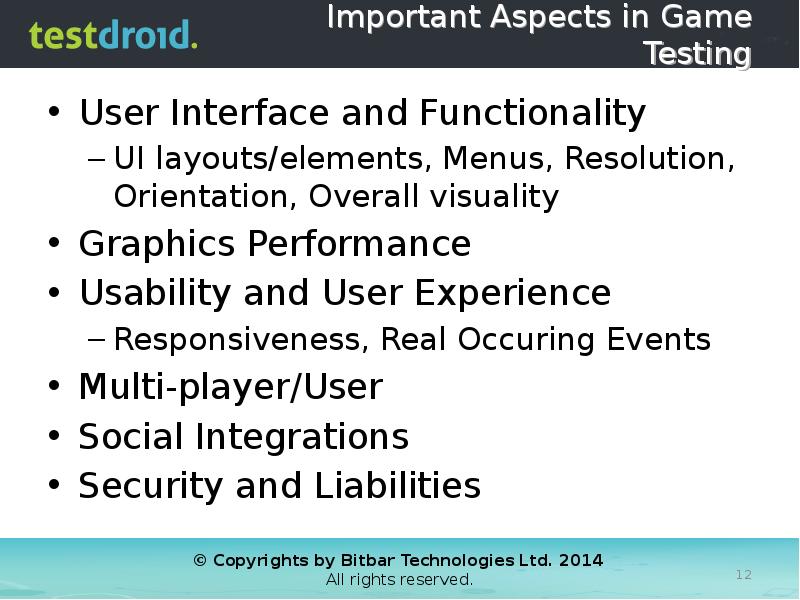
Important Aspects in Game Testing
User Interface and Functionality
UI layouts/elements, Menus, Resolution, Orientation, Overall visuality
Graphics Performance
Usability and User Experience
Responsiveness, Real Occuring Events
Multi-player/User
Social Integrations
Security and Liabilities
Слайд 13
Описание слайда:
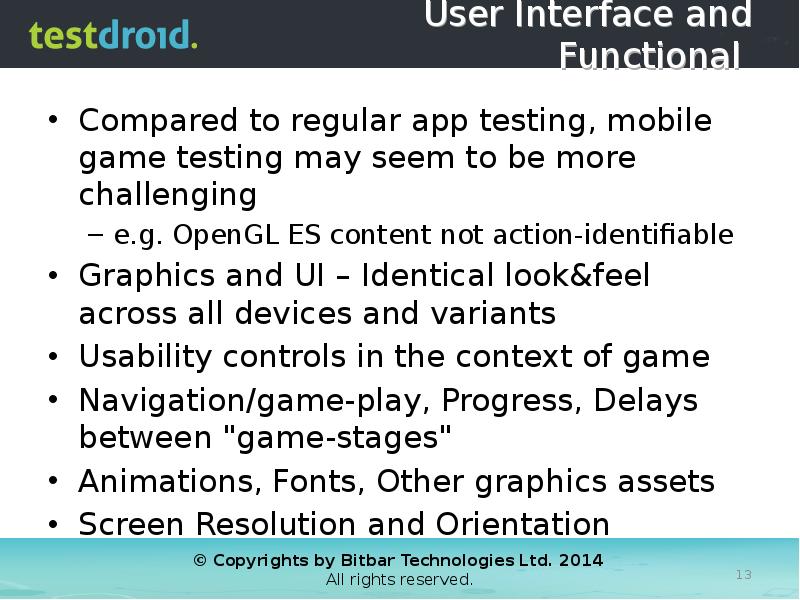
User Interface and Functional
Compared to regular app testing, mobile game testing may seem to be more challenging
e.g. OpenGL ES content not action-identifiable
Graphics and UI – Identical look&feel across all devices and variants
Usability controls in the context of game
Navigation/game-play, Progress, Delays between "game-stages"
Animations, Fonts, Other graphics assets
Screen Resolution and Orientation
Слайд 14
Описание слайда:
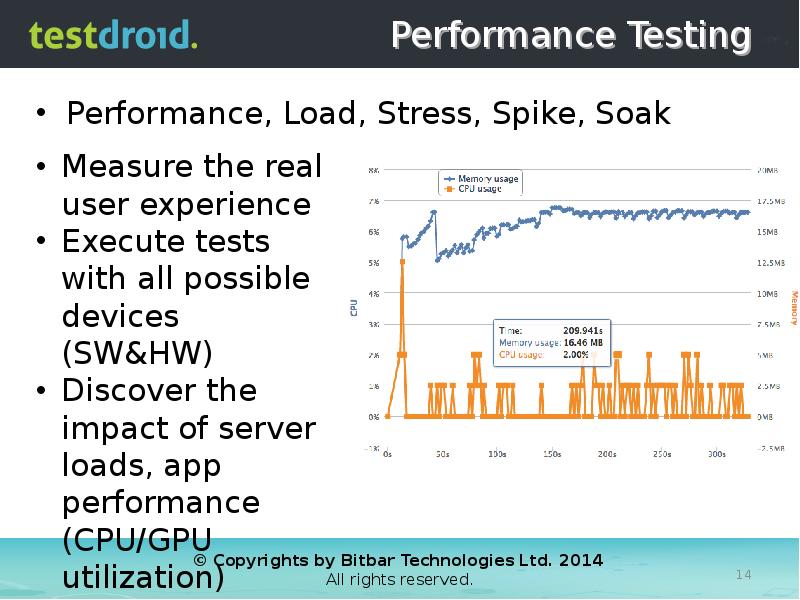
Performance Testing
Performance, Load, Stress, Spike, Soak
Слайд 15
Описание слайда:
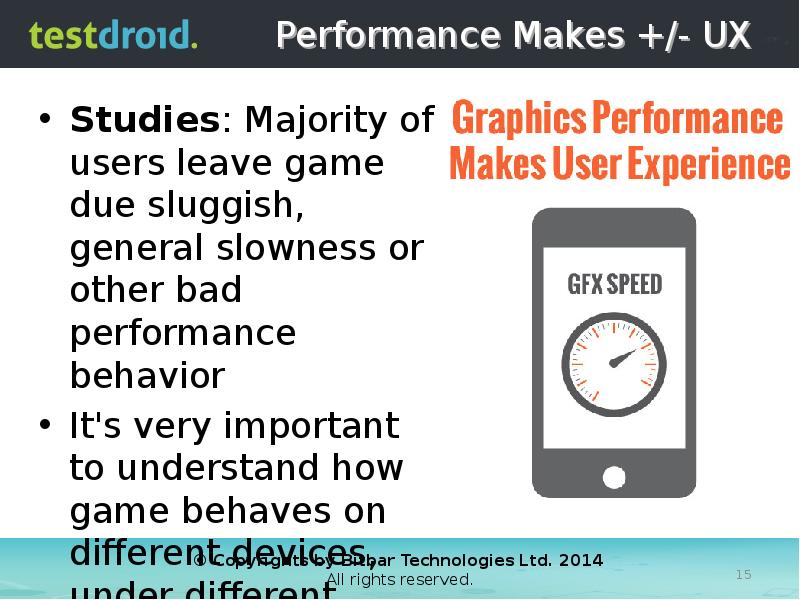
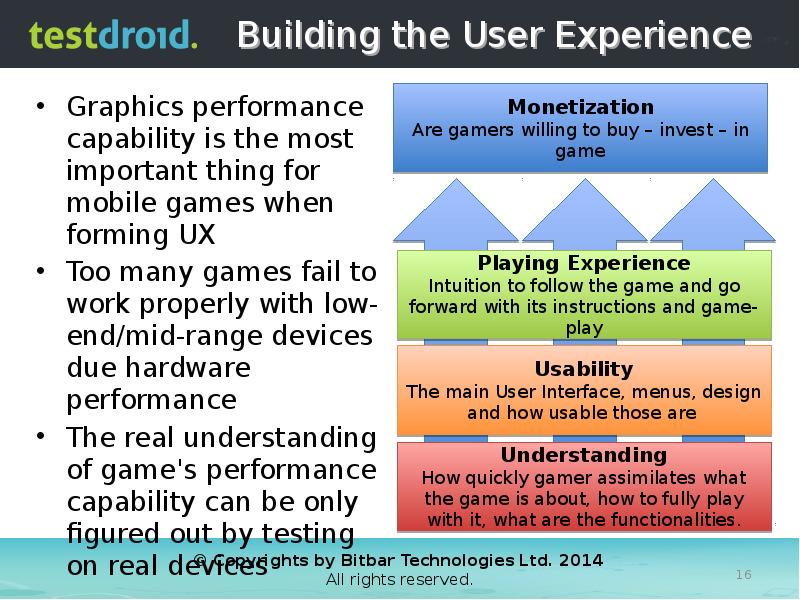
Performance Makes +/- UX
Studies: Majority of users leave game due sluggish, general slowness or other bad performance behavior
It's very important to understand how game behaves on different devices, under different circumstances
Слайд 16
Описание слайда:
Building the User Experience
Слайд 17
Описание слайда:
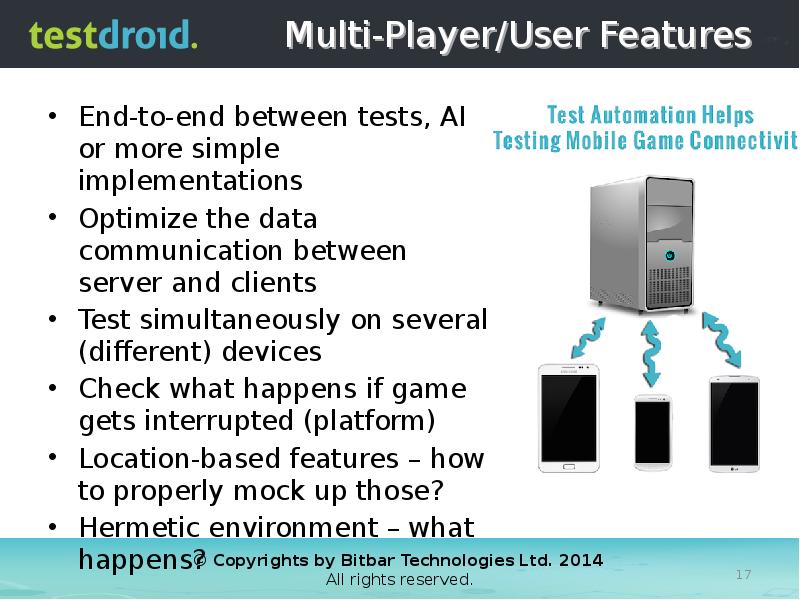
Multi-Player/User Features
End-to-end between tests, AI or more simple implementations
Optimize the data communication between server and clients
Test simultaneously on several (different) devices
Check what happens if game gets interrupted (platform)
Location-based features – how to properly mock up those?
Hermetic environment – what happens?
Слайд 18
Описание слайда:
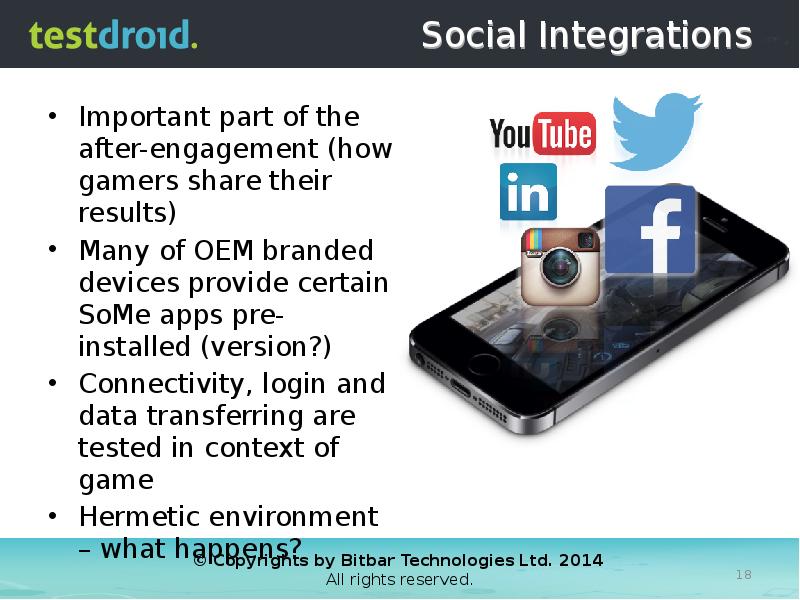
Social Integrations
Important part of the after-engagement (how gamers share their results)
Many of OEM branded devices provide certain SoMe apps pre-installed (version?)
Connectivity, login and data transferring are tested in context of game
Hermetic environment – what happens?
Слайд 19
Описание слайда:
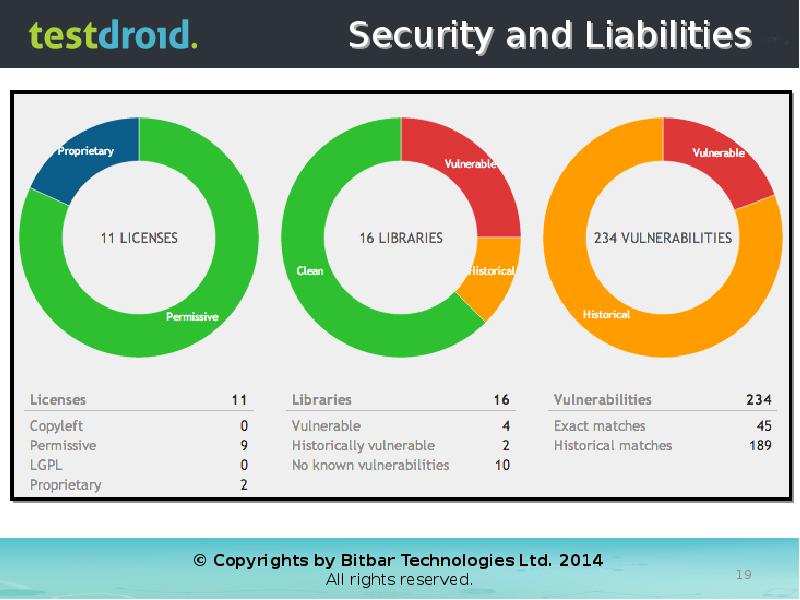
Security and Liabilities
Слайд 20
Описание слайда:
Слайд 21
Описание слайда:
Localization
Слайд 22
Описание слайда:
Device Diversity
Слайд 23
Описание слайда:
Real Devices vs. Emulators
Emulators/simulators won’t help you to test…
User Experience and Usability
Hardware
Software
Infrastructure
Слайд 24
Описание слайда:
Manual vs. Automation
Слайд 25
Описание слайда:
Слайд 26
Описание слайда:
High-Level Infrastructure
Слайд 27
Описание слайда:
Architecture / Infrastructure
Слайд 28
Описание слайда:
Isolated, Hermetic Testing
Слайд 29
Описание слайда:
Compatibility & Porting Testing
Слайд 30
Описание слайда:
Smoke/Reference Testing
Слайд 31
Описание слайда:
Back-End Performance Testing
Слайд 32
Описание слайда:
Continuous Integration
Слайд 33
Описание слайда:
Game Testing Process
Слайд 34
Описание слайда:
Слайд 35
Описание слайда:
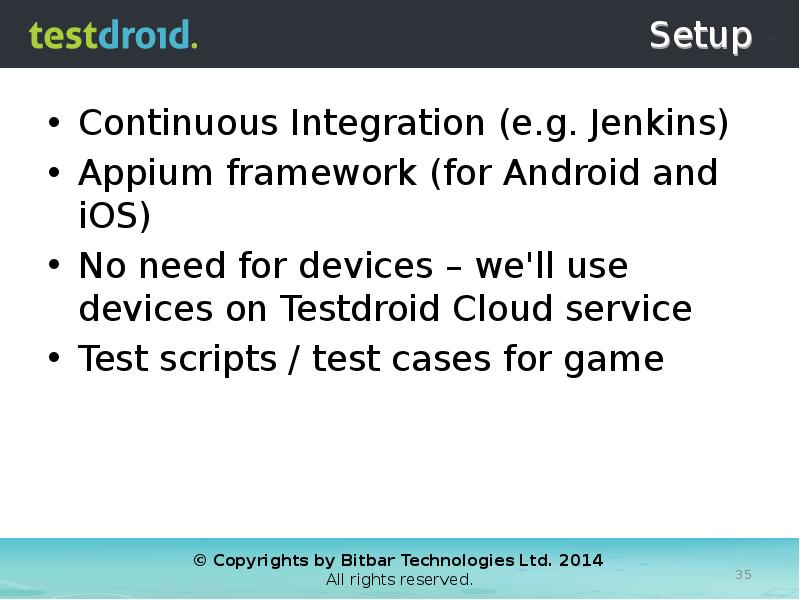
Setup
Continuous Integration (e.g. Jenkins)
Appium framework (for Android and iOS)
No need for devices – we'll use devices on Testdroid Cloud service
Test scripts / test cases for game
Слайд 36
Описание слайда:
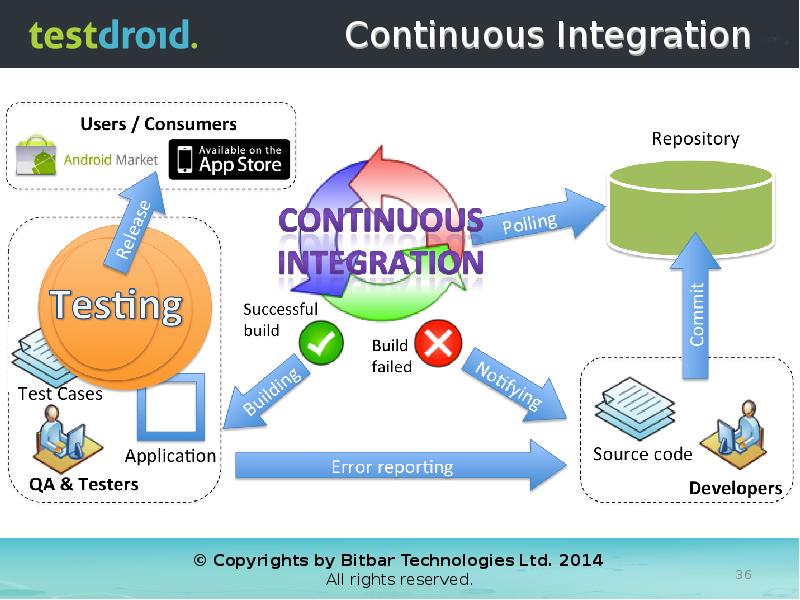
Continuous Integration
Слайд 37
Описание слайда:
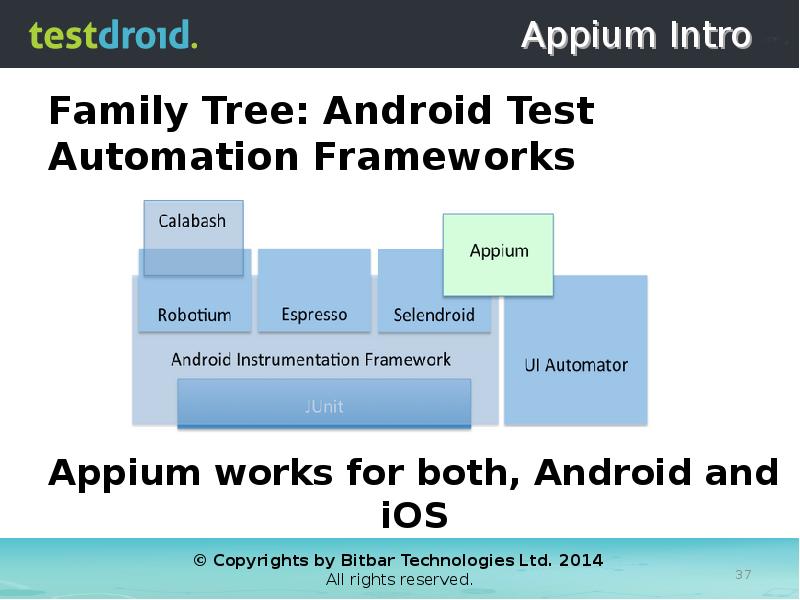
Appium Intro
Слайд 38
Описание слайда:
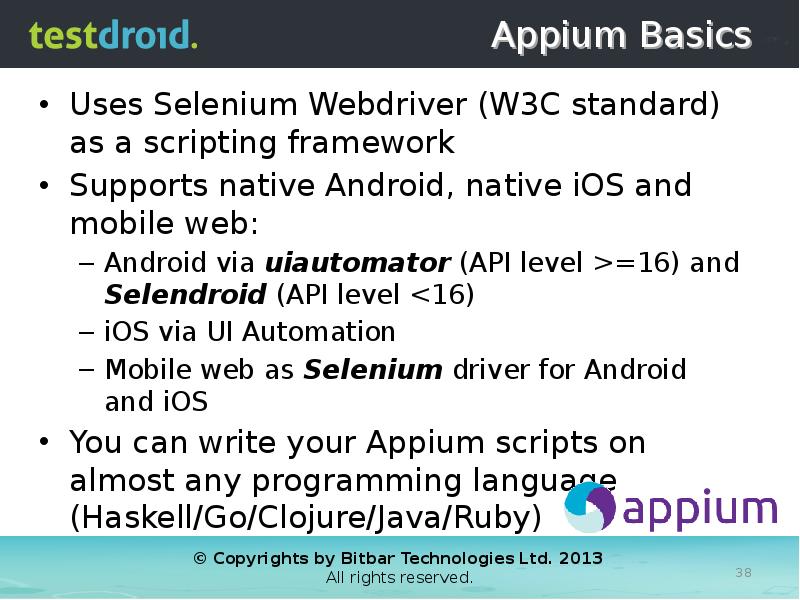
Appium Basics
Uses Selenium Webdriver (W3C standard) as a scripting framework
Supports native Android, native iOS and mobile web:
Android via uiautomator (API level >=16) and Selendroid (API level <16)
iOS via UI Automation
Mobile web as Selenium driver for Android and iOS
You can write your Appium scripts on almost any programming language (Haskell/Go/Clojure/Java/Ruby)
Слайд 39
Описание слайда:
Appium @ Localhost
Слайд 40
Описание слайда:
Appium @ Localhost
Слайд 41
Описание слайда:
Appium @ Localhost
Слайд 42
Описание слайда:
Appium @ Localhost
Слайд 43
Описание слайда:
Appium @ Localhost
Слайд 44
Описание слайда:
Projects and Test Runs
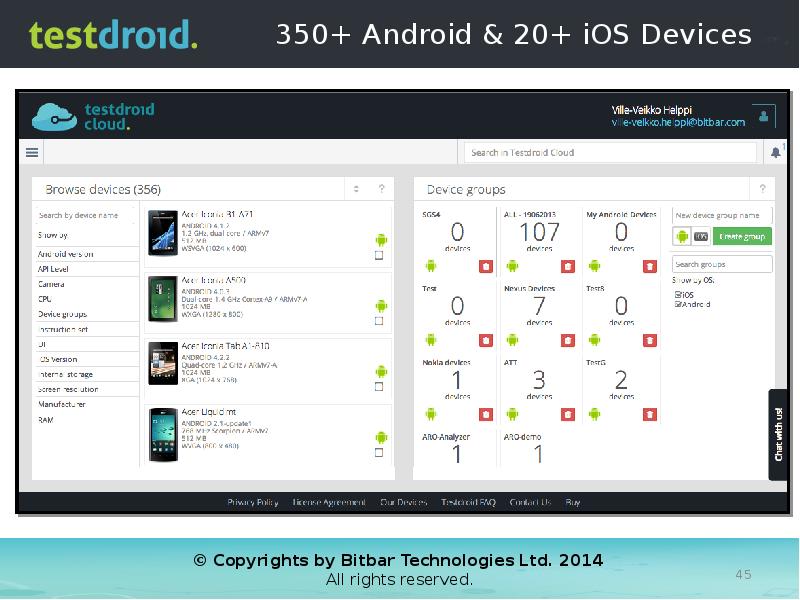
Слайд 45
Описание слайда:
Слайд 46
Описание слайда:
Appium @ Testdroid
Слайд 47
Описание слайда:
Appium @ Testdroid
Слайд 48
Описание слайда:
Appium @ Testdroid
Слайд 49
Описание слайда:
Appium @ Testdroid
Слайд 50
Описание слайда:
Appium @ Testdroid
Слайд 51
Описание слайда:
Running tests on multiple devices
Слайд 52
Описание слайда:
Слайд 53
Описание слайда:
Appium @ Localhost
Слайд 54
Описание слайда:
Слайд 55
Описание слайда:
Слайд 56
Описание слайда:
Слайд 57
Описание слайда:
Слайд 58
Описание слайда:
Слайд 59
Описание слайда:
Example: Clash of Clans
Test Script contains the following 'steps':
Identify the used platform (Android / iOS)
Search for 'Goldmine' graphical element (using find_image to search for screen)
Script runs test to go to shop
Script runs test to buy a cannon
Script runs test to place the cannon (all these three are defined in .png files)
Script runs test to start a battle!
Game is brought down and test ends.
Слайд 60
Описание слайда:
Слайд 61
Описание слайда:
Слайд 62
Описание слайда:
Слайд 63
Описание слайда:
Слайд 64
Описание слайда:
Слайд 65
Описание слайда:
Слайд 66
Описание слайда:
Слайд 67
Описание слайда:
Слайд 68
Описание слайда:
THANK YOU!
Video recording & slides of this webinar will be soon available at Vimeo and Slideshare!
Please visit at www.testdroid.com for more information.
Слайд 69
Описание слайда:
Скачать презентацию на тему Learn the Best Practices in Mobile Game Testing можно ниже: